

KitchenGPT
KitchenGPT · Image
KitchenGPT is an AI kitchen design studio that restyles a photo of your own kitchen in 200+ styles while keeping the walls, windows and layout fixed.
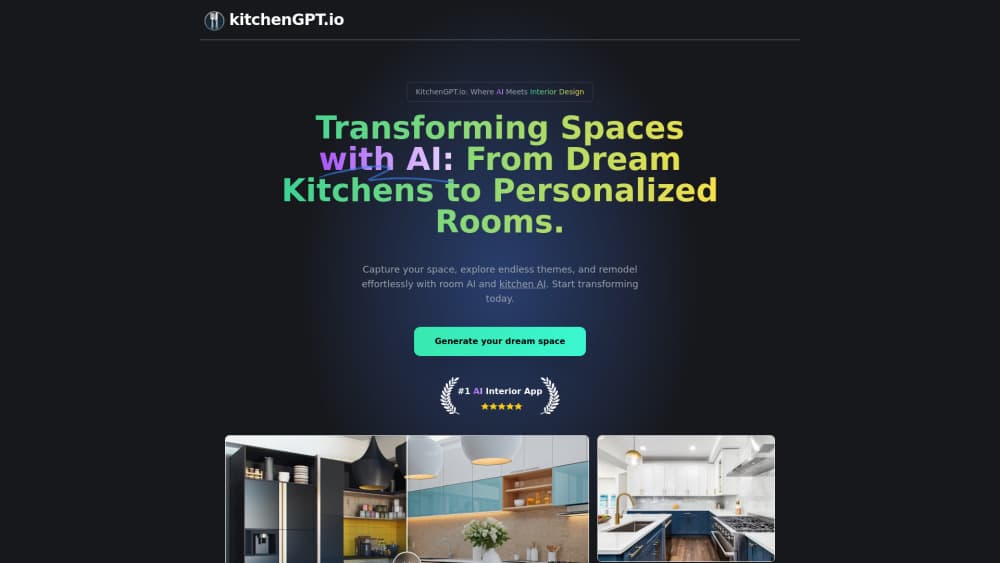
About KitchenGPT
What Is KitchenGPT
KitchenGPT is a kitchen design app for people who are about to spend real money on a kitchen and still can't picture the result. You upload one photo of the room. The tool gives back the same room with new cabinets, counters, floors, backsplash and hardware. Walls, windows and camera angle stay where they were.
The problem it targets is a specific one. Three contractors price three different kitchens because each one pictures a different room. A showroom sample looks nothing like your light. KitchenGPT keeps a single reference image that everyone in the conversation can point at. The company states its own limit plainly: layout constraints reduce drift, they don't remove it, and a photo shot at an angle can misread the far wall.
Two plans cover different jobs. KitchenGPT handles the kitchen you already have. KitchenGPT Studio adds floor plans, sketches, video walkthroughs, ten saved kitchens and a commercial license. If you want a virtual kitchen designer that shows the room you already own, and you cancel once the work is ordered, the cheaper plan is enough.
Getting Started
- Sign up and choose a plan. The live demo on the site runs the real studio, but a full-size render and saved files need a paid account.
- Upload a photo taken square to the counter, or bring a floor plan, pencil sketch, moodboard or written description instead.
- Confirm the layout the tool detected, such as galley, L-shaped or U-shaped with an island, then change one thing at a time.
- Generate the render, compare your saved versions, and take the photo, video walkthrough and cabinet list to whoever is building the kitchen.
Product Information
A quick look at KitchenGPT's pricing, supported platforms, and performance.
Best for
The users, tasks, and scenarios where this tool fits best.
Users
- Homeowners mid-remodel
- Kitchen fitters and interior designers
- Landlords and estate agents
Tasks
- Picking a cabinet color
- Comparing a countertop, tile or floor sample
- Testing refacing against new doors
- Settling a decision between two people
Scenarios
- Before you request quotes
- A client presentation the next morning
- A rental turnover or a listing shoot
Key features
Layout-Locked Redesign
Pick one of 200+ styles across 16 categories, from modern and Japandi to farmhouse and coastal, and the room comes back recognizable. Cabinets, surfaces and finishes change together while the window, the door and the camera position stay put. That single constraint is what separates a usable AI kitchen render from a pretty picture of somebody else's kitchen.
Cabinet Painter
Paint the cabinets without repainting the room. Choose a color, paste a code or upload a photo of a paint sample, and the tool applies it to every cabinet front while leaving floors and counters alone. It answers the question that stalls most renovations, which is whether the green you liked in the store works next to your countertop.
Sample and Product Swaps
Flooring, backsplash, counters, handles and appliances each have their own module. You can photograph the tile you're considering or paste a product link for the fridge you want, and the render places that exact item in your room at the right scale. Seeing one handle across every door beats holding a single handle in a showroom.
Kitchen Studio in 2D and 3D
The Studio builder lets you type wall lengths, add doors and windows, and place real cabinets at real sizes before rendering the plan as a photograph. It also exports measured drawings and a cabinet list a builder can order from, which turns a kitchen visualizer into a handover document. The 3D view needs a desktop screen, and KitchenGPT says so instead of shipping a cramped phone version.
Make It Empty and Kitchen X-Ray
Make It Empty strips cabinets, appliances and clutter out of your photo while keeping the walls and openings, which is useful when the room is empty in your head but full in reality. Kitchen X-Ray does the opposite and looks through the cabinet fronts to show how storage is organized inside, so you can plan what goes behind the doors.
Design Consultant
Ask a question about color, materials or layout and get advice tied to the room you uploaded, not generic tips. Each suggestion comes as a short list of changes, and one click applies all of them to a new preview. It's the closest thing here to standing in the kitchen with a designer who can actually show you the answer.
Kitchen Design API
Developers can run the same modules through a REST API with an API key and asynchronous jobs. Change Style, Virtual Staging, Appliance Swap and the rest are exposed as endpoints under a single base URL, with quota and credits visible per client key. It's aimed at showrooms and property platforms that want a visualizer inside their own product.
Pros and cons
Pros
- The layout lock makes the output usable for a decision, since you're judging your own room rather than a lookalike.
- Sample and product swaps work from your photos and links, so the render reflects the tile and fridge you can actually buy.
- Real cabinet sizes and an exported cabinet list mean the design can reach a builder instead of stopping at a mood board.
- The Studio license covers client work, listings and marketing, which suits fitters and agents who bill for this.
- A 30-day money-back guarantee and one-click cancellation keep the commitment small for a one-off project.
Cons
- There's no free plan, so a finished render always costs money and the free experience is a demo rather than a result.
- Credits limit how much you can experiment: most designs cost 2 to 5 credits, which puts the $27 plan at roughly 40 renders a month, and video burns more.
- The 3D studio builder is desktop only, so anyone working from a phone is stuck with photo restyles.
- Awkward photos still drift. Shoot square to the counter or expect the far wall and some appliances to come back wrong.
Frequently asked questions
No. The layout, walls, windows, plumbing and camera angle are held fixed, and only the parts you're buying change. That's the product's core promise, and it's why a render is recognizable as your kitchen rather than a generic showroom shot.
Related content
Explore related tools, skills, and articles for KitchenGPT.
KitchenGPT Alternatives

Google EmbeddingGemma 2
Google DeepMind · Writing · Image · CodingGoogle EmbeddingGemma 2 is a 740M-parameter open model that turns text, code, images, audio, and video frames into vectors in one 768-dimension space, running on phones and laptops.

Tractionwave
TractionWave · Image · MarketingTractionWave is an AI attention heatmap tool for static ads. Upload a PNG or JPG and it returns predicted attention, ranked hotspots, and fixes before you spend budget.

Imejis.io
Imejis.io · Image · MarketingImejis.io is an AI design studio for agents and marketing teams. Describe an image in plain words, and it writes the copy, builds the layout, reflows it to every size, then exports a finished file.