
Kittl - Unleash Your Creative Power
Kittl · Image
Kittl is a browser-based AI design platform for typography, vector artwork, and print-on-demand graphics, offering text effects, a large font library, and AI image and video tools.
About Kittl - Unleash Your Creative Power
What Is Kittl
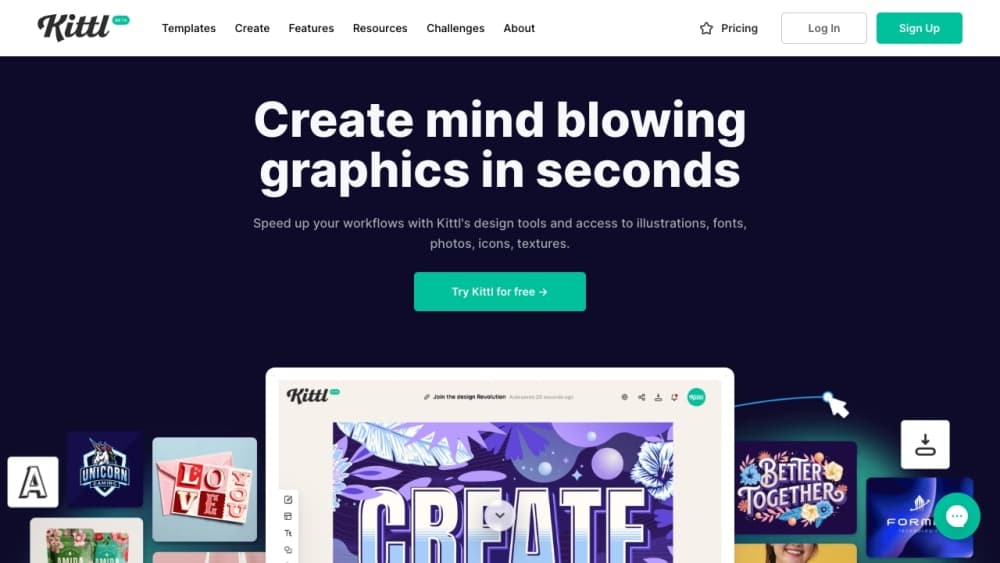
Kittl is a graphic design software platform that sits between beginner tools like Canva and professional software like Adobe Illustrator. It launched in 2020 as Heritage Type, a tool focused on vintage typography, then rebranded as Kittl in 2022 and widened its scope to logos, apparel, packaging, product mockups, and social content. The company says more than 5 million people use it, and it pitches itself mainly at print-on-demand sellers, small businesses, and agencies that need branded visuals fast.
Its strongest ground is typography. Stackable text effects, curved text with anchor handles, glyphs, and ligatures give you the kind of control desktop software offers, but inside a drag-and-drop editor you can learn in an afternoon. On top of that, a set of AI tools handles image and video generation, background removal, upscaling, and vectorizing, so you can shape and finish artwork in one place.
The trade-offs show up before you commit to a paid plan. There's no mobile app, so design work stays on a desktop browser. Export formats are basic compared with Illustrator, and the template and stock asset libraries are smaller than big general platforms. Cheaper plans also cap storage, which bites if you keep a lot of large files. The free plan is a real starting point but limits what you can sell.
Getting Started
- Open kittl.com in a browser and sign up with an email or a Google account to reach the editor.
- Start from a blank canvas or pick a template for logos, apparel, posters, or social posts.
- Add text and apply transformation, shading, or decoration effects, or drop in fonts, illustrations, and graphics from the library.
- Generate images, video, or vectors with the AI tools, including AI image generation, then clean them up with the background remover, upscaler, or vectorizer.
- Export your design, or upgrade to a paid plan when you need commercial use and higher limits.
Product Information
A quick look at Kittl - Unleash Your Creative Power's pricing, supported platforms, and performance.
Best for
The users, tasks, and scenarios where this tool fits best.
Users
- Print-on-demand sellers
- Small business owners
- Agencies and design teams
- Designers who want control without Illustrator
Tasks
- Building typographic logos and wordmarks
- Making product mockups
- Generating AI images and video
- Removing and swapping backgrounds
- Upscaling and vectorizing artwork
Scenarios
- Launching a new merch drop
- Branding a small shop on a budget
- Rescuing a low-quality upload
- Prepping a client campaign
Key features
Typography and Text Effects
Kittl's text tools are its headline feature, and they go well past basic styling. Transformation effects curve, bend, and distort text along custom paths, while shading and decoration effects add depth through shadows, outlines, and color cuts. You can layer several effects on one block of text, which most general design tools won't let you do. That combination is what makes the vintage and retro looks Kittl is known for possible without hand-building them.
A Large Font Library
The platform carries more than 1,400 fonts, including 135 premium Monotype typefaces, and you can upload your own. Add glyphs, ligatures, and alternate characters, and you get decorative lettering that looks handcrafted rather than templated. For anyone whose client work leans on type, this alone can justify the switch from a simpler tool.
The Kittl AI Toolkit
Text-to-image, text-to-vector, and video generation sit next to the design tools, and you can choose from a range of third-party models inside the same project. Background remover, image upscaler, and vectorizer round it out. Because the AI tools share the editor, a generated image can go straight into a layout instead of being exported and re-imported. Token limits vary by plan, so heavy AI use pushes you up a tier.
Vector Editing and Infinite Canvas
Kittl gives you artboards at any size, blend modes, and a canvas you can zoom into without losing detail, which is closer to Illustrator than to a template-only editor. Vector tools let you adjust paths and scale artwork cleanly for print. Print-on-demand sellers lean on this for large-format posters and apparel art where a blurry raster file won't hold up.
Brand Studio and Team Collaboration
Brand Studio lets a business set its fonts, colors, and logo once, then spin up on-brand ads, posts, and campaigns from that kit. Teams get real-time collaboration and shared workspaces, so several people can edit the same file at once. For agencies, that keeps output consistent when more than one designer touches a project.
Templates, Mockups, and Graphics for Merch
A content library of over 10,000 illustrations made in house feeds the templates, alongside mockups and graphics sized for apparel and products. The library is smaller than the biggest general platforms, but it's aimed squarely at sellers, with preset layouts for t-shirts, hoodies, posters, Etsy and Shopify banners, and packaging.
Pros and cons
Pros
- Typography and text effects are far richer than most drag-and-drop tools, and effects can be layered freely.
- Vector editing, artboards, and blend modes deliver Illustrator-style control with a much easier learning curve.
- The built-in AI tools for image, video, and vector generation save moving files between apps.
- Templates and mockups target print-on-demand work, so apparel and product designs start close to finished.
- Brand Studio and team workspaces keep larger projects on brand without extra headcount.
Cons
- There's no mobile app, so every design session needs a desktop browser.
- Export formats are basic and skip file types like EPS and TIFF, which can matter for professional print workflows.
- Template and stock asset libraries are smaller than those of big general design platforms.
- The free plan limits commercial use, and storage on the cheaper paid plans is tight, so selling designs or keeping lots of large files means moving up a tier.
Frequently asked questions
Kittl is a browser design platform for graphics that lean on typography and vectors, especially logos, apparel, packaging, posters, and product mockups. Print-on-demand sellers, small businesses, and agencies use it to design, mock up, and prep listing images in one place.
Related content
Explore related tools, skills, and articles for Kittl - Unleash Your Creative Power.
Kittl - Unleash Your Creative Power Alternatives

Google EmbeddingGemma 2
Google DeepMind · Writing · Image · CodingGoogle EmbeddingGemma 2 is a 740M-parameter open model that turns text, code, images, audio, and video frames into vectors in one 768-dimension space, running on phones and laptops.

Tractionwave
TractionWave · Image · MarketingTractionWave is an AI attention heatmap tool for static ads. Upload a PNG or JPG and it returns predicted attention, ranked hotspots, and fixes before you spend budget.

Imejis.io
Imejis.io · Image · MarketingImejis.io is an AI design studio for agents and marketing teams. Describe an image in plain words, and it writes the copy, builds the layout, reflows it to every size, then exports a finished file.