

Knowns CLI
Knowns · Productivity · Leaning
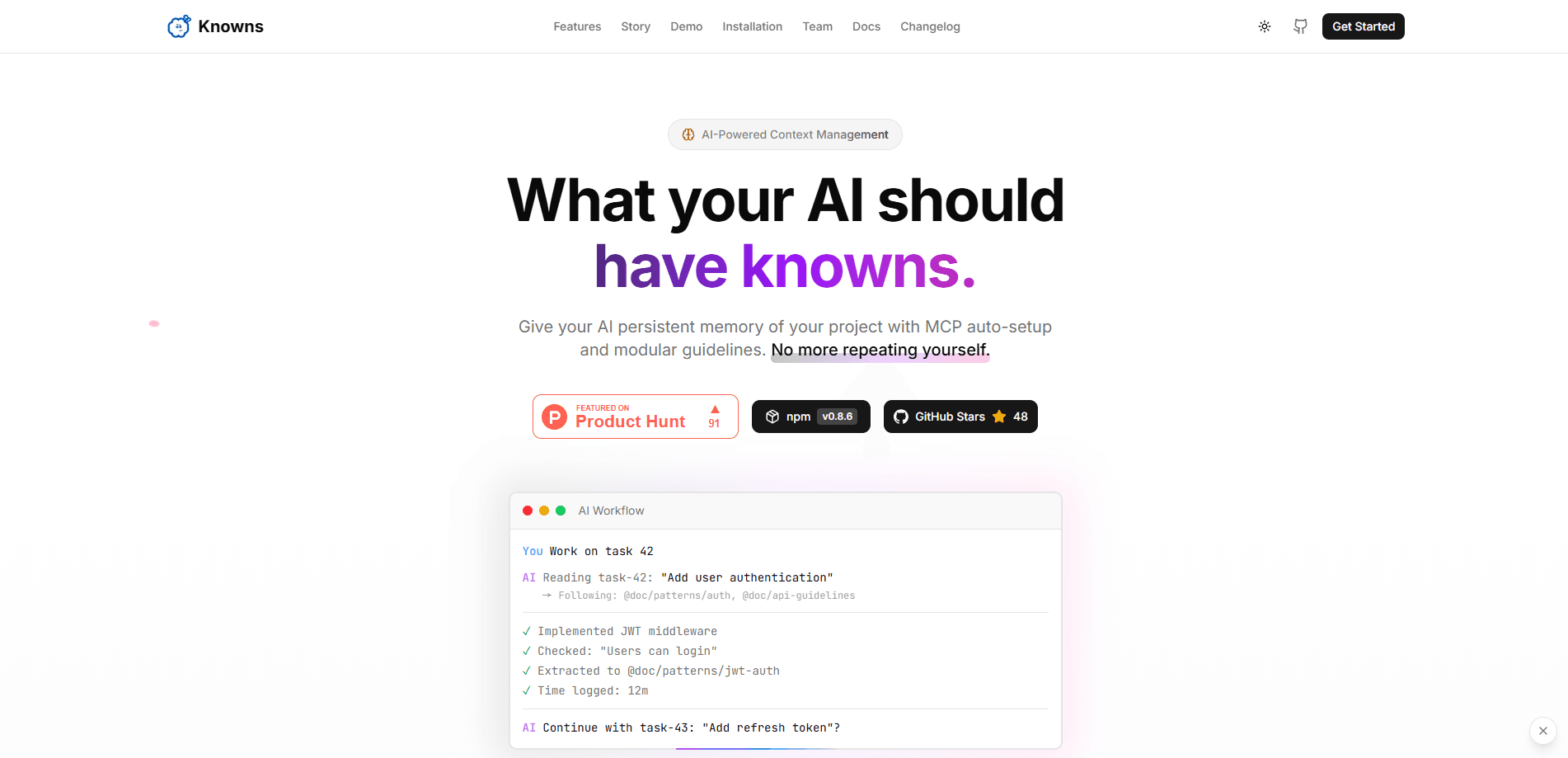
Knowns CLI is a local-first command-line tool that gives AI coding assistants a persistent memory layer for your project. Instead of repeating the same context in every chat, you run `knowns init` once inside a repository. From then on, tasks, docs, decisions, and agent context stay connected across the terminal and a local WebUI. It works alongside tools like Claude Code, Codex, and GitHub Actions. No hosted account is required.
About Knowns CLI
What Is Knowns CLI
Knowns CLI tackles a problem anyone using an AI coding assistant runs into fast: the assistant forgets. Every new session starts from zero, so you re-explain your architecture, re-paste the same files, and hope the model connects the dots. Knowns moves that context out of your chat window and into the repository itself, where both people and agents can inspect it later.
The tool is built around a small set of commands that leave structured state behind. knowns init creates the memory layer for a repository. knowns task create turns a piece of work into an addressable object that carries priority, relationships, and source context with it. knowns retrieve returns a ranked context pack with citations attached, rather than an ungrounded guess. And knowns doctor surfaces broken references and stale guidance before work starts.
Two limits are worth knowing up front. Knowns is developer tooling, not a consumer app. If you're not comfortable in a terminal and don't use a coding agent, there's little here for you. Semantic search also needs an embedding provider such as Ollama or an OpenAI-compatible endpoint; without one, search falls back to keyword results. That's a real downgrade in retrieval quality. The tool still works.
Getting Started
- Install the CLI with Homebrew, npm, a shell script, PowerShell, or npx, then verify it with
knowns --version. - Move into the repository you want Knowns to manage and run
knowns initto create the local memory layer and lightweight guidance files. - Create your first task with
knowns task create "Setup project" -d "Initialize project with Knowns"and a first doc withknowns doc create. - Run
knowns searchandknowns validateto confirm retrieval finds your context and the project structure is sound. - Connect your AI platform with
knowns setup claude --globalorknowns setup codex --global, then open the WebUI withknowns browser --open.
Product Information
A quick look at Knowns CLI's pricing, supported platforms, and performance.
Best for
The users, tasks, and scenarios where this tool fits best.
Users
- Solo developers using AI coding assistants
- Small engineering teams
Tasks
- Recovering project context
- Tracking planned work
- Auditing documentation health
Scenarios
- Starting a new session in a long-running repo
- Switching between multiple projects
- Running agent workflows in CI
Key features
Persistent project memory
The core idea is simple: commands leave structured context behind instead of just printing output. Initialize a repository once, and tasks, docs, decisions, and agent context stay connected afterward. This is the difference between a tool that answers a question and one that remembers the answer for next time.
Cited context retrieval
knowns retrieve returns a ranked context pack with citations attached. Each citation includes a type plus a path or ID. You can search first to find candidate sources, then expand relationships with --expand-references only when a workflow needs more depth. Keyword, semantic, and hybrid modes are all available.
Task management as project state
Tasks created through the CLI become addressable objects, not just line items. Priority, relationships, and source context travel with each task, so knowns task TASK-042 --plain returns something reviewable. That structure is what lets a coding agent pick up an existing task and immediately understand the decisions, docs, and related work that shaped it, without you pasting any of that background into the conversation.
Documentation that replaces repeated context
Docs hold durable project knowledge. That beats re-explaining the same architecture in every AI chat. knowns doc create adds them to the same store the CLI and WebUI read from, so there's one version of the truth.
Local WebUI
knowns browser --open opens a local WebUI that mirrors the CLI's project state, including tasks, docs, graph views, and config. You get a visual overview without leaving your machine or signing into a hosted service.
Platform setup for coding agents
knowns setup <target> --global generates the right MCP integration config, skills, and runtime hooks for Claude Code, Codex, OpenCode, Kiro, Cursor, Gemini CLI, GitHub Copilot, and a generic agents target. Claude uses /kn- skill commands. Codex uses $kn- commands.
Health checks with knowns doctor
Stale guidance and broken references are the kind of thing you find out about at the worst moment, usually mid-task when an agent confidently follows a doc that no longer matches the code. knowns doctor surfaces them before work starts, which keeps the memory layer trustworthy over time.
Flexible installation
One single binary ships for every platform, with no bundled shared library, so the CLI behaves identically on macOS, Linux, and Windows. Homebrew, npm, shell, PowerShell, and npx are all supported. Npx lets you try it without a global install.
Pros and cons
Pros
- Local-first design with no hosted account, so project memory stays on your machine.
- Cited retrieval gives agents grounded sources instead of confident guesses.
- Solid platform coverage, from Claude Code and Codex to Cursor and GitHub Copilot.
- Works with your existing repository, so there's no migration step.
Cons
- Semantic search needs a separate embedding provider, otherwise quality drops to keyword search.
- No hosted account means context doesn't sync across machines by default.
- Small learning curve if you're new to CLI tools, since the value comes from consistent command use.
Frequently asked questions
It gives AI coding assistants persistent project memory. You initialize a repository once, and tasks, docs, decisions, and agent context stay connected. Assistants stop losing the thread between sessions.
Related content
Explore related tools, skills, and articles for Knowns CLI.
Knowns CLI Alternatives

Udon
Udon · Coding · ProductivityUdon turns an Apple Silicon Mac into a home server you run from a browser, with container controls, file shares, and an optional AI sysadmin.

offstage
offstage cloud · Coding · Productivityoffstage gives AI coding agents and CI jobs a real Mac: a fresh macOS account on Apple silicon, driven over an API and billed by the second.

BotBus
Chengdu Tuyang Tusen Technology Co., Ltd. · Coding · ProductivityBotBus lets you control AI coding agents from your phone and watch: approve commands, start tasks and read results while the code stays on your desktop.