

Kopyst
Kopyst · Productivity
Kopyst is a user manual generator that turns screen recordings into SOPs and training videos for busy support and ops teams.
About Kopyst
What Is Kopyst
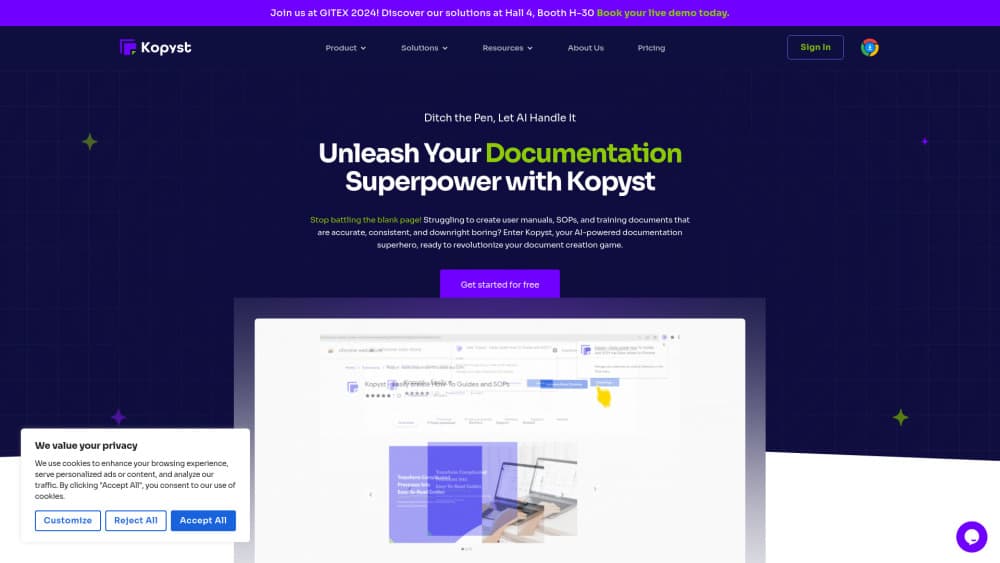
Kopyst is an AI-powered documentation platform for teams that need to write process guides but keep putting them off. You record your screen while you work, and Kopyst watches what you do, grabs the right moments, then writes the step-by-step instructions and captions for you. The result is a finished SOP or training video without anyone sitting down to type it out.
The selling point is the time saved. Writing a single onboarding guide the old way eats an afternoon: screenshots, arrows, screenshots again, then rewrites when the app changes. Kopyst watches you once and produces the draft in minutes. That's it.
The main limit is scope. Kopyst is a step-by-step recorder, not a general SOP software suite with approval chains and version control. Its work is visual and click-through. If your process is mostly reading, judging, or making decisions in your head, there's not much for the recorder to capture. It also leans on a desktop app for the fuller features, so a mobile-only team won't get the whole thing. Pricing runs per seat and the free tier caps out fast once a few people start contributing.
Getting Started
- Sign up for the free Starter plan on the Kopyst website, no card needed.
- Install the desktop app or open the web recorder, then start a new project.
- Record your screen while you run through the task once, talking through it if you want narration.
- Let Kopyst generate the document or video, then trim steps, fix captions, and add annotations.
- Share the finished guide through a public or private link, or export it as PDF or HTML.
Product Information
A quick look at Kopyst's pricing, supported platforms, and performance.
Best for
The users, tasks, and scenarios where this tool fits best.
Users
- Customer support teams
- Operations and HR managers
- SaaS product teams
Tasks
- Turning a screen recording into a written step guide
- Building a standard operating procedure library
- Creating training videos
Scenarios
- Updating docs after a UI change
- Handing off a recurring task to a new teammate
- Cutting support ticket volume
Key features
Screen Recording to Document
Record your screen while you work and Kopyst watches the clicks, typing, and page changes to figure out which steps matter. It then builds a formatted document with numbered instructions, screenshots, and annotations. So what do you get? A readable draft in minutes, not an afternoon of screenshot juggling.
AI Writing and Captions
Kopyst writes the titles, descriptions, and step text for you based on what happened during the recording, keeping the tone and structure consistent across every guide you publish over the life of the workspace. This matters once you have dozens of SOPs and each writer has their own habits. You still edit for accuracy. But you polish instead of starting from a blank page.
Video and Document Modes
The same recording can become either a written guide or a walkthrough video. Videos get captions and are stitched together from your clips. Documents get steps and screenshots. That dual output saves you from maintaining two separate sets of instructions for the same process, which is exactly the kind of duplication that makes documentation rot over time.
Team Collaboration
Pro and Business plans let multiple people edit the same document, leave feedback, and share workspaces. A shared library means the person who knows the process records it, and everyone else can find and update it later. Think of it as a lightweight knowledge base tool with editing built in. Private share links and password-protected video cover anything you don't want public.
Export and Sharing
Guides can go out as public or private links, or export to PDF and HTML for embedding. That flexibility matters if you're dropping documentation into a wiki, an LMS, or a customer-facing help center. Business plans add video downloads and password protection for sensitive walkthroughs.
Blur and Privacy Controls
The on-recording blur feature hides fields and personal data as you capture them. For teams recording anything with customer names or account numbers on screen, that's the difference between a usable recording and one you can't share. It's a small feature that quietly decides whether the tool fits regulated workflows.
Pros and cons
Pros
- Turns one screen recording into a written guide and a video, cutting documentation time from hours to minutes.
- AI drafts titles, steps, and captions, so you edit instead of write.
- Free Starter plan covers up to 10 documents and videos, enough to test the workflow.
- Shared workspaces and private links keep a growing SOP library organized.
- Blur controls make it usable for recordings that show customer data.
Cons
- Only works well for visual, click-through tasks; judgment-heavy processes don't record meaningfully.
- The fuller feature set needs the desktop app, so a mobile-only team is a poor fit.
- Free tier caps at 10 documents and 5 workspaces, which fills up quickly for a real team.
- No public API, so you can't push generated guides into your own systems automatically.
Frequently asked questions
It records your screen and uses AI to produce a written step guide or a captioned video from that recording. You run through a task once. Kopyst builds the draft documentation around what you did. It's built for people who know a process cold but dread writing it down.
Related content
Explore related tools, skills, and articles for Kopyst.
Kopyst Alternatives

Base Code
Base44 (Wix) · Coding · ProductivityBase Code is a shared cloud development environment from Base44. Teammates describe changes to an existing GitHub codebase in chat, preview them live and send them back as pull requests.

Knocket
Knocket (Tencent RTC team) · Productivity · Business · ChatbotKnocket is a free live chat and contact page tool that lets visitors message you from your website, app, or a shareable link, with every reply handled from Telegram or one inbox.

FloorGen
Vinit Kumar (FloorGen) · Productivity · China AIFloorGen is a browser-based floor plan maker that turns a sentence or a sketch into an editable 2D plan and a 3D walkthrough. Export to PDF, DXF or video, and draw without an account.