
KraftCV
KraftCV · AI Assistant
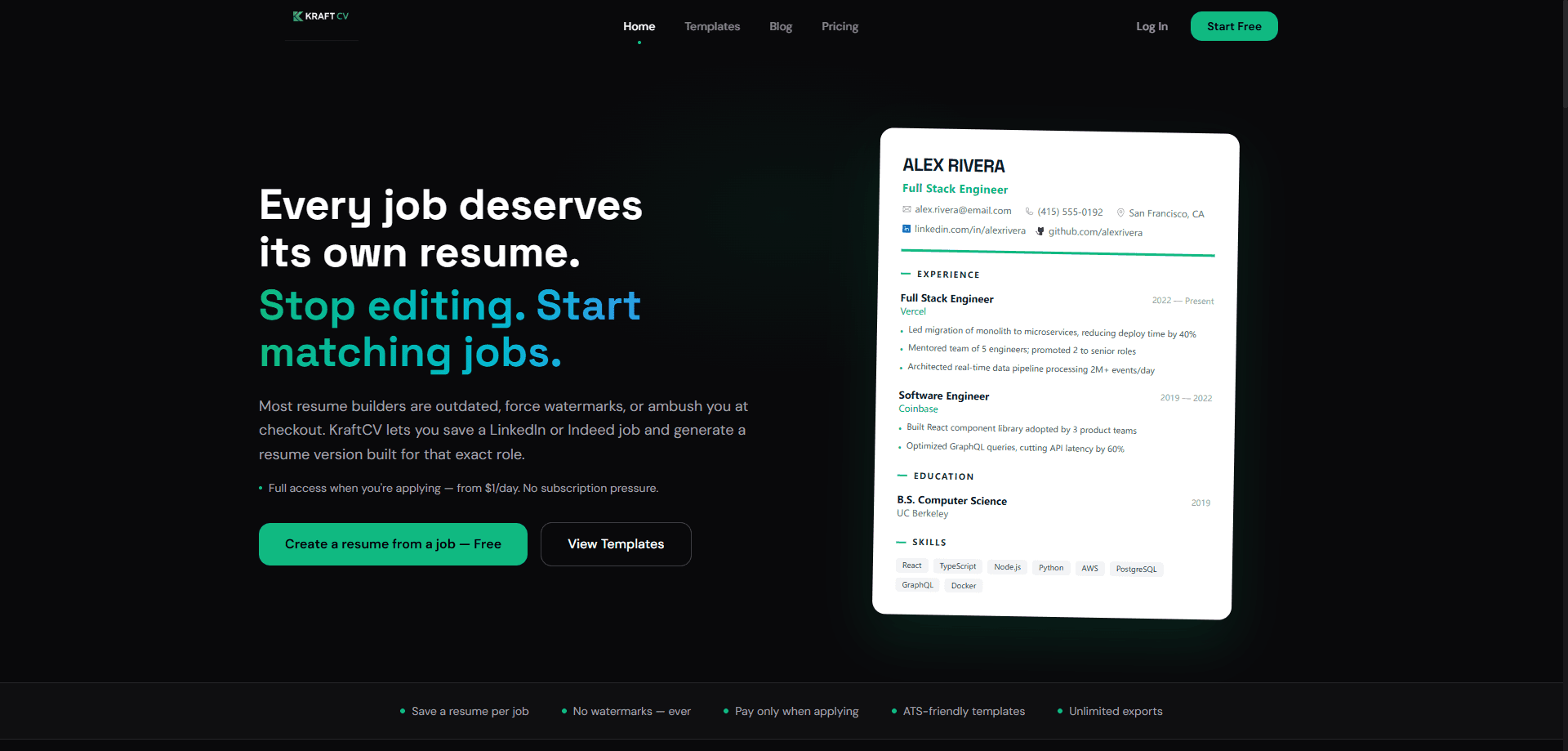
KraftCV is an AI resume builder built around one idea: every job deserves its own resume. Instead of fighting a single document into shape for dozens of applications, you save a job link from LinkedIn or any job board, and the tool generates a version written for that exact role. The free tier covers one resume with unlimited PDF exports and no watermarks, while AI tailoring, job description matching, version history, and the ATS scanner sit behind short passes or a one-time lifetime payment. It's aimed at people in an active job hunt, especially tech workers applying to many similar roles.
About KraftCV
What Is KraftCV
KraftCV is a web-based resume builder that treats your job applications as a library rather than a single file. You save a job posting, and the platform creates a resume version tuned to that listing's language, skills, and keywords. Think of it as an AI CV builder that works per application, not per person. The core pitch is simple: stop editing one generic document and start matching each application to the role in front of you.
The problem it targets is real. Most builders push you toward a polished template, then charge a subscription or stamp a watermark on the export right when you need it most. So what does KraftCV do differently? It takes the opposite route. Exports are free and clean from the start, and the paid AI tools are sold as short-term passes from $1 per day, so you pay when you're actually applying instead of every month.
The biggest limit is that it's a newer, narrowly focused product. It leans hard toward tech hiring, with GitHub integration and engineering-friendly language in its templates, so applicants in other fields may find the feature set thinner than they'd like. You also need an account before anything works. Not a small thing.
Getting Started
- Create a free account at kraftcv.com with your email.
- Import your existing resume by uploading a PDF or pasting your LinkedIn profile, so the tool can structure it into an editable document.
- Save a job by pasting a job board link, or by dropping in the job description text.
- Let the AI tailor the resume to that role, then run the ATS scanner to check keyword match and formatting.
- Export a watermark-free PDF, or get the full Pro toolset with a pass or a lifetime purchase if you need more.
Product Information
A quick look at KraftCV's pricing, supported platforms, and performance.
Best for
The users, tasks, and scenarios where this tool fits best.
Users
- Active job seekers applying to many roles at once
- Software engineers and developers
- Career switchers
Tasks
- Matching a resume to a specific job description
- Turning vague bullets into measurable results
- Importing an existing resume
Scenarios
- Applying to five similar roles in a week
- Getting past an applicant tracking system
- Preparing for interviews
Key features
Job to Resume Library
Save a job from LinkedIn or any job board, and each one gets its own tailored resume version. The library keeps everything organized and reusable, so you can return to an application weeks later without hunting through old files. This is the feature the whole product is built around.
Job Description Tailoring
Paste a job description and KraftCV rewrites your bullets, skills, and keywords to match what that listing asks for. It's the difference between sending a generic resume and one that reads like it was written for the role, which matters most when a recruiter spends seconds on the first pass. Tailoring sits in the Pro tier.
AI Resume Import
Upload a PDF or paste your LinkedIn profile and the tool structures everything into a clean, editable resume in seconds. It's the fastest way to start if you already have a document you like but want it in a format the builder can work with. Also a Pro feature.
ATS Scanner
Before you apply, the scanner checks your resume's keyword match, formatting, and structure against applicant tracking systems. Since many companies filter resumes automatically, catching a missing keyword or a parsing problem here saves you from being rejected on a technicality.
Metric Coach
The coach turns vague responsibility statements into quantified impact, pushing you toward performance, scale, revenue, latency, or adoption numbers. Weak bullets like "worked on the backend" become claims a hiring manager can actually weigh. Numbers beat adjectives.
Version History
Compare resume versions across different roles without losing your best edits. If you're applying to backend, frontend, and PM roles at once, each version stays intact and you can borrow strong phrasing from one into another.
GitHub Integration
Pull your repositories and auto-generate project bullets with real outcomes. For developers, this means project sections fill themselves from work you've already shipped instead of relying on memory. That matters more than it sounds.
Design Customization
The templates are modern and ATS-friendly, with control over layout, font, and spacing. Every template stays parseable, so the design freedom doesn't cost you readability with automated screeners. Pick a look. Keep the parsing clean.
Pros and cons
Pros
- Free tier includes unlimited PDF exports with no watermarks, which is unusual for the category.
- Pay-per-apply passes start at $1 per day, so you can skip a monthly subscription during a short job hunt.
- Job-specific resume versions keep each application organized instead of forcing one file to do everything.
- ATS scanner and job description tailoring work together to match keywords recruiters and screeners look for.
- GitHub integration is a genuine fit for developer portfolios and project sections.
Cons
- The free plan caps you at a single resume, which runs out fast once you're applying seriously.
- AI tailoring, import, and version history are all locked behind Pro or passes, so the free experience is thin.
- It's oriented toward tech hiring, and applicants in other fields may find the templates and tools less suited to them.
- No public API is documented, so you can't wire it into your own job-hunt workflow.
Frequently asked questions
Yes, there's a free plan that gives you one resume, all templates, unlimited PDF exports, and no watermarks. The catch is that the AI tailoring and matching tools need a paid pass or the lifetime plan.
Related content
Explore related tools, skills, and articles for KraftCV.
KraftCV Alternatives

Iplan AI
Iplan AI · Productivity · AI AssistantIplan AI is an AI travel planner that turns a few trip details into a full day-by-day itinerary in seconds. You answer questions about your destination, interests, budget, and travel companions, and the tool builds a plan you can edit, share, and carry with you on any device. It targets travelers who want a solid draft without spending hours in spreadsheets and browser tabs. Think of it as an itinerary generator that does the tedious part for you.

Screenhelp
Screenhelp · Productivity · AI AssistantScreenhelp is an AI screen assistant that turns a single keyboard shortcut into real-time help. You press Ctrl+Shift+Space, it captures what's on your screen, and it streams an answer into a private panel in about two seconds. Think of it as an AI screenshot helper you trigger on demand. It runs on Mac, Windows, and the web, starts free with 30 answers a month, and stays invisible during screen sharing on Zoom, Teams, and Google Meet.

Rainbow
Rainbow · AI AssistantRainbow is an AI weather forecast app built around short-term precipitation nowcasting. Its engine pushes min-by-min rain and snow predictions up to four hours ahead, blending live satellite and radar feeds into hyperlocal forecasts. The app adds live rain radar, a seven-day outlook, precipitation alerts, home-screen widgets, and a hurricane tracker, and it runs on both Android and iOS with a free tier plus paid upgrades.