

Kuakua - Psychology & AI Tools for Well-Being
Kuakua (founded by Alex) · Leaning · AI Assistant
Kuakua is a free browser platform with 100+ psychology tests, cognitive experiments, well-being tools and games in 30 languages, no signup needed.
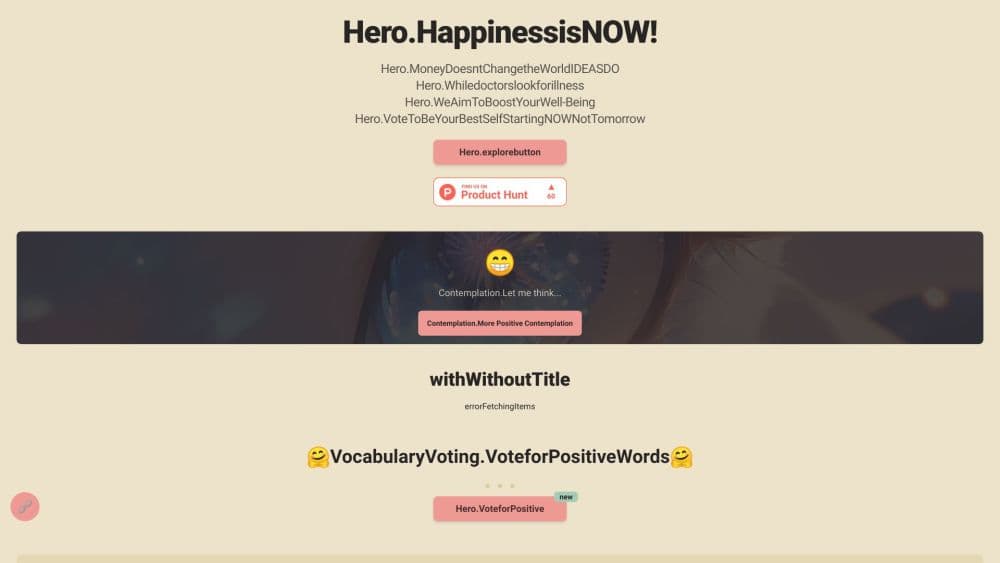
About Kuakua - Psychology & AI Tools for Well-Being
What Is Kuakua
Kuakua is a free, open-access psychology and well-being platform that runs entirely in a browser. It turns published research into self-assessments, classic cognitive experiments, psychology games, mindfulness tools and practical utilities like timers and statistics calculators. The library covers more than 100 psychological tests, over 1,000 knowledge pages and 30 languages, and the site has no paywall.
The project started with a small scene: a five-year-old playing a Stroop test in a browser and laughing each time the word "green" appeared in red ink. Founder Alex built Kuakua to pull research out of journals and put it where ordinary readers can touch it. The tone across the site follows that idea. It reads like a teaching library, not a clinic.
AI shows up in the name and in the pitch, so it helps to be precise about where it sits. Kuakua calls itself a set of AI psychology tools, and AI does real backstage work: practice items for aptitude drills are generated fresh on every attempt, and a library this large needs machine help to write, organize and translate. What you will not find is a conversational AI therapist. There's no chat window that talks you through a panic attack. If that's the feature you came for, Kuakua doesn't have it.
The platform is also clear about its limits. Every result page frames scores as educational, cites the scale or paper behind the test, and states that Kuakua is not a diagnostic tool. For readers who want a private, no-account way to explore psychology tests online, that honesty is the main draw.
Getting Started
- Open kuakua.app in any modern browser. No account, email address or download is required.
- Pick a starting point from the top navigation: Test, Experiment, Games, Screenings or Tools. The home page also offers three plain questions: Who am I, How am I, and How can I grow.
- Work through the questions or the task. Most assessments take 2 to 15 minutes, and timed drills submit on their own when the clock runs out.
- Read the result page, which shows your score band, an interpretation and the original source. There's no saved history, so screenshot anything you want to keep.
- Install the Chrome or Edge extension if you want a daily reflection question on each new tab.
Product Information
A quick look at Kuakua - Psychology & AI Tools for Well-Being's pricing, supported platforms, and performance.
Best for
The users, tasks, and scenarios where this tool fits best.
Users
- Students and self-learners
- People curious about research methods
- Parents of young children
Tasks
- Taking a quick self-assessment
- Trying a cognitive experiment
- Running a timed session
Scenarios
- A ten-minute break at work
- Preparing for an aptitude screening
- Researching a condition before a doctor's appointment
Key features
Evidence-Linked Self-Assessments
Every test page names the instrument it uses and links the research behind it. Popular entries include the PHQ-9 for depression, GAD-7 for anxiety, sleep and burnout scales, personality inventories and ADHD or autism screening questionnaires. Score bands come with a plain-language reading and a note on what the number can't tell you. That framing keeps free mental health tests useful without pretending they're clinical.
Classic Cognitive Experiments in the Browser
Kuakua hosts interactive versions of lab paradigms: Automated Operation Span for working memory, Asch conformity, attentional blink, AX-CPT, Brown-Peterson and change blindness. Each one runs in a few minutes and reports your own trial data. For students, it's a way to feel how a paradigm works instead of just reading the method section.
Focus and Classroom Timer Collection
The timer shelf is unusually deep for a psychology site. It covers countdown timers, Pomodoro-style focus blocks, classroom sets, interval timers for HIIT, a chess clock, an egg timer and a sensory timer with calming visuals. Teachers get presentation timers with segment alerts, and the sand timer works as a quiet cue for meditation.
Statistics and Research Calculators
A full set of calculators handles the stats work that comes with reading psychology papers: t-tests, chi-square, correlation, effect size, confidence intervals, power and sample size, Cronbach's alpha and Bayes factors. Each one explains the output rather than dumping a number. Students in methods courses get a working reference without buying statistical software.
Child Development Screening Hub
The 0 to 6 hub groups four tools in one place: a CDC milestone tracker across four domains, a 28-item caregiving risk check for ages 0 to 3, a kindergarten readiness check for ages 5 to 6, and a guide to the developmental quotient. Each takes about two minutes and points to official follow-up advice when a flag appears.
Browser Extension for Daily Reflection
The Chrome and Edge extensions replace the new tab with a single question that mixes mindfulness and positive psychology. You can also start a focus session from that tab. It's a light nudge rather than a habit system, and it fits the site's stated goal of helping you notice what's worth doing instead of doing more.
Pros and cons
Pros
- No account, no paywall and no ad wall between you and a test, which is rare for a psychology library this size.
- Sources are cited on test and experiment pages, so you can check the scale and read the original paper.
- The range covers self-assessment, cognitive experiments, games, timers and statistics in one place, which saves hopping between five sites.
- Pages load in 30 languages, useful for multilingual classrooms and for readers who prefer their first language.
- The child development tools follow public health checklists, so the milestone and readiness checks match what pediatricians use.
Cons
- There's no conversational AI, so anyone hoping for a chatbot that responds in the moment will need a different tool.
- Without an account, results aren't stored. You can't compare a PHQ-9 score from three months ago with today's.
- Quality varies across the library. The research-backed tests are strong, while some utility pages are generic calculators with little psychology content.
- It's an education site, not a crisis service. Someone in acute distress gets explanations, not a human or an emergency pathway.
Frequently asked questions
Yes. Every test, experiment, game and tool is open without payment. The site runs on optional donations, and there's no premium tier or locked result page.
Related content
Explore related tools, skills, and articles for Kuakua - Psychology & AI Tools for Well-Being.
Kuakua - Psychology & AI Tools for Well-Being Alternatives

HireKey
HireKey · Voice & Language · Productivity · LeaningHireKey is an AI job search copilot built by a former tech recruiter. It checks role fit, tailors resumes, runs interview practice and tracks every application.

Lune
Retrograde Labs · Productivity · LeaningLune is a research search engine for scientific AI agents. It runs as an MCP server that lets Claude, ChatGPT and Cursor search peer-reviewed computer science papers and cite them.
Coddy
Coddy · Coding · LeaningCoddy is a gamified platform to learn to code through short interactive lessons in 20+ languages, with a browser editor, an AI tutor and free certificates.