

Kuse
Kuse Inc · Productivity · Leaning
Kuse is an AI workspace that keeps your files, drafts documents, spreadsheets and slides, and runs recurring workflows on a schedule. It acts as an agentic AI coworker for everyday work.
About Kuse
What Is Kuse
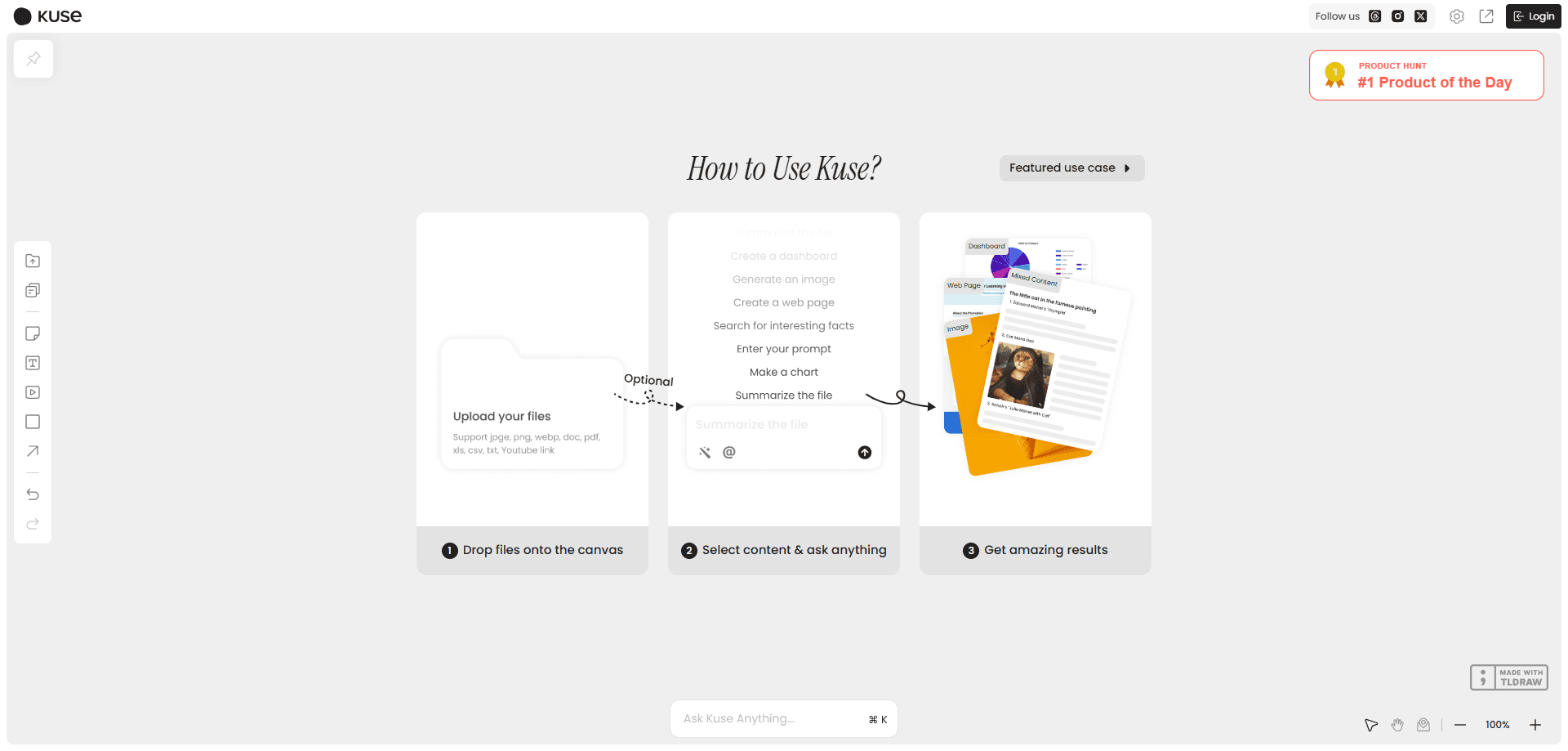
Kuse is an AI workspace from Kuse Inc, a company founded in early 2024 and based in California. It bundles three things most AI tools sell separately: a persistent file system, content creation, and workflow automation. You upload your files, tell it what you need in plain language, and it returns documents, spreadsheets, presentations, websites, images or videos you can open and edit.
The pitch is a coworker rather than a chatbot. A chatbot forgets your last project the moment you close the tab. Kuse keeps a workspace where files, folders and context stay put between sessions, then lets you describe a repeating task once and hand it off to run on its own. According to the company, more than 500,000 people across over 170 countries use it. The team plan is aimed at people who run the same work every week and want it handled without a person in the loop each time.
Two limits matter before you commit. There is no real-time collaboration yet, so two people cannot edit the same project at once. And there is no native iOS or Android app, which means you work in a browser on a phone or tablet for now.
Getting Started
- Create a free account at app.kuse.ai and claim the starter credits that come with signup
- Start a project and upload the source files you want Kuse to read, such as PDFs, Word docs, Excel files or images
- Describe what you need in plain language, then pick an output format like a document, spreadsheet, presentation or website
- For recurring work, build a workflow, connect the apps it should touch and set a schedule so it runs without you
Product Information
A quick look at Kuse's pricing, supported platforms, and performance.
Best for
The users, tasks, and scenarios where this tool fits best.
Users
- Solo professionals and freelancers
- Small teams of 5 to 50 people
- Sales and marketing staff
- Operations and admin staff
Tasks
- Document drafting
- Spreadsheet building
- Presentation building
- Website generation
- Workflow automation
Scenarios
- A weekly status report lands on your desk every Monday
- A client brief arrives as a messy PDF
- Inbox triage each morning
- Lead follow-up from a form or sheet
- Meeting prep
Key features
Persistent File System
Kuse gives every project a workspace where files, folders and context live between sessions. Upload PDFs, Word docs, Excel files, images or text files and they stay available for later tasks. This is the piece that separates it from a chat tool, because the AI can pick up a project days later using the same material.
Content Creation
Describe what you need and Kuse drafts it. It works as an AI document generator and an AI presentation builder, producing documents, spreadsheets, presentations, websites, images and videos that match the style and templates you point it at. You can reformat one piece of content for a new audience or turn raw notes into a structured operating procedure without rewriting it by hand.
AI Workflow Automation
Describe a repeating process in plain language, connect the apps it should use, and Kuse builds a workflow that runs on a schedule. Results land in your workspace folder, so a report that used to take an hour arrives ready to review. The system adjusts when your source data changes rather than breaking on a fixed script.
Integrations and Connectors
Kuse connects to Google Drive, Slack, Notion, GitHub, HubSpot, Stripe, Figma and Google Calendar, with access to more than 1,500 apps through Pipedream. That reach matters for workflows, because a task can read from one tool and write back into another instead of stopping at the Kuse window.
AI for Excel and Data
Inside a spreadsheet you can highlight data and ask questions directly, clean messy inputs into structured tables, and generate formulas from plain language. Kuse also builds charts automatically, so you get a visual of patterns and trends without setting up the chart by hand.
Teams and Shared Workspace
The team plan pools credits across a group instead of charging per seat, so a whole team draws from one balance. It adds seat and group management plus a shared workspace, which fits small companies that want everyone working from the same files and models.
Pros and cons
Pros
- Combines file storage, content creation and workflow automation in one place instead of three separate subscriptions
- Free plan with 1,800 starter credits and unlimited projects, so you can test it before paying
- Runs recurring workflows on a schedule, which cuts the manual steps in weekly reports, triage and follow-up
- Wide integration list covering Google Drive, Slack, Notion and 1,500+ apps through Pipedream
- Team plan uses pooled credits rather than per-seat pricing, which can be cheaper for groups with uneven usage
Cons
- No real-time collaboration yet, so two people cannot edit the same project at the same time
- No native iOS or Android app, which means no offline work and a browser-only experience on phones
- No live-sync integration with Notion or Google Drive, only file upload, so changes in those tools do not flow in automatically
- Excel support is still being improved, so files with complex formatting or very large data may not load perfectly
- Paid plans start at $200/mo for teams, which prices out individuals who just want more credits without a team
Frequently asked questions
Kuse handles everyday knowledge work: drafting documents, building spreadsheets and presentations, and automating tasks that repeat each week. You upload your files and describe the result you want, and it produces something you can open and edit.
Related content
Explore related tools, skills, and articles for Kuse.
Kuse Alternatives

Base Code
Base44 (Wix) · Coding · ProductivityBase Code is a shared cloud development environment from Base44. Teammates describe changes to an existing GitHub codebase in chat, preview them live and send them back as pull requests.

Knocket
Knocket (Tencent RTC team) · Productivity · Business · ChatbotKnocket is a free live chat and contact page tool that lets visitors message you from your website, app, or a shareable link, with every reply handled from Telegram or one inbox.

FloorGen
Vinit Kumar (FloorGen) · Productivity · China AIFloorGen is a browser-based floor plan maker that turns a sentence or a sketch into an editable 2D plan and a 3D walkthrough. Export to PDF, DXF or video, and draw without an account.