

LabelCrop.io
LabelCrop.io · Productivity · Business
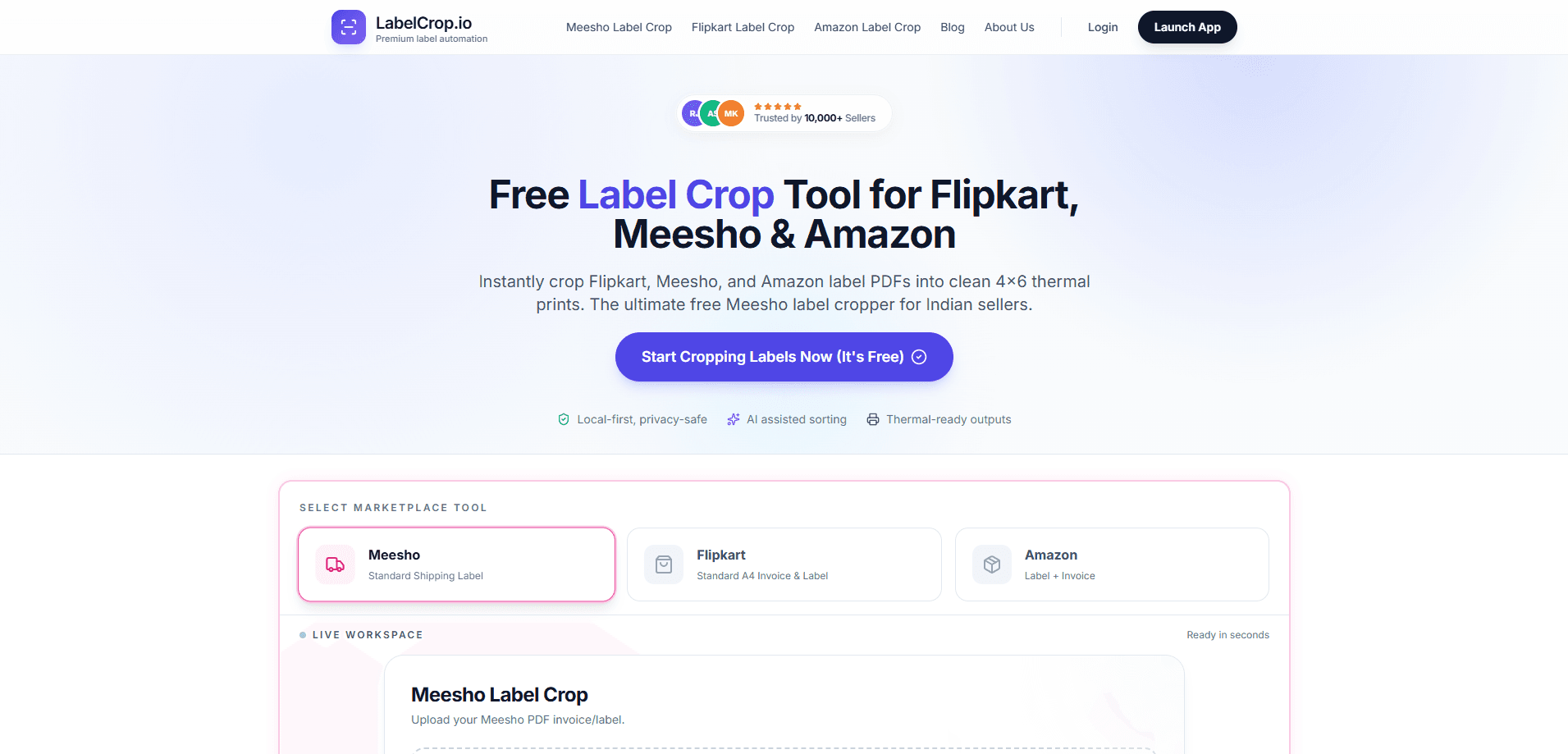
LabelCrop.io is a free browser tool that crops shipping labels in bulk for Amazon, Flipkart and Meesho sellers. You drop a consolidated PDF from your marketplace dashboard and it trims the invoices off, keeps the labels, and hands you a thermal-ready file in seconds. Everything runs on your own device, so label files never get uploaded to a server. If you ship a few dozen orders a day and are tired of scissors and screenshot edits, this is built for exactly that.
About LabelCrop.io
What Is LabelCrop.io
LabelCrop.io is a label crop tool aimed at Indian e-commerce sellers. Marketplaces hand you one messy PDF where every page stacks an invoice on top of a shipping label. Printing that as-is wastes paper, burns toner, and leaves your packing desk with a pile of sheets that don't line up. LabelCrop.io strips it down to just the label. Then it sorts the result so you can print and stick.
The pitch is speed and privacy. The tool runs in the browser and processes files locally, so you don't wait on an upload or hand your order data to a third party. It handles the three marketplaces most Indian sellers live on, and it groups labels by courier automatically so you're not shuffling pages before a pickup.
The main limit is scope. This crops and organizes label PDFs. That's it. It doesn't track inventory, connect to your store backend, or manage order status. Treat it as a single-purpose utility that solves one annoying step, not a shipping platform.
Getting Started
- Open labelcrop.io and pick your marketplace tool: Meesho Standard Shipping Label, Flipkart Standard A4 Invoice & Label, or Amazon Label + Invoice.
- Drag and drop the consolidated PDF you downloaded from your seller dashboard, or browse for it on your computer.
- Let the tool run. It trims each page, removes the invoice portion, and sorts labels by SKU and courier.
- Check the preview, then download the cropped file with the pick list attached.
- Send it to your thermal, A4, or laser printer and start packing.
Product Information
A quick look at LabelCrop.io's pricing, supported platforms, and performance.
Best for
The users, tasks, and scenarios where this tool fits best.
Users
- Indian marketplace sellers on Amazon, Flipkart or Meesho who print their own labels and want the invoice trimmed away
- Small fulfillment teams handling 50 or more orders a day, where manual editing eats an hour or more of the morning
- Sellers who care about keeping customer data off third-party servers, since processing stays on the device
Tasks
- Cropping a consolidated Amazon label PDF so only the shipping label remains
- Separating Flipkart invoice and label pages without touching each page by hand
- Sorting Meesho labels by courier so Valmo and Shadowfax stacks are ready before pickup
- Attaching a pick list with quantities and checkboxes to the printed batch
Scenarios
- Morning dispatch rush, when labels need to be printed and packed before the courier arrives
- High-volume sale days when your dashboard spits out a 200-page PDF that nobody wants to edit manually
- Printers that only take 4x6 or A6 thermal stock, where an uncropped A4 page simply won't fit
Key features
Two-Click Bulk Cropping
Upload the PDF your marketplace gave you, hit crop, and download. The tool works through every page in one pass instead of asking you to select and trim page by page. For a 50-order batch that's the difference between a couple of minutes and a lost half hour. It's the core function, and it works the same whether you have three pages or three hundred. That's the whole point. Simple.
Marketplace-Aware Processing
Amazon, Flipkart and Meesho each lay out their invoices and labels differently. LabelCrop.io has separate tools for each one, so it knows where the label sits and what to keep. A Flipkart A4 page with invoice on top and label below gets handled differently from an Amazon label-plus-invoice file. You pick the marketplace first, and the cropping logic follows.
Thermal-Ready Output
Cropped labels come out sized for 4x6 and A6 stock, the formats most thermal printers like Zebra and Xprinter use. That matters if you run thermal rolls, because an uncropped A4 page either won't fit or prints at the wrong scale and scans fail at the courier desk. No scaling. No guesswork. You get a file you can print without fiddling with settings.
Automatic Courier Sorting
Meesho batches often mix couriers, and the tool groups labels by carrier for you, including Valmo and Shadowfax. Instead of flipping through pages to build separate stacks, you get them already separated. It's a small thing that saves real time when a pickup van is waiting. Small, but real.
Auto Pick List
Each batch can come with a pick list that summarizes quantities and tacks on checkboxes for packing. You print it alongside the labels and use it to tick off items as you fill each order. It replaces the scrap paper most sellers scribble SKUs onto. That saves clutter too.
Local-First Privacy
Processing happens in the browser, and files aren't stored on LabelCrop.io servers. For sellers, that means order details, addresses and phone numbers stay on your own machine. If your business handles customer data carefully, this removes a nagging question about what happens to the PDF after you upload it. Nothing does, in this case.
Pros and cons
Pros
- Free with no account required, so there's no signup wall before you can crop a batch
- Runs locally in the browser, keeping label PDFs and customer addresses off external servers
- Automatic courier sorting handles Meesho mixed-carrier batches without manual reshuffling
- Output is sized for 4x6 and A6 thermal printers, cutting out manual scale adjustments
- Handles Amazon, Flipkart and Meesho formats in one place instead of three separate tools
Cons
- It only crops and sorts label PDFs, so sellers wanting order tracking or inventory management need a separate platform
- No API, which rules it out for teams trying to automate label prep inside their own systems
- Support is limited to the three named marketplaces, so sellers on other platforms can't use it
Frequently asked questions
It takes the consolidated label PDF your marketplace gives you and crops out the invoice portion, leaving clean shipping labels. It also sorts the labels and can attach a pick list. You end up with a print-ready file instead of a stack of A4 pages.
Related content
Explore related tools, skills, and articles for LabelCrop.io.
LabelCrop.io Alternatives

Base Code
Base44 (Wix) · Coding · ProductivityBase Code is a shared cloud development environment from Base44. Teammates describe changes to an existing GitHub codebase in chat, preview them live and send them back as pull requests.

Knocket
Knocket (Tencent RTC team) · Productivity · Business · ChatbotKnocket is a free live chat and contact page tool that lets visitors message you from your website, app, or a shareable link, with every reply handled from Telegram or one inbox.

FloorGen
Vinit Kumar (FloorGen) · Productivity · China AIFloorGen is a browser-based floor plan maker that turns a sentence or a sketch into an editable 2D plan and a 3D walkthrough. Export to PDF, DXF or video, and draw without an account.