

LangPanda: Learn Languages
LangPanda · Leaning
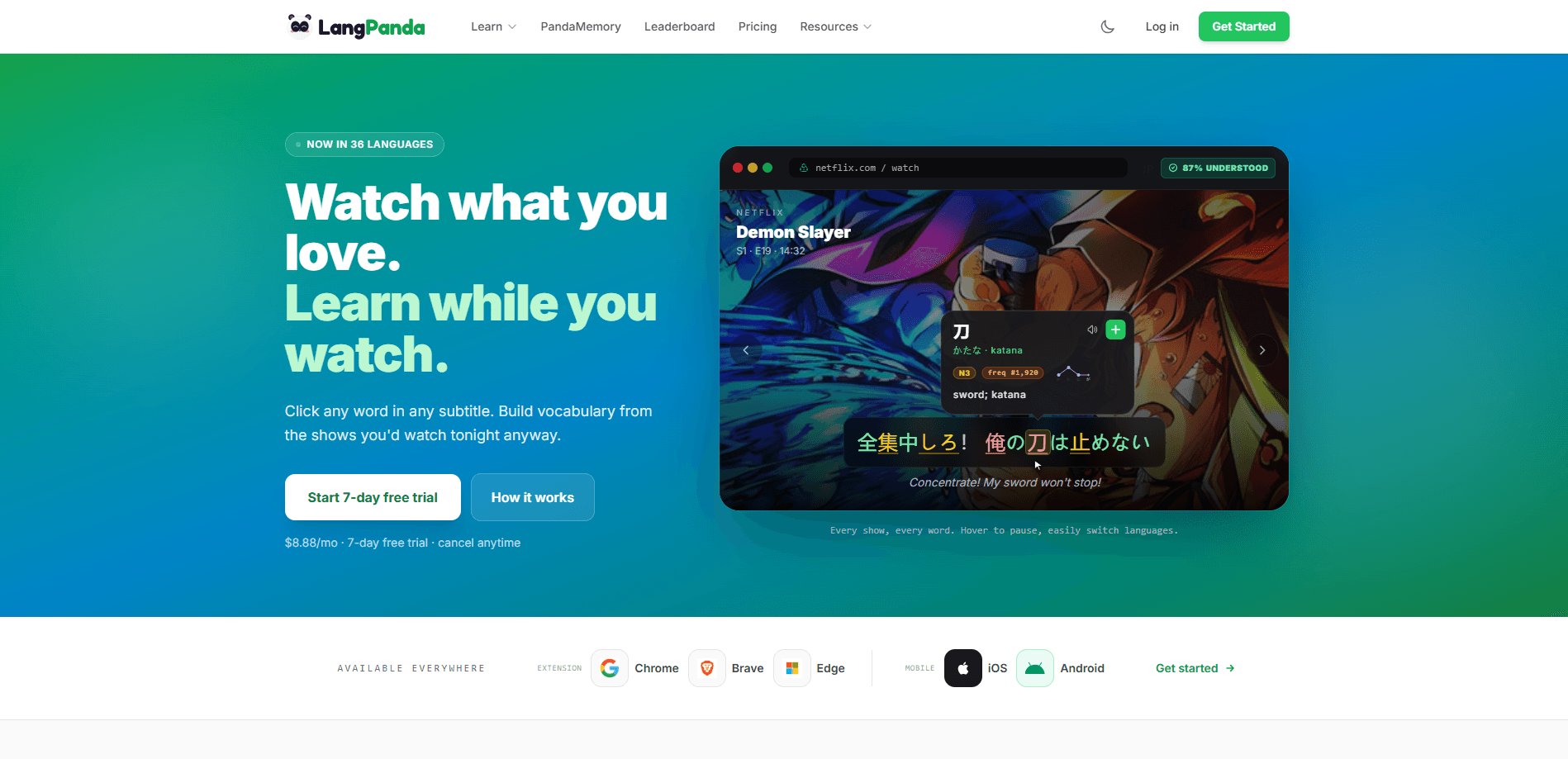
LangPanda: Learn Languages is a language learning tool that turns the shows and videos you already watch into study material. You install the browser extension or mobile app, open Netflix, YouTube, or one of 20+ other supported sites, and the subtitle overlay lets you tap any word for an instant definition. The pitch is simple. Learn languages while watching TV, not at a desk with a textbook. You can learn languages from Netflix, YouTube, and similar sites without changing your routine, then save words to flashcards with one click. LangPanda tracks how many you've learned over time. It supports 36 languages, and the whole thing runs on a $8.88 monthly subscription with a 7-day free trial.
About LangPanda: Learn Languages
What Is LangPanda
LangPanda is a language learning extension and mobile app built around a simple idea: you already watch hours of video, so those subtitles might as well teach you something. Instead of a separate study session, it layers a clickable dictionary on top of Netflix, YouTube, Disney+, Amazon Prime, Hulu, HBO Max, Bilibili, Viki, and Plex.
The core feature is the subtitle dictionary. Pause on any line, tap a word, and you get the meaning, reading, and frequency rank in the target language. From there you can push that word into a flashcard set without leaving the video. The tool tracks your vocabulary growth as you go. Progress comes from content you'd watch anyway.
There are real limits. The dictionary works best when subtitles exist, so obscure videos or live streams without captions won't do much. So why not treat the shows you already stream every week as a free, steady source of vocabulary practice rather than one more chore to schedule? The extension is available for Chrome, Brave, and Edge. That leaves Safari and Firefox users out for now. Mobile support is narrower than the desktop experience, so the browser side is still where it shines.
Getting Started
- Create an account on the LangPanda website, then pick the language you want to learn from the 36 available.
- Install the browser extension for Chrome, Brave, or Edge, or download the mobile app for iOS and Android.
- Open a supported site like Netflix or YouTube and start any show with subtitles turned on.
- Click any word in the subtitle to see its definition, reading, and frequency data.
- Save words you want to review, then check your tracked vocabulary in your dashboard.
Product Information
A quick look at LangPanda: Learn Languages's pricing, supported platforms, and performance.
Best for
The users, tasks, and scenarios where this tool fits best.
Users
- Video binge-watchers who want their Netflix habit to count as practice, as long as they stick to shows with decent subtitles
- Intermediate learners stuck between textbook grammar and real dialogue, who need everyday speech they can pause and replay
- Students studying Japanese, Korean, or Chinese who want to read native subtitles with a built-in dictionary instead of guessing
Tasks
- Learning vocabulary from subtitles
- Building flashcards fast
- Tracking progress over time
Scenarios
- Evening streaming sessions where you'd watch something anyway and want the time to double as a quick lesson
- Rewatching a favorite show in another language to catch phrases you missed the first time
- Commuting with the mobile app and a downloaded episode, tapping through subtitles on the train
Key features
Clickable Subtitle Dictionary
Tap any word in a subtitle line and LangPanda shows its definition, reading, and a frequency rank. That rank tells you how common the word is, so you can skip the rare ones. The dictionary pulls from 107+ sources covering frequency lists, monolingual definitions, and translations. Everything works inline. You never leave the video to look something up.
One-Click Flashcards
When a word is worth keeping, one click drops it into a flashcard set tied to the video and timestamp where you found it. That context makes review easier. You're recalling the scene, not just the isolated word. LangPanda reports over 35,000 words tracked by its learners.
Coverage Across 20+ Streaming Sites
The extension runs on Netflix, YouTube, Disney+, Amazon Prime, Hulu, HBO Max, Bilibili, Viki, and Plex from a single install. That range matters. Your study material isn't locked to one platform. If a show you want is on Hulu instead of Netflix, the same workflow applies.
Instant Language Switching
You can flip between languages inside the same interface and change subtitle languages on the fly. LangPanda supports 36 languages with native dictionaries, so a learner juggling two languages doesn't need two tools. Hovering pauses the video. That keeps you from chasing fast dialogue.
Vocabulary Tracking
LangPanda keeps a running count of the words you've saved and learned, giving you a rough picture of progress. Frequency data from the dictionary helps you prioritize. Start with the words that show up most in real speech, so your effort lands where it counts.
Pros and cons
Pros
- Turns existing screen time into language practice instead of adding a separate study block
- Inline dictionary with frequency ranks helps you pick high-value words first
- One-click flashcard creation keeps the loop tight, with video context attached
- Works across 20+ streaming sites from one extension
- 36 languages with native dictionaries and 107+ dictionary sources
Cons
- No free tier, so you pay $8.88 a month after a 7-day trial and can't test it longer without committing
- Extension only supports Chrome, Brave, and Edge, which leaves Safari and Firefox users without an option
- Depends on subtitles, so videos without captions or accurate subtitles won't teach you much
- Mobile app coverage is thinner than the desktop extension, so heavy use still points back to a laptop
Frequently asked questions
No. LangPanda starts at $8.88 a month with a 7-day free trial, and there's no permanent free plan. You can cancel anytime, so the trial is the way to test whether it fits your habits.
Related content
Explore related tools, skills, and articles for LangPanda: Learn Languages.
LangPanda: Learn Languages Alternatives

HireKey
HireKey · Voice & Language · Productivity · LeaningHireKey is an AI job search copilot built by a former tech recruiter. It checks role fit, tailors resumes, runs interview practice and tracks every application.

Lune
Retrograde Labs · Productivity · LeaningLune is a research search engine for scientific AI agents. It runs as an MCP server that lets Claude, ChatGPT and Cursor search peer-reviewed computer science papers and cite them.
Coddy
Coddy · Coding · LeaningCoddy is a gamified platform to learn to code through short interactive lessons in 20+ languages, with a browser editor, an AI tutor and free certificates.