

Layer AI
Layer AI · Image · Video · Marketing
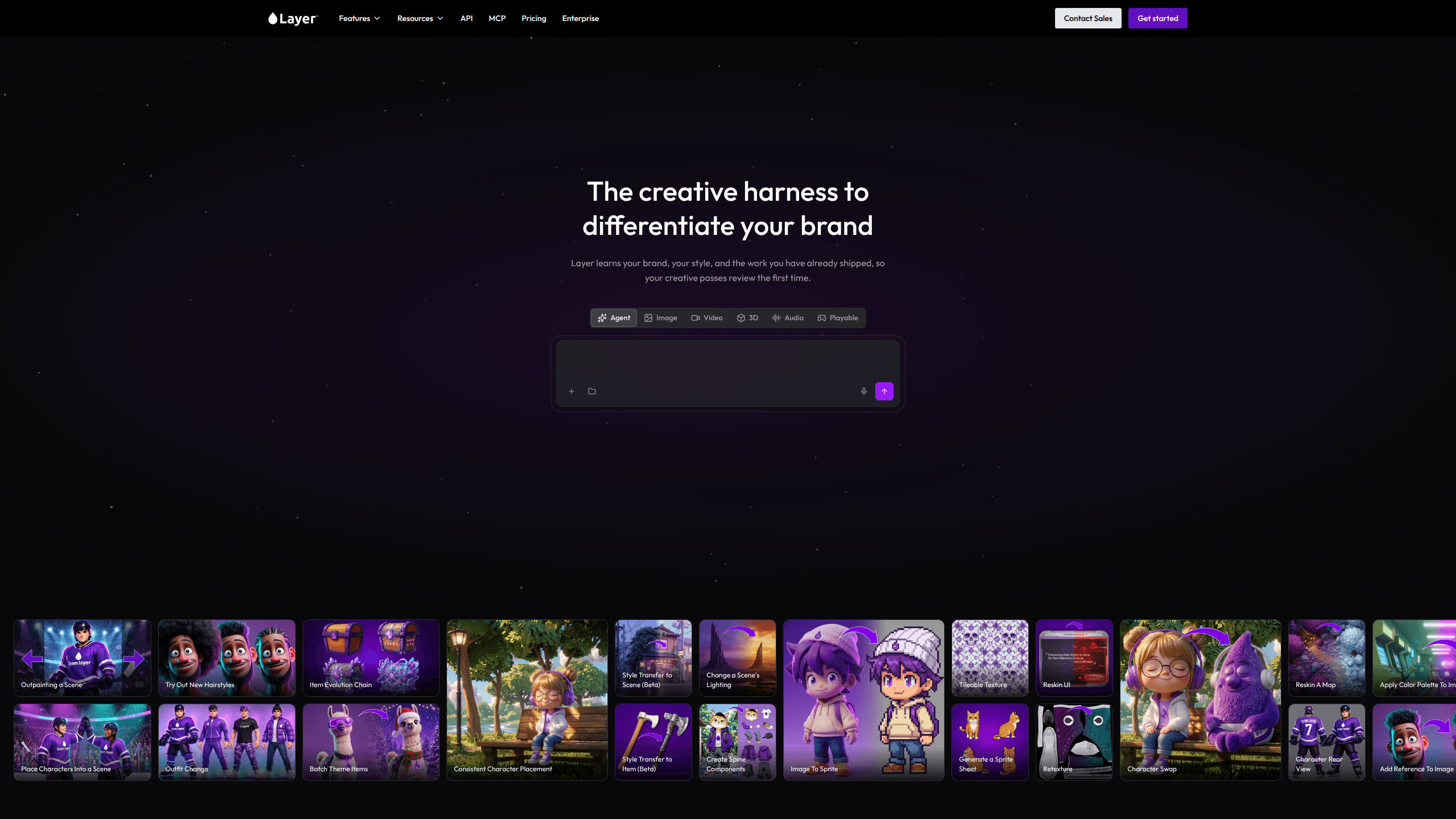
Layer AI is a creative production platform that puts 327 generative models for image, video, 3D, and audio into a single collaborative workspace. It's built for creative teams in games and entertainment who need to generate, edit, and ship on-brand assets without stitching together a dozen separate tools. Need an AI image generator and an AI video generator in the same tab? That's the pitch. Usage-based pricing runs on Creative Units with no per-seat fees, and a REST API plus MCP servers let engineers drive the same models from code.
About Layer AI
What Is Layer AI
Layer AI is an AI creative production platform for studios and creative teams. Instead of subscribing to one model at a time, you get image, video, 3D, and audio generation under one roof, alongside 57 task-specific tools and a workspace where the whole team can work on the same assets.
The main problem it solves is tool sprawl. A single campaign might need concept art, a video hook, a 3D mesh, and voiceover, and each of those usually lives in a different app with its own login and billing. Layer AI folds that into one place, then adds custom style training so outputs stay on-brand across every model.
The biggest constraint is who it's for. This is a team product aimed at games and entertainment production, not a casual image editor for personal use. Pricing is metered by Creative Units, so heavy generation has to be budgeted, and there's no free-forever tier in the way a consumer app might offer.
Getting Started
- Create an account at layer.ai and start a workspace for your team.
- Invite members and set roles so artists, art directors, and managers each get the right level of access.
- Pick a model from the 327-model catalog, or train a custom style on your own assets.
- Generate, edit, or batch-refine assets, then chain steps into a node-based workflow.
- Export finished assets or pull them through the REST API into your existing pipeline.
Product Information
A quick look at Layer AI's pricing, supported platforms, and performance.
Best for
The users, tasks, and scenarios where this tool fits best.
Users
- Game studios
- Creative producers and art directors
- Solo creators and small teams
- Developers and technical artists
Tasks
- Generating campaign assets
- Training a custom style
- Building automated workflows
- Refining existing assets
Scenarios
- Kicking off a new game's art direction and needing consistent concept art fast.
- Producing seasonal LiveOps and CRM creative on a recurring schedule.
- Testing UA ad concepts and needing a batch of variations for a campaign.
- Bringing 3D concept art into Blender, Maya, or an engine as a textured mesh.
Key features
327-Model Catalog
One workspace covers image, video, 3D, and audio generation, with 109 image models, 146 video models, 41 3D models, and 31 audio models available at the time of writing. That breadth matters when a single project spans a hero image, a video hook, and a 3D prop. You don't have to pick one vendor's aesthetic and live with it. Nor do you have to pay for three separate subscriptions.
Custom Style Training
You can train a style on a studio's own assets so every output stays consistent and on-brand, regardless of which model produced it. For teams shipping a franchise, that consistency is the difference between a pile of decent one-off images and a coherent visual identity.
Node-Based Workflow Automation
Multi-step production gets composed as node-based workflows, and those workflows are callable from the API and from MCP. Build it once, run it forever. A process like generate then upscale then remove background can run on hundreds of assets without manual clicks.
Creative Agent
Hand the agent a brief and it can research trends, develop concepts, select models, build workflows, and generate assets. It's aimed at user acquisition work in particular, where the volume of creative to test is high and the manual loop is slow. Less clicking, more shipping.
Playable Generation
Layer AI can generate playable HTML games and ads from your brief and project assets. That's the highest-intent ad format, and it usually sits behind an engineering backlog. Here, it's a prompt. A playable ad generator that doesn't need a developer is a rare thing, and it's one of the clearest reasons a UA team would pick this platform over a generic model.
Built-In Editing Tools
Layer AI doesn't stop at generation. You can edit with prompts, change a camera angle on a finished image, re-light a shot without touching the subject, upscale to print resolution, and strip background or audio noise in batch. Editing an existing asset is often faster than prompting for a fresh one. That's the part most model-only tools miss.
Three Ways to Call It
A versioned REST API, a creative MCP server, and a separate management MCP server expose generation, editing, workflows, training, and workspace admin. Credentials are self-serve, and every generation has a matching estimate operation, so you can price a run before executing it.
Enterprise Security and IP Control
SOC 2 Type II certification, SSO through Google, Microsoft, Okta, and Azure AD, SCIM provisioning, and role-based access control cover the procurement checklist. Your data is never used to train foundation models, and generated assets stay exclusively yours with exportable traceability.
Team Collaboration Without Seat Fees
Creative Units are pooled across the team, so billing follows usage rather than headcount. Add a freelancer for a week and the seat cost stays at zero. That's a real difference from most per-seat creative tools.
Pros and cons
Pros
- One workspace replaces a dozen separate generation tools across four modalities.
- Custom style training keeps output consistent across different models.
- No per-seat fees, so team size doesn't drive cost.
- Self-serve REST API and MCP servers make it scriptable for developers.
- Strong enterprise story with SOC 2 Type II, SSO, and no training on your data.
Cons
- Metered Creative Unit pricing means heavy usage needs active budgeting, and there's no free tier to test on.
- It's built for games and entertainment teams, so creators outside that world will find parts of the workflow aimed elsewhere.
- Output cost depends on which models you pick, and per-megapixel versus per-generation pricing makes estimates harder to eyeball.
Frequently asked questions
Layer AI is used to generate and edit creative assets for game and entertainment production. Teams use it for user acquisition creatives, game art, LiveOps content, and concepting, all across image, video, 3D, and audio.
Related content
Explore related tools, skills, and articles for Layer AI.
Layer AI Alternatives

Google EmbeddingGemma 2
Google DeepMind · Writing · Image · CodingGoogle EmbeddingGemma 2 is a 740M-parameter open model that turns text, code, images, audio, and video frames into vectors in one 768-dimension space, running on phones and laptops.

Tractionwave
TractionWave · Image · MarketingTractionWave is an AI attention heatmap tool for static ads. Upload a PNG or JPG and it returns predicted attention, ranked hotspots, and fixes before you spend budget.

Imejis.io
Imejis.io · Image · MarketingImejis.io is an AI design studio for agents and marketing teams. Describe an image in plain words, and it writes the copy, builds the layout, reflows it to every size, then exports a finished file.