

LegalCheckPro
LegalCheckPro · Productivity · AI Assistant
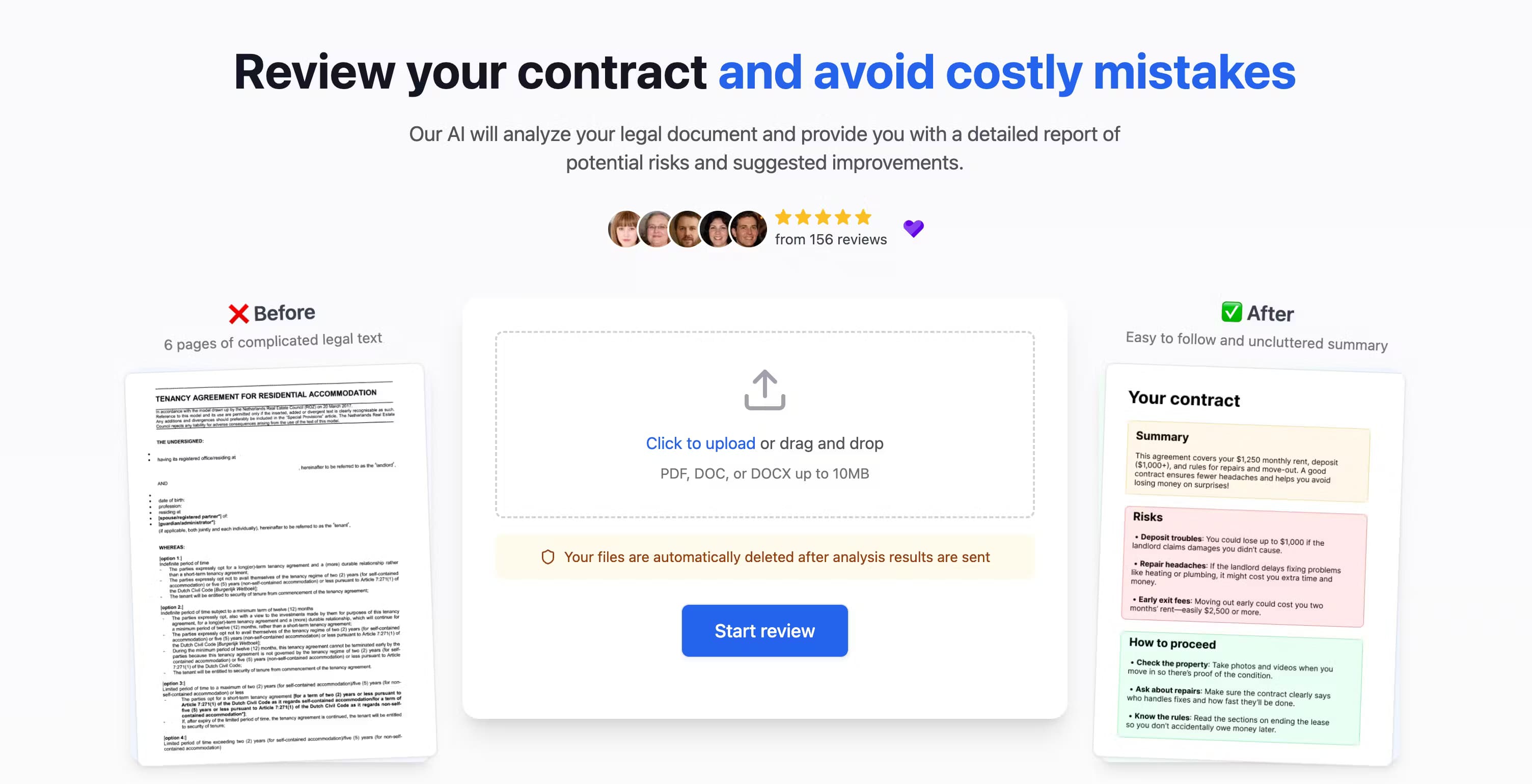
LegalCheckPro is an AI contract review service that scans rental agreements, employment contracts, NDAs, and other legal files, then sends a ranked risk report with plain-language fixes.
About LegalCheckPro
What Is LegalCheckPro
LegalCheckPro reviews contracts and legal agreements for people who don't have a lawyer on call. You upload a document, the system flags risky clauses and unclear terms, and a ranked PDF report lands in your inbox with suggested fixes.
The pitch is simple. A lawyer charges hundreds per hour, and most people sign leases and job offers without a second opinion. LegalCheckPro sells a single review for $6.99, so the cost barrier drops to roughly the price of lunch.
It covers US, EU, UK, and APAC jurisdictions, and works with PDF, DOC, DOCX, TXT, and PNG files. Two limits matter. It's a document review service, not legal advice, so anything high stakes still needs a licensed attorney. It also runs on email, meaning you upload a file and wait rather than chat with the tool in real time.
Getting Started
- Open the site and choose whether you want a single document analysis or a comparison of an original and a modified version.
- Upload your file and pick the document type, such as Rental Agreement, Employment Contract, Service Agreement, Sales Contract, or NDA.
- State your role in the deal, like tenant, landlord, employee, or employer, so the review frames risks from your side.
- Enter your email and pay the $6.99 fee to start the analysis.
- Wait for the report, which usually arrives within about 1.5 hours and takes longer only for complex files.
Product Information
A quick look at LegalCheckPro's pricing, supported platforms, and performance.
Best for
The users, tasks, and scenarios where this tool fits best.
Users
- Tenants
- Landlords
- Employees
- Freelancers and small businesses
Tasks
- Reviewing a rental agreement before signing
- Checking an employment contract
- Screening an NDA
- Comparing contract versions
- Explaining a service contract
Scenarios
- Renting a first apartment
- Taking a new job
- Signing a client deal
- Ongoing small-business paperwork
Key features
Ranked risk report
Each review returns a ranked PDF that orders findings by how much they could cost you, rather than dumping a flat list. Clauses come highlighted, so you can jump straight to the wording that triggered a flag. Recommendations sit next to each issue, written without legal jargon, which is what you'd expect from any solid contract analysis tool.
Rental and employment contract review
Rental agreement review and employment contract review sit at the core of what the service does. You tag the file, state your role, and the tool weighs risks from your side of the deal. A landlord and a tenant reading the same lease get different guidance, and an employee gets a read on salary, deductions, and termination terms.
Single and compare modes
You can analyze one document on its own or compare an original against a modified version. Compare mode matters when a counterparty sends back edits, because it shows what shifted between drafts instead of making you reread both files from scratch. It's the difference between spotting a swapped liability cap and missing it entirely.
Document type and role selection
Before analysis, you tag the file as a Rental Agreement, Employment Contract, Service Agreement, Sales Contract, or NDA, and state your role in the deal. NDA review and contract risk analysis both lean on that context, because the same clause can protect or expose you depending on which side you sit on. It's a small step that sharpens the output.
Expert fact-checked reports
LegalCheckPro says every AI analysis is verified by a legal professional before it reaches you. The company states its models are trained on verified legal documents and that each report passes through independent review. Treat that as the vendor's own claim, but it's the reason the service charges per document instead of pricing as pure self-serve software.
Broad jurisdiction coverage
The service covers US, EU, UK, and APAC jurisdictions and says it updates requirements as legislation changes. For anyone dealing with cross-border contracts, that breadth beats a tool built for a single country. As always, verify that your specific jurisdiction is handled for the document type you're uploading.
Privacy controls
As an AI legal document checker, LegalCheckPro handles files full of names and payment details, so it encrypts uploads and deletes them once the report is sent. That's according to the company's privacy policy. The report itself hides personal data, and LegalCheckPro says it doesn't store personal information or share it with third parties. For contracts full of names and payment details, that matters.
Pros and cons
Pros
- Flat $6.99 per document, far below a lawyer's hourly rate for a first-pass review.
- Reports arrive in about 1.5 hours, with 2 to 3 hours the longest quoted wait for complex files.
- Ranked, plain-language output with clauses highlighted, so you don't need a legal background to act on it.
- Covers common contract types across US, EU, UK, and APAC jurisdictions.
- Files are encrypted and auto-deleted, and personal data is hidden in the report.
Cons
- No free tier, so you pay $6.99 even to test whether the service fits your needs.
- Results come by email after a wait, which rules out the instant back-and-forth of a chat tool.
- It's a review service, not legal advice, so high-stakes agreements still need a licensed attorney.
- No public API, so you can't plug the review into your own document workflow.
Frequently asked questions
It focuses on contracts and legal agreements, including rental agreements, employment contracts, NDAs, service agreements, and sales contracts. Files can be uploaded as PDF, DOC, DOCX, TXT, or PNG.
Related content
Explore related tools, skills, and articles for LegalCheckPro.
LegalCheckPro Alternatives

Base Code
Base44 (Wix) · Coding · ProductivityBase Code is a shared cloud development environment from Base44. Teammates describe changes to an existing GitHub codebase in chat, preview them live and send them back as pull requests.

Knocket
Knocket (Tencent RTC team) · Productivity · Business · ChatbotKnocket is a free live chat and contact page tool that lets visitors message you from your website, app, or a shareable link, with every reply handled from Telegram or one inbox.

FloorGen
Vinit Kumar (FloorGen) · Productivity · China AIFloorGen is a browser-based floor plan maker that turns a sentence or a sketch into an editable 2D plan and a 3D walkthrough. Export to PDF, DXF or video, and draw without an account.