

Leonardo.ai
Leonardo.Ai (owned by Canva) · Image
Leonardo.Ai is a generative AI platform for image and video creation, built on its own Phoenix and Lucid models plus a Realtime Canvas editor and a free daily token tier.
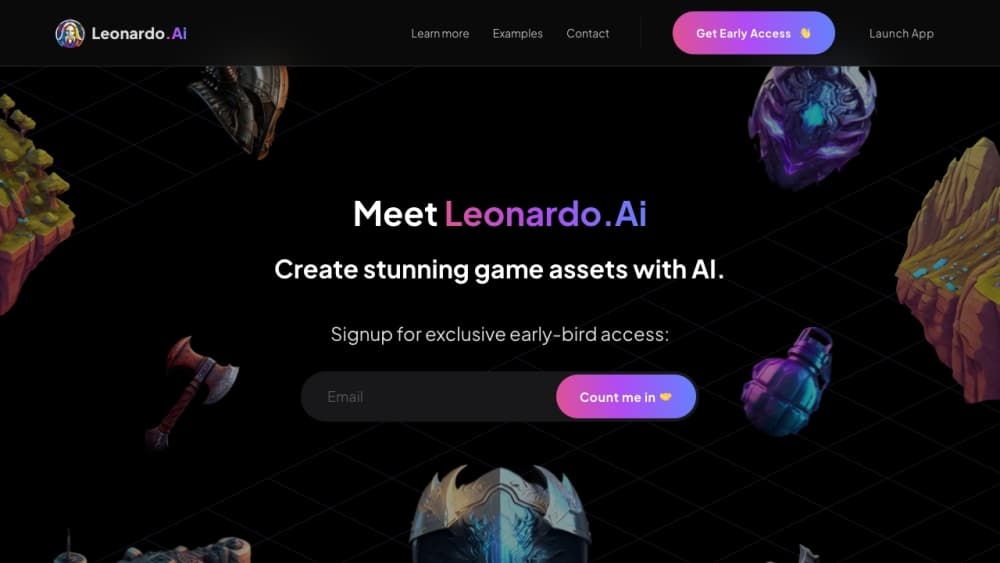
About Leonardo.ai
What Is Leonardo.Ai
Leonardo.Ai is a generative AI platform and AI image generator that turns text prompts into images, and it doubles as an AI video generator for short clips. It runs on a mix of in-house models like Phoenix and Lucid Origin and outside ones such as FLUX, GPT Image, and Veo, all inside one account. Canva acquired the company in 2024, which brought Leonardo into a larger suite of design tools.
The platform targets creators who want more control than a single prompt box offers. A split-screen Realtime Canvas lets you sketch and watch results appear, while the standard Canvas handles inpainting, outpainting, and compositing. You can train your own custom models on your own images, which matters when a project needs one consistent look across many assets.
The catch is the token system. Free users get 150 fast tokens a day, and heavier models burn through them fast. High-volume or private work usually pushes you onto a paid plan, and premium third-party video models always cost tokens no matter what tier you're on.
Getting Started
- Sign up at leonardo.ai with an email or Google account, or download the iOS or Android app.
- Pick a model from the left menu and type a prompt, or open Realtime Canvas to sketch an idea directly.
- Set image count, aspect ratio, and style, then check the token cost shown on the Generate button before you click.
- Refine the result in Canvas with inpainting or outpainting, then download, upscale, or animate it with Motion.
Product Information
A quick look at Leonardo.ai's pricing, supported platforms, and performance.
Best for
The users, tasks, and scenarios where this tool fits best.
Users
- Hobbyist artists
- Indie game developers
- Social media marketers
Tasks
- Turning a written concept into concept art
- Cleaning up or extending a photo
- Building a consistent brand look
Scenarios
- Brainstorming a visual direction on a deadline
- Shipping daily social content without a designer
- Producing a short animated teaser
Key features
Realtime Canvas
Realtime Canvas is a split-screen mode where you draw on one side and watch a finished image build on the other as you go. It's built for early brainstorming, when you're not sure what you want yet, rather than for final polish. Unlike a standard text box, it responds to strokes, so you can steer composition before committing to a prompt.
Phoenix and Lucid Models
Phoenix and Lucid Origin and Realism are Leonardo's own models, tuned for prompt accuracy on complex, multi-element scenes. Phoenix handles scenes with several distinct objects, which is where older models often blend colors or mix up details. These first-party models also get relaxed, no-token generation on higher plans, which changes how much you can produce.
Canvas Editing Tools
The Canvas gives you inpainting, outpainting, and compositing in one workspace. You can erase an unwanted object, extend a photo past its original edges, or blend generated pieces into an existing scene. This replaces jumping between an image editor and a generator for the same job.
Image-to-Video with Motion
Motion animates a still image into a short clip, usually a few seconds long, with camera moves like pan and zoom. It's enough for a teaser or a looping social post, not for long-form video. Premium third-party video models are also available in the same account, but they always draw tokens.
Custom Model Training
You can train your own model on your own images to lock in a specific character, product, or art style. Once trained, it generates consistently styled output that a generic model can't match. This is the feature that keeps a project visually coherent across dozens of assets.
Universal Upscaler
The upscaler raises the resolution of generated or uploaded images and sharpens detail, so a small draft can become a print-ready file. Pro, Precise, and Creative upscale modes trade off between faithfulness and added detail. It runs inside the platform, so you don't need a separate upscaling tool.
Developer API
The REST API exposes image and video generation, LoRA training, upscaling, and background removal for developers, billed pay-as-you-go. You create a key inside the web app, and webhooks can push results instead of forcing you to poll. This makes Leonardo usable as a backend engine, not just a website.
Pros and cons
Pros
- A genuinely usable free tier with 150 tokens a day makes it easy to test before paying.
- Realtime Canvas turns rough sketches into usable images fast for early concepting.
- Custom model training keeps characters and brand styles consistent across large sets.
- Own models plus third-party ones like FLUX and Veo mean one account covers most image and video needs.
- A documented API with pay-as-you-go billing makes it a real option for developers.
Cons
- The token system hides true cost per image, because heavier models and higher settings drain the daily allowance quickly.
- Premium third-party video models always burn tokens, even on top tiers, so heavy video work adds up.
- Unlimited relaxed generation covers only first-party models on higher plans, not the premium outside ones.
- Newer users can find the model list overwhelming, since dozens of models sit next to each other with little guidance.
Frequently asked questions
Leonardo.Ai generates images and short videos from text prompts. People use it for concept art, marketing visuals, photo editing, and training custom models for consistent project styles.
Related content
Explore related tools, skills, and articles for Leonardo.ai.
Leonardo.ai Alternatives

Google EmbeddingGemma 2
Google DeepMind · Writing · Image · CodingGoogle EmbeddingGemma 2 is a 740M-parameter open model that turns text, code, images, audio, and video frames into vectors in one 768-dimension space, running on phones and laptops.

Tractionwave
TractionWave · Image · MarketingTractionWave is an AI attention heatmap tool for static ads. Upload a PNG or JPG and it returns predicted attention, ranked hotspots, and fixes before you spend budget.

Imejis.io
Imejis.io · Image · MarketingImejis.io is an AI design studio for agents and marketing teams. Describe an image in plain words, and it writes the copy, builds the layout, reflows it to every size, then exports a finished file.