

Letterly: Write by Voice & AI
Anton Lebedev · Productivity
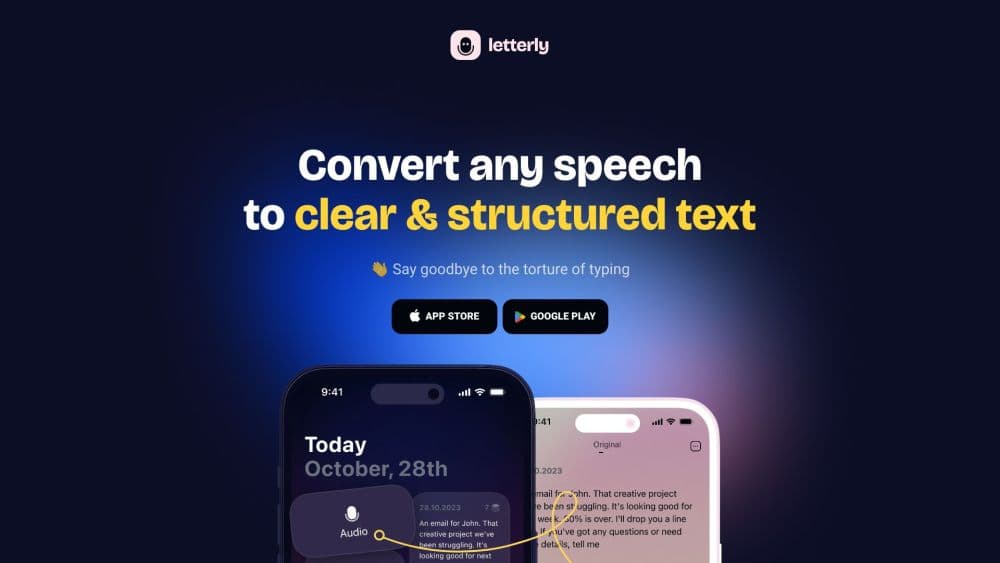
Letterly turns speech into clean text on iPhone, Android, Mac, Windows and the web. Dictate inside any app, save voice notes you can rewrite, and get meeting transcripts split by speaker.
About Letterly: Write by Voice & AI
What Is Letterly
Letterly is an AI voice dictation app and AI note taker for people who think faster than they type. You talk, it listens, and what comes back is a tidy message, a note, or a recap rather than a raw transcript full of "um" and half-finished sentences.
The product covers three jobs. Dictation puts finished text at your cursor inside Gmail, Slack, WhatsApp, Notes, or any other field. Recording inside the app turns spoken thoughts into notes you can search, tag, and rewrite later. Meeting transcription runs the same way: it records a call or a lecture and returns a transcript with speaker labels plus a summary.
Anton Lebedev publishes it, and it first appeared on the App Store in November 2023 under the name Draft AI. It now runs on five platforms, claims more than 300,000 users, and holds a 4.7 rating on the App Store. The limits are real but narrow: transcription and rewriting need a connection, recordings cap at 90 minutes on the paid plan, and the free plan stops short in several places.
Getting Started
- Sign in with a magic link, the passwordless route the app relies on, then pick the platform you work on most: iPhone, Android, Mac, Windows, or the browser.
- Set up dictation on desktop by opening Preferences, where the app registers its floating bar and the F5 shortcut. On iPhone and Android, add the Letterly keyboard under system settings and allow full access.
- Tap record for a voice note, or hit the mic in the keyboard to dictate into whatever app is open.
- Choose a rewrite option when you need a different shape: cleaned-up text, a list, an email, a journal entry, or meeting takeaways.
- Search, tag, and share from the note list, or connect the account to Claude, ChatGPT, or Cursor through the MCP server. Speech to text on Mac and Windows follows the same path, with the floating bar replacing the keyboard.
Product Information
A quick look at Letterly: Write by Voice & AI's pricing, supported platforms, and performance.
Best for
The users, tasks, and scenarios where this tool fits best.
Users
- People who draft by talking
- Students and note-heavy workers
- Multi-language households and teams
Tasks
- Writing an email in a hurry
- Turning a walk into a first draft
- Capturing meeting action items
- Journaling without a keyboard
Scenarios
- Commuting or walking the dog
- Live interviews and calls
- International clients
Key features
Dictation Inside Other Apps
This is the part that replaces your habit of retyping. Install the dictation keyboard on mobile or the floating bar on desktop, tap the mic in Messages, Gmail, Notion, a support ticket, or a search box, and finished text lands at the cursor. A single dictation can run 15 minutes on Pro, so you can speak a full email instead of one sentence. On iOS you can also rewrite by voice straight from the keyboard: select a line, say "make it shorter," and the text changes in place.
Rewrite Options That Change the Shape of the Text
A transcript stays untouched, and each rewrite is saved as a separate version of the same note. The default Magic option cleans rough speech into readable prose. Slightly keeps your wording and tone. Significantly rebuilds the whole thing. Format options go further: List, Email, Journal Entry, Meeting Takeaways, Structured. You can write your own prompts as custom rewrite options, pin three of them under the floating bar on Windows, and set one to run automatically after dictation stops.
Voice Notes You Grow Instead of Losing
Recording inside the app produces a note with a title, a clean transcript, and the original audio attached. Record More lets you keep talking into the same note across sessions, and Merge Notes folds two or three notes into one. Search, tags, and sorting keep a year of thinking retrievable, which is the difference between a voice notepad and an audio graveyard.
Meeting Mode With Speaker Labels
Meeting mode records through the microphone and returns a transcript that separates who said what. You can add speaker roles after the recording if you skipped the toggle at the start. A summary rewrite turns the transcript into takeaways, and a 90-minute cap on Pro covers most calls. Records audio from the computer too on Windows, so a call on headphones still gets captured. It doesn't tap the Zoom or Meet audio stream, so everyone needs to be audible in the room.
Numbers, Names, and Words That Stay Right
A custom dictionary forces spellings for client names, product codes, and jargon. Text replacements swap a spoken phrase for a block of stored text: say "my signature" and the whole sign-off appears. Both features run on the free plan, which matters because transcription errors on names are the fastest way to make a dictated email look careless.
MCP Access for AI Assistants
Letterly ships an MCP server, so Claude, ChatGPT, Cursor, Perplexity, Gemini CLI, and Codex can search, create, rewrite, and translate your notes without you copying text between tabs. Ask Claude what you decided about pricing last month and it reads your voice notes directly. Setup takes a connection step rather than an API key, which keeps non-developers in the loop.
No Limits Worth Fighting With
Pro removes the counters on notes, dictations, and rewrites. Recordings reach 90 minutes, dictations reach 15, and the rewrite list opens up entirely. Multi-speaker, translation, dictionary, text replacements, export, and MCP come with both plans, so paying changes volume rather than access to features.
Pros and cons
Pros
- Dictation lands directly in the app you already use, so there is no copy-paste step between talking and sending.
- Rewrite options cover real jobs: a quick message, a structured list, a journal entry, meeting takeaways.
- Five platforms share one subscription and sync notes live, which suits people who start on a phone and finish on a laptop.
- The MCP server makes your own voice notes a context source for Claude and ChatGPT, a step most dictation apps skip.
- The free plan includes dictionary, text replacements, translation, and MCP, so you can judge the output quality before paying.
Cons
- The free plan is a trial in practice: 10 notes, 20 dictations of a minute each, and 10 Magic rewrites run out fast in daily use.
- Transcription and rewriting need an internet connection. Recording works offline, but the text only appears once you reconnect.
- iOS Free users are capped at one-minute dictations, while Android Free users get three, which is hard to explain to a team on mixed phones.
- Recording calls still depends on room audio. Headphones on both ends will lose the other side on mobile.
Frequently asked questions
It converts speech into finished text in three ways: dictation into any app, voice notes inside the app, and meeting recordings with speaker-split transcripts. The output is cleaned text, not a verbatim transcript, so you can send it without editing.
Related content
Explore related tools, skills, and articles for Letterly: Write by Voice & AI.
Letterly: Write by Voice & AI Alternatives

Base Code
Base44 (Wix) · Coding · ProductivityBase Code is a shared cloud development environment from Base44. Teammates describe changes to an existing GitHub codebase in chat, preview them live and send them back as pull requests.

Knocket
Knocket (Tencent RTC team) · Productivity · Business · ChatbotKnocket is a free live chat and contact page tool that lets visitors message you from your website, app, or a shareable link, with every reply handled from Telegram or one inbox.

FloorGen
Vinit Kumar (FloorGen) · Productivity · China AIFloorGen is a browser-based floor plan maker that turns a sentence or a sketch into an editable 2D plan and a 3D walkthrough. Export to PDF, DXF or video, and draw without an account.