

Licowa -Photobooth & Wallpaper
Shining Ai Inc. · Image
Licowa is an iPhone and iPad app for photo booth strips, live wallpapers and AI photo editing. It bundles collage tools, thousands of templates and a free tier.
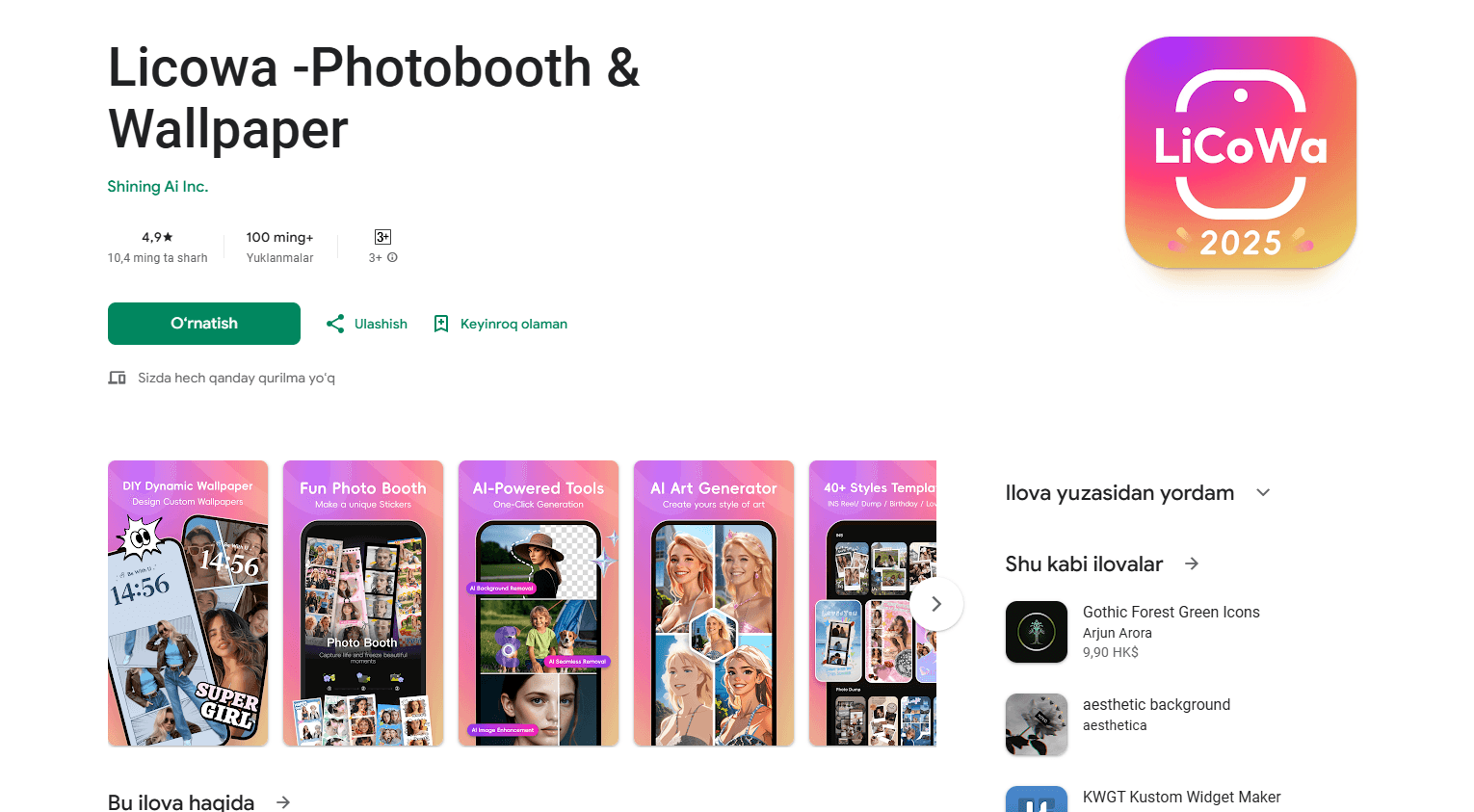
About Licowa -Photobooth & Wallpaper
What Is Licowa
Licowa is a photo and wallpaper app built for phones and tablets. It combines three things people usually install separate apps for: a photo booth that snaps a strip of photos, a live wallpaper maker, and an editor with AI tools. The name points at the two headline features, and the app leans on templates so most results come together in a couple of taps.
The appeal is breadth for no cost. Photos, collages, cards, avatars and 8K live wallpapers all live behind one icon, and the developer says the content itself is free to use. For people who just want a fun photo booth strip to share with friends, that's enough on its own.
The main limit is platform scope. Licowa is built for Apple devices, so there's no Android version and no web app. The richer tools also lean on the paid plan, so heavy users who edit every day will likely hit the subscription before casual ones do.
Getting Started
- Install Licowa from the App Store, then open it and pick a tool such as Photo Booth, Wallpaper or Collage
- Grant photo access so the app can read images you want to edit or set as a wallpaper
- Choose a template, sticker or effect, then add your photos and adjust the layout
- Export the result to your camera roll, or set the live wallpaper from your device settings
Product Information
A quick look at Licowa -Photobooth & Wallpaper's pricing, supported platforms, and performance.
Best for
The users, tasks, and scenarios where this tool fits best.
Users
- Teens and students
- Social media creators
- K-pop and idol fans
- Phone personalizers
Tasks
- Photo booth strips
- Live wallpapers
- AI photo editing
- Collages and cards
- Social templates
Scenarios
- Meeting up with friends
- Redecorating a home screen
- Preparing a themed post
- A quick profile refresh
Key features
Photo booth strips and life4cut
The photo booth mode captures four consecutive shots and lays them into a classic strip in one tap. It's the same style of photo people queue for at a physical booth, built for sharing with friends. New idol sticker packs keep the layouts tied to what's trending.
Live wallpaper maker
A dedicated maker turns photos and artwork into animated wallpapers, and the developer says it can output up to 8K. Effects, stickers, frames, grids and layouts are ready to apply, so a still picture becomes a moving background in a few taps. It's the feature that gives the app half its name.
AI editing suite
The editor packs several AI tools into one place. Object removal erases unwanted elements with a brush, cutout isolates a subject in a tap, and style transfer turns a photo into Disney or Pixar style art or clay animation. An image enhancer fixes clarity and color, and a portrait tool brightens skin and features.
Collages, cards and posters
Beyond the booth, the app arranges photos into freestyle collages, photo dumps and greeting cards for birthdays, holidays and thank-you notes. Photos, stickers, doodles and text can be moved around freely, which covers the everyday sharing jobs an editor usually handles.
Instagram and TikTok templates
There are templates built specifically for stories and reels, with animations, text and stickers sized for those formats. For creators, that removes the guesswork of fitting a design to a vertical frame and keeps posts on brand.
Thousands of templates, stickers and backgrounds
Grids, frames, animated layouts and artist-collaboration sticker packs fill the template library. AI highlight detection keeps the focus on the best part of a photo, so layouts assemble around the main subject rather than cropped at random.
Pros and cons
Pros
- Free to use, with photo booth, wallpaper and editing tools all in one app instead of three
- Photo booth mode turns four shots into a strip collage in a single tap
- AI tools cover object removal, cutout, style transfer and portrait fixes without manual masking
- Ready-made templates for Instagram and TikTok cut the design work for creators
- Live wallpaper maker converts your own photos into animated backgrounds, up to 8K according to the developer
Cons
- Apple only: there's no Android version, so it won't help people on other phones
- In-app purchases gate the fuller tools, and the tiers run from ¥38 to ¥228 depending on the plan
- The AI edits are template-driven, so fine control is limited compared with a dedicated editor
- No public API is documented, which rules it out for anyone wanting to automate edits
Frequently asked questions
Licowa is an iPhone and iPad app for photo booth strips, live wallpapers and AI photo editing. It covers collages, cards, avatars and social templates too, all from one app. The photo booth and the wallpaper maker are the two features the name points to.
Related content
Explore related tools, skills, and articles for Licowa -Photobooth & Wallpaper.
Licowa -Photobooth & Wallpaper Alternatives

Google EmbeddingGemma 2
Google DeepMind · Writing · Image · CodingGoogle EmbeddingGemma 2 is a 740M-parameter open model that turns text, code, images, audio, and video frames into vectors in one 768-dimension space, running on phones and laptops.

Tractionwave
TractionWave · Image · MarketingTractionWave is an AI attention heatmap tool for static ads. Upload a PNG or JPG and it returns predicted attention, ranked hotspots, and fixes before you spend budget.

Imejis.io
Imejis.io · Image · MarketingImejis.io is an AI design studio for agents and marketing teams. Describe an image in plain words, and it writes the copy, builds the layout, reflows it to every size, then exports a finished file.