

Lifestack: AI Planner for ADHD
DeMind Inc. · Productivity
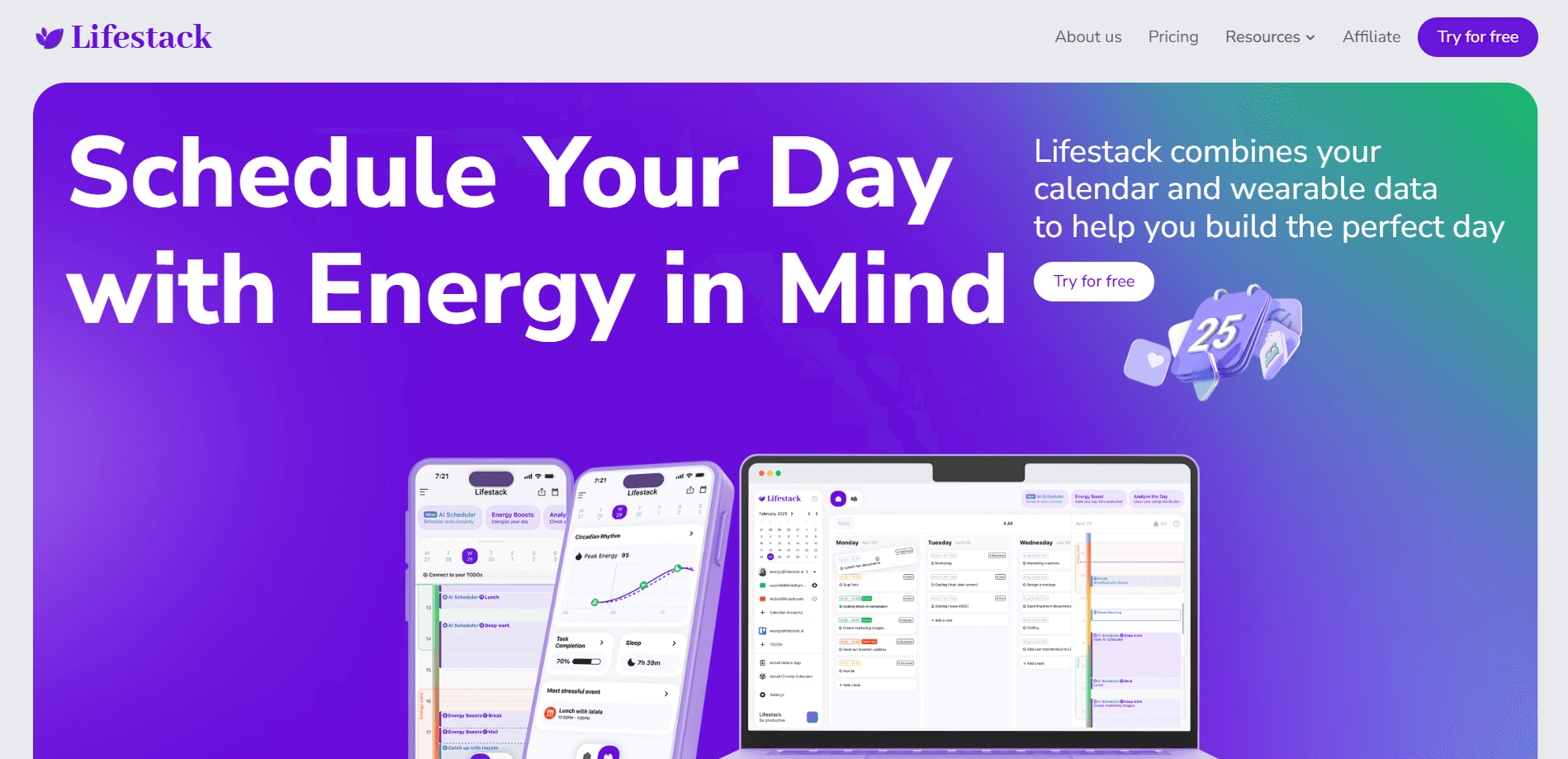
Lifestack is an AI daily planner for ADHD that reads your sleep, recovery, and focus data, then builds a schedule around your energy levels instead of forcing tasks into fixed time blocks.
About Lifestack: AI Planner for ADHD
What Is Lifestack
Lifestack is a planning app built by DeMind Inc. around one idea: your calendar should know how your body feels. Its energy based scheduling pulls sleep, heart rate, and recovery data from wearables and health apps, predicts when your focus will peak or fade, and lays out tasks to match. The pitch is a planner that works with you on a low-energy day, not one that assumes you'll push through anyway.
The app leans into ADHD-friendly design. Time blocks are visual and forgiving, routines come with reminders, and the AI assistant will draft a full day, week, or set of routines from a plain chat request. Wearables like Oura, WHOOP, Garmin, Apple Watch, and Fitbit feed in health data, while Google Calendar, Outlook, Todoist, and Trello pull in your existing tasks and events.
The main catch is the business model. Lifestack has no permanent free tier. The monthly plan starts at $7 with no trial, and only the annual plan includes a 7-day trial. If you rely heavily on wearable data, you'll also need a supported device, since the energy predictions get much thinner without one.
Getting Started
- Create an account at app.lifestack.ai or download the app for iPhone, Android, or Mac.
- Connect your calendars and task tools, such as Google Calendar, Outlook, Todoist, or Trello.
- Link a wearable or health app for sleep and recovery data, including Apple Health, Oura, WHOOP, Garmin, or Fitbit.
- Ask the AI to plan your day, or accept the draft schedule it builds around your energy zones.
- Adjust blocks as your day shifts, then let the plan re-sync with your live health data.
Product Information
A quick look at Lifestack: AI Planner for ADHD's pricing, supported platforms, and performance.
Best for
The users, tasks, and scenarios where this tool fits best.
Users
- Adults with ADHD
- Remote and hybrid workers
- People tracking sleep and recovery
Tasks
- Planning a realistic day
- Rescuing an overloaded schedule
- Building routines
Scenarios
- Waking up after a rough night
- Planning meals and rest
- Managing a packed workweek
Key features
Energy-Zone Scheduling
Lifestack predicts when your focus will peak and when it will dip, then places demanding tasks in the strongest windows. The schedule shifts as your sleep and recovery data changes, so a rough night reshuffles the day instead of silently wrecking it.
AI Chat Planner
You can ask the assistant to plan a day, a week, or a routine in plain language. It handles the arrangement, then hands back time blocks you can accept or tweak, which removes the blank-page problem that stalls most planning apps.
Wearable and Health Sync
The app connects to Oura, WHOOP, Garmin, Apple Watch, Fitbit, and Apple Health to read sleep, activity, and heart rate data. That data is what powers the energy predictions, so the more you connect, the more the plan reflects how you actually feel.
Calendar and Task Integrations
Lifestack pulls from Google Calendar, Outlook, Todoist, and Trello, plus a Chrome extension, doing the job of a smart time blocking app and a wearable calendar integration at once. Your existing commitments show up in the same view as your energy forecast, so you aren't copying tasks between tools.
ADHD-Friendly Time Blocks
Time blocks are visual and clearly bounded, with reminders attached. For people who lose track of time or freeze on oversized to-dos, the smaller structured blocks lower the barrier to starting.
Meals and Sleep Planning
Beyond work tasks, Lifestack maps meals and rest around your day's demands. It's a small addition, but it's the part that treats recovery as part of the plan rather than an afterthought.
Pros and cons
Pros
- Ties your schedule to real sleep and recovery data rather than guessing at energy
- Handles Google Calendar, Outlook, Todoist, Trello, and a Chrome extension in one view
- AI chat planning turns a vague to-do list into a draft day or week in one request
- ADHD-friendly blocks and reminders cut down on decision fatigue for people who stall on planning
Cons
- No permanent free tier, so you can't test the core energy scheduling without paying unless you take the annual trial
- Energy predictions depend on wearable or health data, so the feature is weaker if you don't track sleep
- The lifetime plan costs $120 upfront, which is a real commitment for a planner you may still be evaluating
Frequently asked questions
It's an AI daily planner that schedules your tasks around predicted energy levels. It reads sleep and recovery data from wearables, then builds time blocks that put harder work in your higher-focus windows.
Related content
Explore related tools, skills, and articles for Lifestack: AI Planner for ADHD.
Lifestack: AI Planner for ADHD Alternatives

Base Code
Base44 (Wix) · Coding · ProductivityBase Code is a shared cloud development environment from Base44. Teammates describe changes to an existing GitHub codebase in chat, preview them live and send them back as pull requests.

Knocket
Knocket (Tencent RTC team) · Productivity · Business · ChatbotKnocket is a free live chat and contact page tool that lets visitors message you from your website, app, or a shareable link, with every reply handled from Telegram or one inbox.

FloorGen
Vinit Kumar (FloorGen) · Productivity · China AIFloorGen is a browser-based floor plan maker that turns a sentence or a sketch into an editable 2D plan and a 3D walkthrough. Export to PDF, DXF or video, and draw without an account.