

LightPDF: PDF AI&Convert&Scan
Wangxu Technology · Productivity · China AI
LightPDF is an AI-powered PDF tool with LightPDF: PDF AI&Convert&Scan. It edits, converts, signs, OCRs, and chats with documents on web, desktop, and mobile. A free plan covers light use, and Pro unlocks the full AI suite.
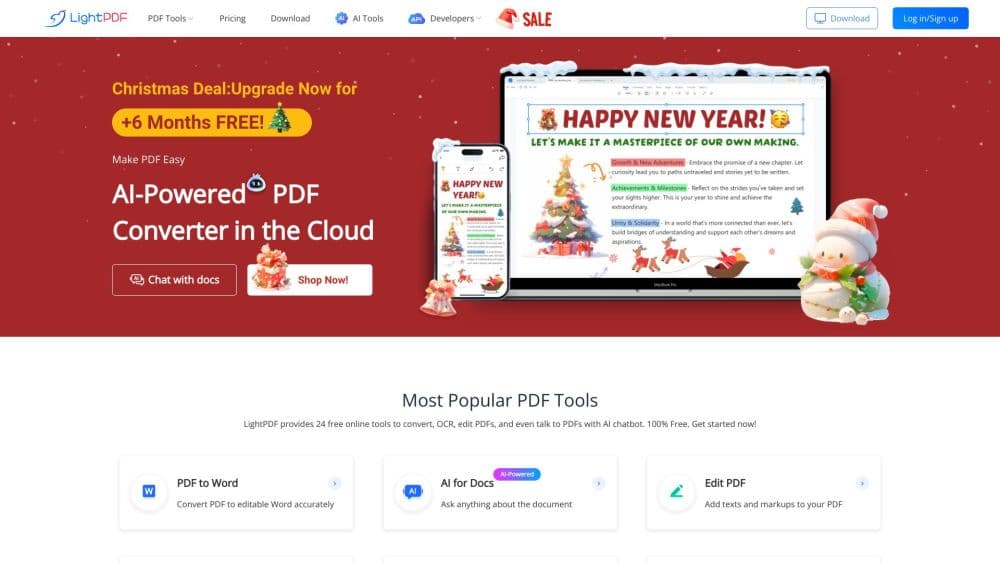
About LightPDF: PDF AI&Convert&Scan
What Is LightPDF
LightPDF is a document workspace for handling PDFs without bouncing between apps. It reads, edits, converts, annotates, and signs files in one place, and it adds AI on top for the tasks that used to mean reading a whole document by hand. You upload a contract, a scanned form, or a slide deck, then edit text, run OCR, translate, or ask the file a question. As an online PDF tool and a PDF editor for Windows, Mac, iOS, and Android, it keeps the same files within reach no matter which screen you open.
The product pairs a classic PDF editor with an AI layer. ChatPDF answers questions and pulls summaries from a document, the AI agent runs multi-step requests, and tools like the watermark remover and the AI PDF generator cover cleanup and creation. The same account works across web, Windows, Mac, iOS, and Android, with files synced between devices.
The limits sit at the free tier and the AI credits. The free plan caps files at 10MB and rations the AI tools, so anyone processing large documents or leaning on the AI features daily needs a paid plan. Premium features run on one device at a time even when the account spans five platforms.
Getting Started
- Go to lightpdf.com and sign up with an email or a Google account, or install the desktop or mobile app.
- Upload a PDF from your device or drag one into the editor, or paste a document into ChatPDF to start asking questions.
- Edit text, convert the file to Word or another format, run OCR on a scan, or open the AI tools for a summary or a translation.
- Download the result, add an e-signature, or share the file, and switch to another device to pick up the same documents.
Product Information
A quick look at LightPDF: PDF AI&Convert&Scan's pricing, supported platforms, and performance.
Best for
The users, tasks, and scenarios where this tool fits best.
Users
- Students
- Office workers
- Researchers
- Small teams
Tasks
- Editing a PDF
- Converting formats
- Chatting with a document
- Removing a watermark or logo
Scenarios
- A deadline report
- Study prep
- Handling a scanned contract
Key features
ChatPDF and the AI PDF Agent
Ask a document questions in plain language and get answers drawn from the file, with page references you can check. The AI PDF agent takes multi-step requests, so you can summarize, extract, and translate across the same session without reuploading.
Edit PDF Text and Images
Change words, swap images, and reorganize pages inside the editor. The image text editor goes further and lets you alter text baked into a scan or a photo, which saves rebuilding a design just to fix a typo.
Convert and OCR
Move files between PDF and Word, Excel, PowerPoint, and image formats, and run OCR to turn scanned pages into editable text. Output keeps the original layout, so tables and columns stay where you put them.
E-Sign and Security
Add an e-sign PDF signature, protect a file with a password, or redact sensitive details before you share it. For organizations that need it, the signing feature follows EU eIDAS rules.
PDF Translation
Translate a whole PDF, including scanned and image-based files, and read the result in your language. It suits foreign contracts, manuals, and papers that you would rather not parse by hand.
Watermark and Object Removal
Strip watermarks, logos, and stickers from PDFs and images with AI tools. The watermark remover clears both PDF and image files, and the logo and text remover handles unwanted marks on a page.
Cross-Platform Sync
Sign in once and work on Windows, Mac, iOS, Android, or the web, with documents synced between them. Premium features run on one device at a time, so heavy users pick one machine as their main.
PDF Generation and Summary Tools
Generate a PDF, a PPT, or a mind map from a prompt, and get AI summaries and analysis of long documents. These tools cut the blank-page problem when you need a starting draft or a quick read.
Pros and cons
Pros
- One toolkit covers editing, conversion, signing, OCR, and AI chat, so you replace several single-purpose apps.
- The AI layer spans summaries, translation, extraction, and generation, not just basic editing.
- The same account works across web, Windows, Mac, iOS, and Android with synced files.
- A free plan and a low-cost lifetime option let you test or buy outright instead of only subscribing.
- Data handling meets ISO/IEC 27001, ISO/IEC 27701, and GDPR standards.
Cons
- The free plan caps files at 10MB and rations the AI tools, so serious use needs a paid plan.
- AI features run on credits that expire monthly on monthly and yearly plans, which takes planning for heavy users.
- Premium features work on one device at a time, so a team or a person with several machines hits that limit.
- There is no native Linux app, so Linux users are stuck with the browser version.
Frequently asked questions
LightPDF is a PDF editor and converter with an AI layer. You edit, convert, annotate, sign, and OCR documents, and you can chat with a PDF to pull answers, summaries, and translations in one place.
Related content
Explore related tools, skills, and articles for LightPDF: PDF AI&Convert&Scan.
LightPDF: PDF AI&Convert&Scan Alternatives

Base Code
Base44 (Wix) · Coding · ProductivityBase Code is a shared cloud development environment from Base44. Teammates describe changes to an existing GitHub codebase in chat, preview them live and send them back as pull requests.

Knocket
Knocket (Tencent RTC team) · Productivity · Business · ChatbotKnocket is a free live chat and contact page tool that lets visitors message you from your website, app, or a shareable link, with every reply handled from Telegram or one inbox.

FloorGen
Vinit Kumar (FloorGen) · Productivity · China AIFloorGen is a browser-based floor plan maker that turns a sentence or a sketch into an editable 2D plan and a 3D walkthrough. Export to PDF, DXF or video, and draw without an account.