

LinkedIn Geniee
LinkedIn Geniee · Productivity · Marketing
LinkedIn Geniee is a team dashboard for scheduling LinkedIn posts across multiple member profiles, with AI drafts, analytics, and lead capture tools.
About LinkedIn Geniee
What Is LinkedIn Geniee
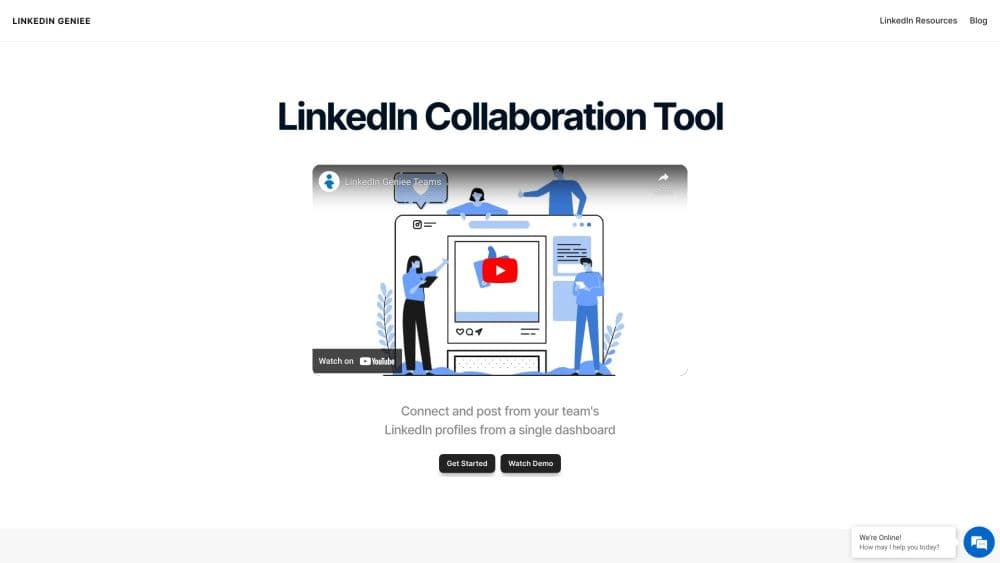
LinkedIn Geniee is a LinkedIn team collaboration tool built for a specific complaint: a company asks ten employees to share the same announcement, and three of them actually do it. The product connects each team member's personal LinkedIn account to one dashboard, so a manager can queue posts for everyone and let the schedule handle the rest.
The workflow is closer to a small publishing desk than to a social network scheduler. You write or approve a post once, assign it to selected profiles, and set a time for each. Everything lands on a shared LinkedIn content calendar, which makes gaps and pileups visible before they happen. The AI LinkedIn post generator fills in drafts when nobody on the team feels like writing, and the analytics panel reports how each post performed after it went live.
Two limits matter before you budget for it. The tool works on personal profiles, not LinkedIn company pages, and it depends on members handing over account access, which some legal and IT teams won't allow. The main website also stopped serving product pages as of October 2026, so pricing and signup now run through the vendor's Lemon Squeezy storefront. Confirm the plan and the refund terms there before you pay.
Getting Started
- Buy a plan from the LinkedIn Geniee storefront, then open the dashboard link in the confirmation email.
- Invite team members and have each one connect their LinkedIn profile through the guided login step.
- Draft a post in the editor or generate one from a short prompt, then assign it to the profiles that should publish it.
- Pick a date and time for each profile, add the post to the shared calendar, and check the analytics panel a few days later.
Product Information
A quick look at LinkedIn Geniee's pricing, supported platforms, and performance.
Best for
The users, tasks, and scenarios where this tool fits best.
Users
- Marketing leads at small B2B companies
- Founders and consultants
- Agency account managers
- Sales teams doing warm outreach
Tasks
- Coordinating a launch announcement
- Building a four-week LinkedIn content calendar
- Writing posts without a blank page
- Following up on engagement
Scenarios
- A ten-person team that keeps missing its posting targets
- Employer branding pushes
- Trade shows and event weeks
Key features
Multi-Profile Team Dashboard
Every connected account appears as a card with its own queue, so you can see at a glance which profiles have posts waiting and which are empty. Managers assign content per person rather than per brand, which matches how LinkedIn distribution actually works. The multi-account LinkedIn dashboard also keeps member permissions separate, so a junior hire can draft without publishing to a colleague's profile.
LinkedIn Post Scheduling
You pick a date and time for each profile, and the tool publishes on that schedule. Staggered timing is the useful part: five people sharing the same link within three minutes looks like a bot run, while five people sharing it across a morning reads like a company. A shared LinkedIn content calendar holds the whole plan, and you can move a slot with a drag instead of rewriting the post.
AI LinkedIn Post Generator
Give it a topic, a link, or a rough paragraph and it returns a draft you can edit before it goes anywhere near a feed. The output follows the voice settings you pick, so a founder's post doesn't read like a press release. It's a first-draft tool, not an autopilot: claims, numbers, and taglines still need a human pass.
Analytics Panel
The dashboard tracks impressions, reactions, comments, and clicks per post and per profile. That split matters for team accounts, because a post that flops on the CEO's profile may do fine on a sales rep's. Weekly views help you spot which topics earn replies rather than silent scrolls.
Lead Capture and Bulk Connection Requests
Search for people by role, company, or keyword, then send connection requests in batches with a personalized note. When someone accepts, the tool can save their name, title, and company to a list you export as a CSV. This is the piece that turns LinkedIn lead generation into a repeatable task instead of an afternoon of clicking.
Browser Extension and Profile Tools
A browser extension adds posting shortcuts while you're on LinkedIn, which helps when an idea arrives mid-scroll. Separate add-ons cover a profile viewer and job post alerts, including salary details where the listing has them. They're sold as standalone items, so you don't need the full team plan to try one.
Pros and cons
Pros
- Solves the follow-through problem directly: posts are queued per person, not sent as a request in a group chat.
- One shared calendar makes a month of team publishing visible on a single screen.
- AI drafts cut the time between a topic and a publishable post, with editing left in human hands.
- Lead capture and connection requests sit beside the publishing tools, so outreach data doesn't need a second subscription.
- Pricing is transparent on the storefront, with a $720 annual business plan and smaller add-ons from $1.
Cons
- The main website no longer serves product pages, so you can't read current feature docs or terms before buying.
- Team posting requires members to connect their LinkedIn accounts, and some companies block that on policy grounds.
- Company pages aren't supported, which rules out the tool for teams that publish only as a brand.
- There's no published API and no free tier, so testing the workflow means paying first.
Frequently asked questions
It connects several personal LinkedIn accounts to one dashboard so a team can schedule posts, generate drafts with AI, and track results per profile. Managers assign content to individuals instead of handing out passwords.
Related content
Explore related tools, skills, and articles for LinkedIn Geniee.
LinkedIn Geniee Alternatives

Base Code
Base44 (Wix) · Coding · ProductivityBase Code is a shared cloud development environment from Base44. Teammates describe changes to an existing GitHub codebase in chat, preview them live and send them back as pull requests.

Knocket
Knocket (Tencent RTC team) · Productivity · Business · ChatbotKnocket is a free live chat and contact page tool that lets visitors message you from your website, app, or a shareable link, with every reply handled from Telegram or one inbox.

FloorGen
Vinit Kumar (FloorGen) · Productivity · China AIFloorGen is a browser-based floor plan maker that turns a sentence or a sketch into an editable 2D plan and a 3D walkthrough. Export to PDF, DXF or video, and draw without an account.