

LIRA
DRIS LLC · Leaning
LIRA is an AI study assistant browser extension that saves notes and answers questions on any page.
About LIRA
What Is LIRA
LIRA is a browser extension that acts like a study buddy sitting in your browser. Highlight text or right-click an image, and the AI study assistant explains it, summarizes it, or answers a follow-up question. There's no separate app to open and no tab to switch to.
The pitch is simple. Students already study on random webpages, so the tool lives there too. A built-in note taking layer lets you highlight passages and keep notes as you read. When something doesn't make sense, you ask instead of copying the text into ChatGPT and losing your place.
The main catch is scope. LIRA is built for reading and understanding, not for producing essays or solving problem sets end to end, so anyone expecting a full writing companion will be disappointed. Heavy use runs on a credit system, which means serious students will hit the paid tier fast. It's also a browser extension first, meaning a desktop Chrome-style setup fits it best.
Getting Started
- Install the LIRA browser extension from the official site and create a free account.
- Pin it in your toolbar so the shortcut is always one click away, or set your preferred keyboard shortcut.
- Open any article, textbook page, or PDF in the browser and highlight a passage or right-click an image.
- Choose "Add note" to keep it, or ask LIRA a question to get an instant answer or summary.
- Upgrade to Premium from your account settings if you need more credits and higher accuracy.
Product Information
A quick look at LIRA's pricing, supported platforms, and performance.
Best for
The users, tasks, and scenarios where this tool fits best.
Users
- College students
- High school students
- Self-learners
Tasks
- Note taking while reading
- Getting instant answers
- Summarizing long articles
- Studying in a second language
Scenarios
- Cramming before an exam
- Reading research papers
- Working through online course material
- Prepping for a class discussion
Key features
Select and Ask
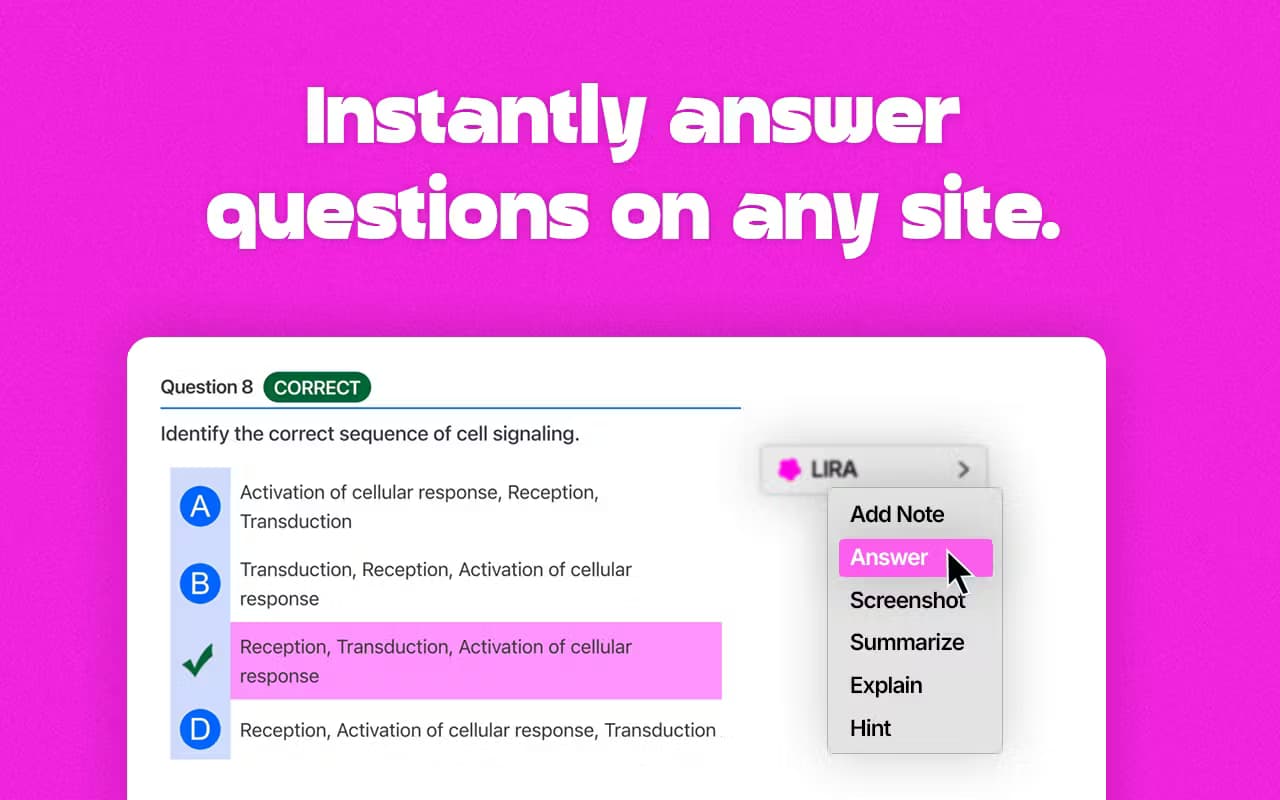
The core move is a right-click. Select any text or image on a page, and LIRA offers to add a note or answer a question about it. It keeps you in the flow instead of jumping to a chat window. That matters when the reading is long and the momentum fragile.
Instant Answers
Ask about a paragraph. LIRA reads it, breaks it down, and returns a short answer. The goal is quick comprehension of a specific block of text, not a full essay. For students, that means fewer copy-paste trips to a separate AI tool.
Note Taking Layer
Notes you drop on a page stay available as you study, so you can build a running set of highlights and explanations. Simple, and it works. It also runs on any site the extension can reach, not just a fixed set of supported platforms.
Works Undetected
LIRA runs in the background rather than as a visible overlay. The site calls this working undetected, and for students who don't want a toolbar shouting from the screen while they read, that quiet behavior is the point.
Any-Site Coverage
Because it's a browser extension, LIRA works on webpages generally, from news articles and blogs to online textbooks and course platforms. There's no per-site setup to chase.
Free and Premium Tiers
The free Basic plan covers simple note taking, instant answers, and any-site use. Premium at $7 per month adds 500K credits, full access, and higher accuracy, reasoning, and limits for people who lean on it daily.
Pros and cons
Pros
- Works on any webpage, so you aren't locked into one study platform
- Right-click flow keeps you reading instead of switching to a chat tab
- Free tier is enough to test note taking and instant answers before paying
- Premium is cheap at $7 per month compared with many AI study subscriptions
- Note taking and question answering sit in one place instead of two apps
Cons
- It's a browser extension, so it doesn't help much offline or on mobile
- The 500K-credit Premium cap means very heavy users can run out
- Answers depend on the page content, so it won't solve problems the source doesn't cover
- Little is published about how it handles your data. That matters if you paste sensitive material
Frequently asked questions
LIRA is an AI study assistant browser extension. You use it to take notes and get instant answers or summaries while reading on any webpage, without switching to a separate AI chat tool.
Related content
Explore related tools, skills, and articles for LIRA.
LIRA Alternatives

HireKey
HireKey · Voice & Language · Productivity · LeaningHireKey is an AI job search copilot built by a former tech recruiter. It checks role fit, tailors resumes, runs interview practice and tracks every application.

Lune
Retrograde Labs · Productivity · LeaningLune is a research search engine for scientific AI agents. It runs as an MCP server that lets Claude, ChatGPT and Cursor search peer-reviewed computer science papers and cite them.
Coddy
Coddy · Coding · LeaningCoddy is a gamified platform to learn to code through short interactive lessons in 20+ languages, with a browser editor, an AI tutor and free certificates.