

Listize
Milad ALAKARIE · Productivity
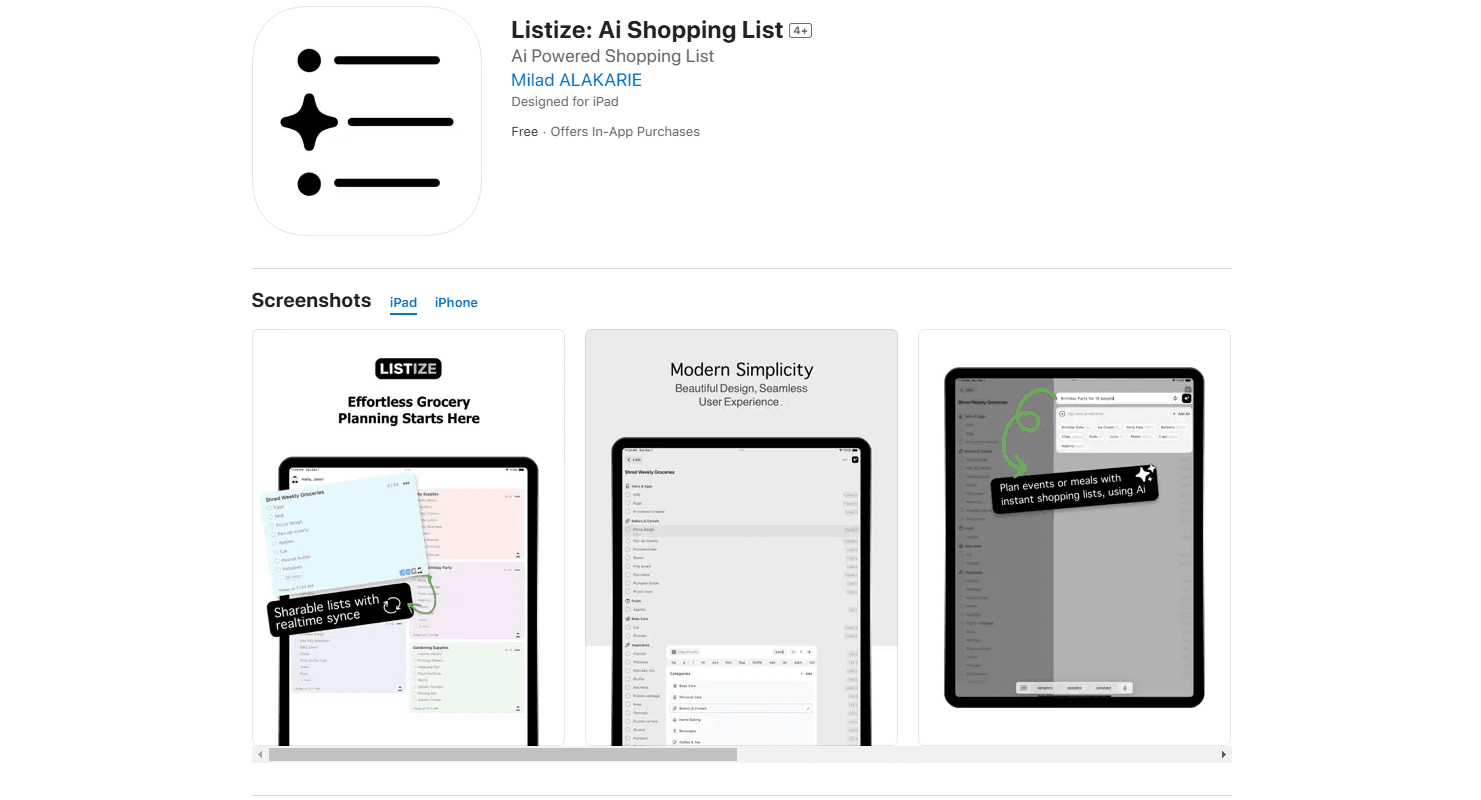
Listize is an AI grocery list app for iPhone and iPad that turns recipes, texts, and voice notes into organized, shareable shopping lists.
About Listize
What Is Listize
Listize is an iOS shopping list app built around one job: getting items onto a list without you typing them out. You paste a recipe, dictate a running mental note, or type a messy paragraph, and the app pulls out the actual products, sorts them into categories, and drops them into a clean list. It's a grocery list organizer that does the boring part for you. It's aimed at home cooks, busy parents, and anyone who plans meals for more than one person. It doubles as a meal planning app for the week ahead.
The problem it targets is familiar. Grocery lists usually live in your head, in a notes app, or across three screenshots, and things get missed. Listize moves that mess into a single structured list that syncs across your devices.
The biggest constraint is the platform. Listize is iOS only. There's no Android version and no web app. You also need a subscription for the premium features, but the core list-making works on the free tier. If your household runs on Android, this isn't the tool for you.
Think of it as an AI list maker rather than a plain checklist. You speak or paste, and the app does the sorting.
Listize has one clear audience: iPhone owners who shop with someone else and cook from recipes often enough that typing out ingredients feels like a waste of a Sunday afternoon.
Getting Started
- Download Listize from the App Store on an iPhone or iPad running iOS 15.5 or later.
- Open the app and create a list. You can start with a blank one or paste text, such as a recipe, and let the AI extract the items.
- Categorize as you go. Listize sorts items automatically, but you can rename categories or move things around.
- Add items by voice next time using Siri or the in-app microphone instead of typing.
- Share the list with family or a roommate so everyone sees updates in real time.
Product Information
A quick look at Listize's pricing, supported platforms, and performance.
Best for
The users, tasks, and scenarios where this tool fits best.
Users
- Home cooks planning weekly meals
- Busy parents sharing shopping duties
- Students and renters on a budget
Tasks
- Turning a recipe into ingredients
- Building a list by voice
- Splitting a big shop across categories
Scenarios
- A weekly grocery run for a family of four
- Shopping with spotty signal in a store basement
- Holiday or party planning
Key features
AI-Powered Item Extraction
This is the feature that sets Listize apart from a plain notes app. Paste text from a recipe, a message thread, or a rough note, and the app reads it and returns only the buyable items. No retyping. No missed ingredients. It just works. It skips the prose and keeps what belongs on a shopping list, which saves the retyping that makes most list apps tedious and turns a five-minute chore into a single paste. According to the developer, the extraction works across recipes, events, and free-form text.
Voice Commands and Siri Integration
You can add items by talking instead of tapping. A Siri shopping list means you can say what you need while your hands are busy, which is useful when you're cooking and notice you're out of something. Just talk. The voice entry feeds the same AI extraction, so a spoken sentence turns into a sorted list item rather than a stray note.
Real-Time Syncing Across iOS Devices
Your lists stay current across iPhone and iPad, and updates land in real time. That matters most when two people share a list: one adds milk, the other sees it before they leave the house. The app also handles offline edits, so a list you update in a dead zone catches up once you reconnect. No manual refresh needed.
Shareable and Collaborative Lists
You can share a list with family, roommates, or coworkers and work on it together. Everyone sees the same items and check-offs. That removes the "who was supposed to grab that" problem. Each person can add or remove items, so the list reflects the household, not one person's memory.
Automatic Categorization
Listize sorts items into categories so a long list stays readable in the aisle. Produce, dairy, and pantry items don't end up jumbled together, and you can adjust categories to match how your store is laid out. Less back-and-forth. Fewer forgotten stops. It saves real time.
Shopping Mode
A newer addition, Shopping Mode enlarges list items for quick tapping while you're moving through a store. Bigger tap targets mean faster check-offs with one hand. That's a small but real difference when you're pushing a cart.
Pros and cons
Pros
- AI extraction turns recipes and messy notes into clean lists, cutting out manual typing.
- Siri and voice entry make it easy to add items hands-free.
- Real-time sync across iPhone and iPad keeps shared lists accurate.
- Offline access means a weak signal in a store doesn't block check-offs.
- The free tier lets you test the core workflow before paying.
Cons
- iOS only, so Android users and anyone wanting a web app are left out entirely.
- The premium features sit behind a $1.99 per month subscription, which adds up for a simple list tool.
- No public API, so you can't wire it into other apps or automations.
Frequently asked questions
Listize turns text, recipes, and spoken notes into organized grocery lists. Its AI pulls out the items, sorts them into categories, and syncs the list across your iPhone and iPad so you can shop from a clean, shared checklist.
Related content
Explore related tools, skills, and articles for Listize.
Listize Alternatives

Udon
Udon · Coding · ProductivityUdon turns an Apple Silicon Mac into a home server you run from a browser, with container controls, file shares, and an optional AI sysadmin.

offstage
offstage cloud · Coding · Productivityoffstage gives AI coding agents and CI jobs a real Mac: a fresh macOS account on Apple silicon, driven over an API and billed by the second.

BotBus
Chengdu Tuyang Tusen Technology Co., Ltd. · Coding · ProductivityBotBus lets you control AI coding agents from your phone and watch: approve commands, start tasks and read results while the code stays on your desktop.