

AI Producer
LiveArena Technologies AB (AI Producer AB) · Productivity
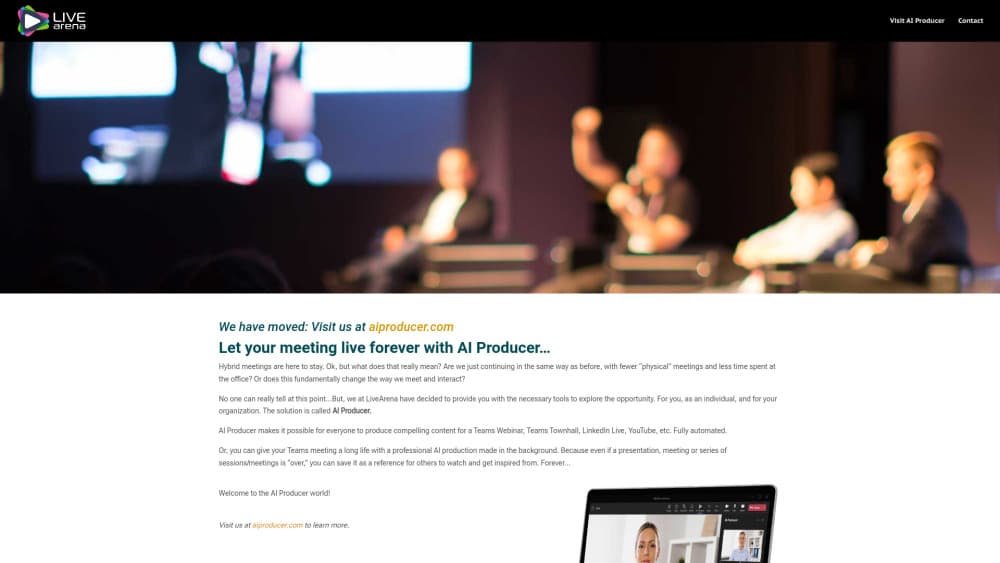
AI Producer turns Microsoft Teams meetings, webinars, and town halls into branded live broadcasts, switching between presenters and shared screens automatically.
About AI Producer
What Is AI Producer
AI Producer is a Microsoft Teams app from LiveArena Technologies AB, now sold under the AI Producer AB name. You add it to a meeting the way you'd add a recorder, tell it where the broadcast should go, and let the software decide when to cut between speakers and shared screens. The result is a Microsoft Teams broadcast that looks closer to a studio show than a grid of webcam tiles.
AI video production normally means a crew, a switcher, and a truck full of gear. This app turns that job into a scheduling decision. The product targets the gap between "we have Teams" and "we have a video team." Most organizations can schedule a town hall. Few can staff a camera operator, a switcher, and a graphics person for every one. AI Producer covers that work with rules you set in advance: which layout to use, where the logo sits, when lower thirds appear.
It isn't a general-purpose video editor, and it doesn't run outside Microsoft's platform. If your meetings happen in Zoom or Google Meet, this tool has nothing to offer. The company has also extended the same engine into AI Producer Studio, a separate build for HP's next-generation AI PCs that handles two cameras locally.
Getting Started
- Ask a Microsoft 365 administrator to grant tenant consent for AI Producer, since the app can't join meetings without it.
- Add AI Producer to the Teams meeting, webinar, or town hall you plan to produce, then open the Control Panel.
- Pick a production format, upload branding, and set the destination, whether that's another Teams event, LinkedIn, or YouTube.
- Click Prepare, check the preview feed in the attendee meeting, then start the production and let the AI handle camera changes.
Product Information
A quick look at AI Producer's pricing, supported platforms, and performance.
Best for
The users, tasks, and scenarios where this tool fits best.
Users
- Corporate communications teams
- IT and AV administrators
- Event marketers
Tasks
- Turning a Teams town hall into a watchable broadcast
- Streaming a webinar to an external platform
- Recording a presentation with production values
- Running a rehearsal before a live show
Scenarios
- Weekly company all-hands
- Hybrid conferences with an in-room audience
- Quarterly earnings or compliance briefings
Key features
Automatic Presenter and Screen Switching
The engine watches who's speaking and what's being shared, then cuts between camera feeds and screen content on its own. You don't set shot lists or keyframes. In practice, that means a two-person discussion and a slide walkthrough both come out looking directed, and nobody has to watch a switcher for an hour.
Preset Production Formats and Branding
You define formats once: logo placement, background, name overlays, and layout. Every later session reuses them, which is the main reason corporate teams pick this over a bare Teams recording. Custom Layout Sets let you go past the built-in templates when a brand guideline demands specific framing.
Manual Mode and Rundown Control
AI-assisted production is the default, but the Control Panel lets a producer take over. You can build a rundown, trigger video playback, and switch sources by hand. When an executive goes off script, a human can still decide what the audience sees.
Multi-Destination Streaming
A single production can go to another Teams meeting, a Teams webinar, a Teams live event, LinkedIn, YouTube, or Workplace by Meta. That removes the usual second encoder and the cable run to a laptop in the corner. Destinations are configured before the session starts, so the stream doesn't stall while someone hunts for a key.
Recording and Admin Portal
Recordings are pushed to the meeting organizer's OneDrive after they confirm in Teams chat. Administrators set retention in the admin portal, up to 30 days, and can upload pre-recorded videos, manage branding, and review production settings from one place. It's a plain workflow, which is what most IT teams want.
In-Room Experience Add-On
The optional AI Producer EXP extends a production to displays inside the venue. Presenters get a real-time feed of themselves and their content, while the on-site audience sees a directed program feed instead of squinting at a projector. It's the part that makes hybrid events feel like one show rather than two.
Pros and cons
Pros
- Runs inside Microsoft Teams, so there's no capture hardware, no encoder, and no crew on site.
- Preset formats and branding keep a long series of town halls visually consistent.
- Manual mode gives a producer real control when automated cuts would be wrong.
- Streaming to LinkedIn and YouTube happens from the same production, without a second tool.
- Unlimited rehearsals make it practical to test a complex show before going live.
Cons
- Microsoft 365 tenant consent is mandatory, which puts IT in the critical path before anyone can try it.
- It only works with Microsoft Teams, so mixed-platform organizations still need another tool for Zoom or Google Meet.
- PowerPoint Live, Excel Live, and Microsoft Whiteboard can't be shared through it, which rules out some common presentation styles.
- Pricing isn't published, so budgeting means talking to sales or buying through Azure Marketplace.
Frequently asked questions
It automates video production for Microsoft Teams meetings and events. The app decides when to switch between presenters and shared screens, applies your layouts and branding, and sends the result to a streaming destination while recording it.
Related content
Explore related tools, skills, and articles for AI Producer.
AI Producer Alternatives

Base Code
Base44 (Wix) · Coding · ProductivityBase Code is a shared cloud development environment from Base44. Teammates describe changes to an existing GitHub codebase in chat, preview them live and send them back as pull requests.

Knocket
Knocket (Tencent RTC team) · Productivity · Business · ChatbotKnocket is a free live chat and contact page tool that lets visitors message you from your website, app, or a shareable link, with every reply handled from Telegram or one inbox.

FloorGen
Vinit Kumar (FloorGen) · Productivity · China AIFloorGen is a browser-based floor plan maker that turns a sentence or a sketch into an editable 2D plan and a 3D walkthrough. Export to PDF, DXF or video, and draw without an account.