

LiveAvatar by HeyGen
HeyGen · Image · Voice & Language
LiveAvatar by HeyGen is a real-time avatar API for building AI agents that talk back with a face. You send audio or text, and the platform returns a synchronized video stream of a lifelike digital human with matching lip-sync and expressions. Developers use it to drop talking avatars into sales demos, support desks, language tutors, and virtual hosts, usually without rebuilding the speech and streaming stack themselves. Sounds good, right? It depends on whether you have a developer on hand.
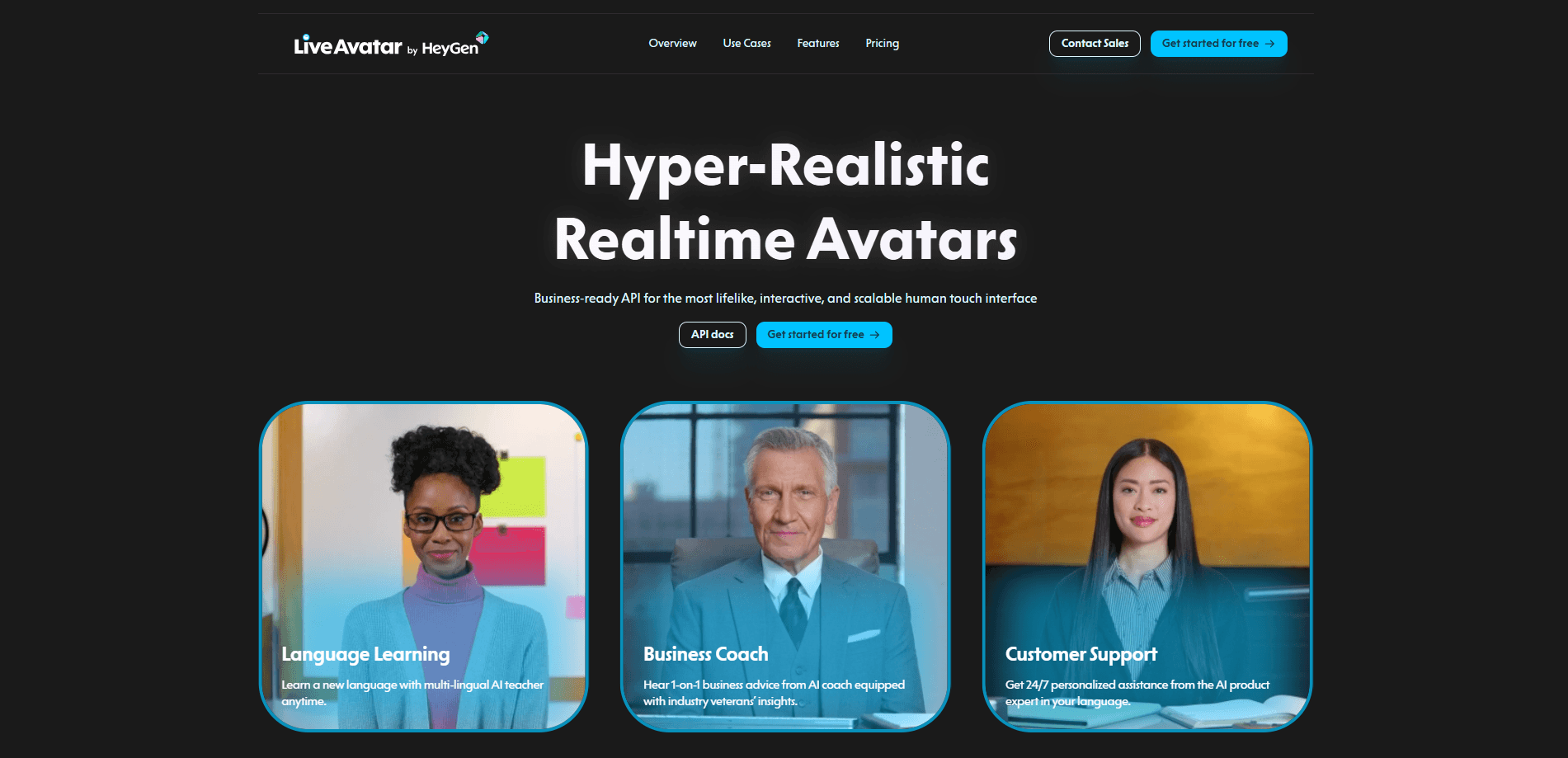
About LiveAvatar by HeyGen
What Is LiveAvatar by HeyGen
LiveAvatar is a developer-facing product from HeyGen. It puts a face and a voice on an AI agent, delivering 1080p avatar video over a live stream so people can hold a conversation with a screen instead of reading a wall of text. The company pitches it on scale, and the pitch is simple: one session or ten thousand running at once. The streaming rate drops to $0.01 per minute at the top volume tier, and extra concurrent sessions cost nothing.
The core building block is a session. Behind it sits a set of reusable pieces: avatars (the visual identity), voices (the audio identity), contexts (the knowledge and personality), and memory (continuity across sessions). You wire those together, then stream the result into your own site or app. That part is easy.
The main constraint is the audience. This is an API product, not a click-and-go editor. You need a developer to generate session tokens, start a session, and connect a real-time room, typically through LiveKit. If you just want a one-off talking-head video, a normal HeyGen subscription is a better fit. LiveAvatar is built for live, interactive conversations, and it shows in the setup.
Getting Started
- Sign up at app.liveavatar.com and grab an API key from the developers page.
- Create a session token on your backend. The token sets the avatar, voice, context, and session configuration.
- Start the session with that token, which returns a live room URL and a client token.
- Join the room from a browser or your frontend using the Web SDK to see the avatar stream.
- Test in sandbox mode first if you want to try an integration without spending credits.
Product Information
A quick look at LiveAvatar by HeyGen's pricing, supported platforms, and performance.
Best for
The users, tasks, and scenarios where this tool fits best.
Users
- Developers building conversational interfaces
- Product and support teams
- Language-learning and tutoring startups
Tasks
- Running live product demos
- Staffing an AI support desk
- Hosting interactive characters
Scenarios
- Scaling a live assistant to many users at once
- Embedding an avatar in an existing web product
- Prototyping an agent before committing
Key features
Real-Time 1080p Avatar Streaming
LiveAvatar renders a full-HD avatar and streams it live, with a median time to first frame under 300 milliseconds. That latency is the whole point of the product: a reply that lands fast enough to feel like a conversation. The company also cites 99.99% API uptime, which is the kind of number that matters once an avatar is customer-facing. That uptime isn't a small deal.
Full Mode Pipeline
FULL Mode covers the entire real-time chain for you. It runs voice activity detection to spot when the user is speaking, transcribes the audio, generates a reply with a language model, turns that into speech, and drives the avatar video. You skip the usual job of coordinating separate providers and their streaming quirks. For teams without a real-time specialist, this is the shortcut.
Multiple Integration Modes
You're not locked into one build path. Embed mode gets an avatar onto a page with minimal code. FULL mode hands over the whole pipeline, and LITE mode leaves more of the stack in your hands. The right choice depends on how much control you want over models and latency. Agent Skills for coding assistants walk you through picking and implementing one. That call is yours to make.
Reusable Avatar Building Blocks
Avatars, voices, contexts, and memory are defined once and reused across sessions. You set a visual identity, an audio identity, the knowledge and personality behind the replies, and how much the agent remembers between conversations. Memory is what lets a tutor pick up where the last lesson ended instead of greeting everyone like a stranger.
Context and Personality Control
A context holds the knowledge and tone your avatar draws on. You write the persona once, then reuse it wherever the avatar appears, so a support agent sounds the same on the site, in the app, and in a demo. This is how you keep a branded voice consistent without rewriting prompts for every surface.
Secure Third-Party Integrations
A secrets system manages API keys and connects outside providers without hard-coding credentials into your frontend. If your avatar needs a live data source or an external service, you store the connection server-side and let the platform broker it. That keeps keys out of the browser, where they would otherwise leak.
Scale Without Concurrency Penalties
Additional concurrent sessions cost nothing extra, and the per-minute streaming rate falls to $0.01 at the top volume tier. A single demo and a thousand simultaneous users run on the same pricing logic. That predictability is unusual for video, where more streams usually means more cost and more infrastructure work.
Pros and cons
Pros
- Low time to first frame (under 300ms median) keeps conversations feeling live rather than laggy.
- Unlimited concurrency with no extra charge for additional sessions makes sudden traffic spikes cheaper to absorb.
- FULL Mode removes the need to wire up speech recognition, language models, and text-to-speech yourself.
- Reusable avatars, voices, contexts, and memory cut repeated setup across sessions and surfaces.
- Real-time avatar API pricing scales down to $0.01/min at high volume, so cost tracks usage.
Cons
- No free plan, so any real testing beyond sandbox mode carries a cost.
- It's a developer product, which means non-technical teams will need engineering help to ship anything.
- LiveKit is central to the recommended setup. That adds a dependency you have to learn and maintain.
- The API-first model is overkill if you only want a recorded talking-head video.
Frequently asked questions
It's used to add a talking, real-time avatar to AI agents, so people can have a spoken conversation with something that has a face. Common uses include virtual sales assistants, AI support and training agents, tutors, and interactive hosts.
Related content
Explore related tools, skills, and articles for LiveAvatar by HeyGen.
LiveAvatar by HeyGen Alternatives

Google EmbeddingGemma 2
Google DeepMind · Writing · Image · CodingGoogle EmbeddingGemma 2 is a 740M-parameter open model that turns text, code, images, audio, and video frames into vectors in one 768-dimension space, running on phones and laptops.

Tractionwave
TractionWave · Image · MarketingTractionWave is an AI attention heatmap tool for static ads. Upload a PNG or JPG and it returns predicted attention, ranked hotspots, and fixes before you spend budget.

Imejis.io
Imejis.io · Image · MarketingImejis.io is an AI design studio for agents and marketing teams. Describe an image in plain words, and it writes the copy, builds the layout, reflows it to every size, then exports a finished file.