

LivePortrait
Kuaishou Technology (KwaiVGI) · Image · Video
LivePortrait is an open source portrait animation model from Kuaishou. It takes one photo and a driving clip, then copies that clip's expressions, blinks and head turns onto the face in the photo.
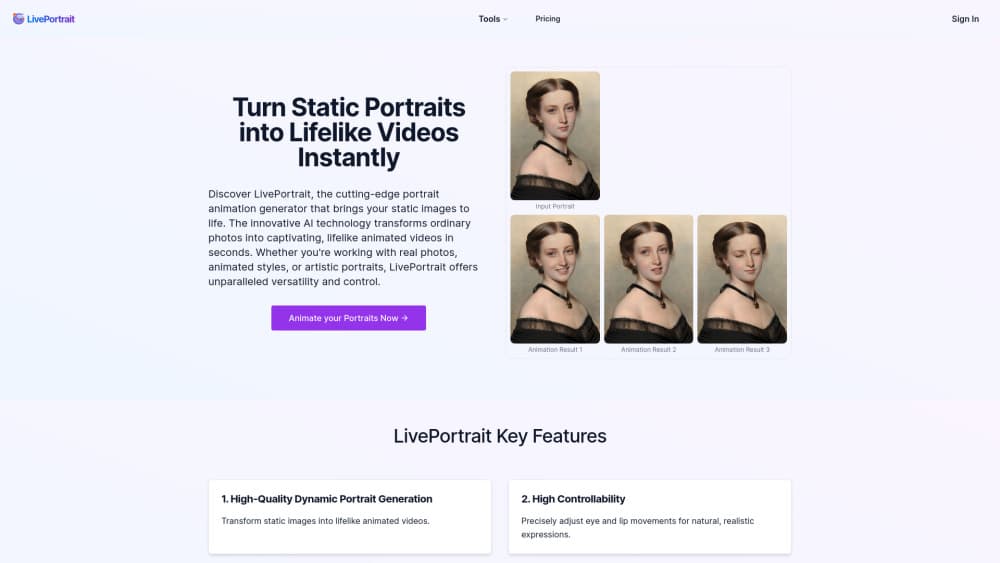
About LivePortrait
What Is LivePortrait
LivePortrait is a portrait animation model released by Kuaishou in July 2024. You give it a still image and a short video of someone moving their face. The model reads the motion from the video, applies it to the face in the image, and writes out a new clip where your photo talks, blinks and turns its head.
The result usually looks closer to a real performance than to a filter. Identity stays put. Only the expression and pose move. That restraint is rare in photo animation tools.
This is not a web app you sign into and pay for. It's a research repository with code, pretrained weights and a Gradio interface you run on your own machine. That's the trade: no subscription, but you handle the install, the graphics card and the files.
The team built it around implicit keypoints instead of diffusion, which is why it runs fast. According to the project's technical report, it generates a frame in about 12.8 milliseconds on an RTX 4090, and the model was trained on roughly 69 million high quality frames. Those numbers come from Kuaishou, and they describe a single-frame inference step, not the full pipeline with cropping and video encoding.
Getting Started
- Install git, conda and FFmpeg, then clone the Kuaishou LivePortrait repository from GitHub.
- Create a Python environment (3.9 or 3.10 works), activate it and install the requirements file. Windows users can skip most of this with the official one-click installer.
- Download the pretrained weights into the
pretrained_weightsfolder. The human model is the default, and a separate animal model is available. - Run
inference.pywith a source image and a driving video, or startapp.pyto get the Gradio interface in your browser. - Pick your output in the
animationsfolder, or use the export button in the interface.
Product Information
A quick look at LivePortrait's pricing, supported platforms, and performance.
Best for
The users, tasks, and scenarios where this tool fits best.
Users
- Social video creators
- Developers and AI researchers
- Small animation and game teams
Tasks
- Animating old family photos
- Building talking head clips for short video
- Editing expressions inside an existing clip
- Prototyping inside ComfyUI
Scenarios
- Offline work with photos you don't want to upload
- Testing before you pay for a hosted service
- Classroom and lab demos
Key features
Photo to Video From a Single Still
One image is the entire appearance reference. LivePortrait estimates the head pose and expression of that face, then rebuilds it frame by frame under the motion of the driving clip. Portraits, oil paintings, sculptures and 3D renders all work as sources, which makes it useful for stylized characters rather than just photographs.
Video Driven Animation With Full Head Pose
The driving clip controls more than the mouth. Head rotation, tilt, eyebrow raises and gaze direction all transfer, so the output reacts the way the reference performance does. That full pose transfer is what separates a convincing take from a nodding avatar.
Stitching for Group Shots
Most face animation models break when two people share the frame. LivePortrait animates each face separately and then blends them back with a stitching module, so group photos and side by side portraits keep their edges clean and their identities intact.
Eye and Lip Retargeting
Two small control networks let you dial the eyes open extent and the lip open extent with a single value each. That gives you a closed mouth or a wide open one, a blink or a stare, without hunting for a different driving video. Editors use it to fix one bad frame instead of re-rendering a whole clip.
Video to Video Editing
The v2v mode takes a source video instead of a still, and reworks the expressions in it. A performance shot in one mood can be pushed into another while the person, the framing and the timing stay the same. It's the feature that turns the model from a toy into a post production tool.
Animal Portraits
A fine tuned animal model drives cats, dogs and pandas with human footage, and the animals pick up the head motion and mouth shapes. It's a separate weight set, so expect a second download and a different entry script.
Pros and cons
Pros
- Free and open source, with code and pretrained weights published by the team, so there's no credit system or per clip charge.
- Fast enough for near real time experiments on a single consumer GPU, which makes iterating on a look cheap.
- Fine control over eyes and lips through scalar values, plus pose editing for the source portrait in the Gradio interface.
- Handles stylized sources such as paintings, anime style art and sculptures, not only photos of real people.
- Active community support, with ComfyUI nodes, Windows installers and a public demo space maintained outside the core repo.
Cons
- You need a reasonably recent NVIDIA GPU, plus conda, CUDA and FFmpeg. On a laptop with integrated graphics, expect a slow crawl or no run at all.
- There's no official hosted API and no support contract, so production use means owning the deployment yourself.
- Results lean on the inputs. A face that's small in frame, turned away or half covered often fails detection or comes out soft.
- Consent and licensing are on you. The repository ships its own license terms, and animating someone else's face without permission carries real legal and ethical risk.
Frequently asked questions
Yes. The code and pretrained weights are downloadable at no cost, and there's no subscription tier. Read the license file in the repository before you ship anything commercial, since the terms cover the weights as well as the code.
Related content
Explore related tools, skills, and articles for LivePortrait.
LivePortrait Alternatives

Google EmbeddingGemma 2
Google DeepMind · Writing · Image · CodingGoogle EmbeddingGemma 2 is a 740M-parameter open model that turns text, code, images, audio, and video frames into vectors in one 768-dimension space, running on phones and laptops.

Tractionwave
TractionWave · Image · MarketingTractionWave is an AI attention heatmap tool for static ads. Upload a PNG or JPG and it returns predicted attention, ranked hotspots, and fixes before you spend budget.

Imejis.io
Imejis.io · Image · MarketingImejis.io is an AI design studio for agents and marketing teams. Describe an image in plain words, and it writes the copy, builds the layout, reflows it to every size, then exports a finished file.