

Lock-in
Lock-in · Productivity
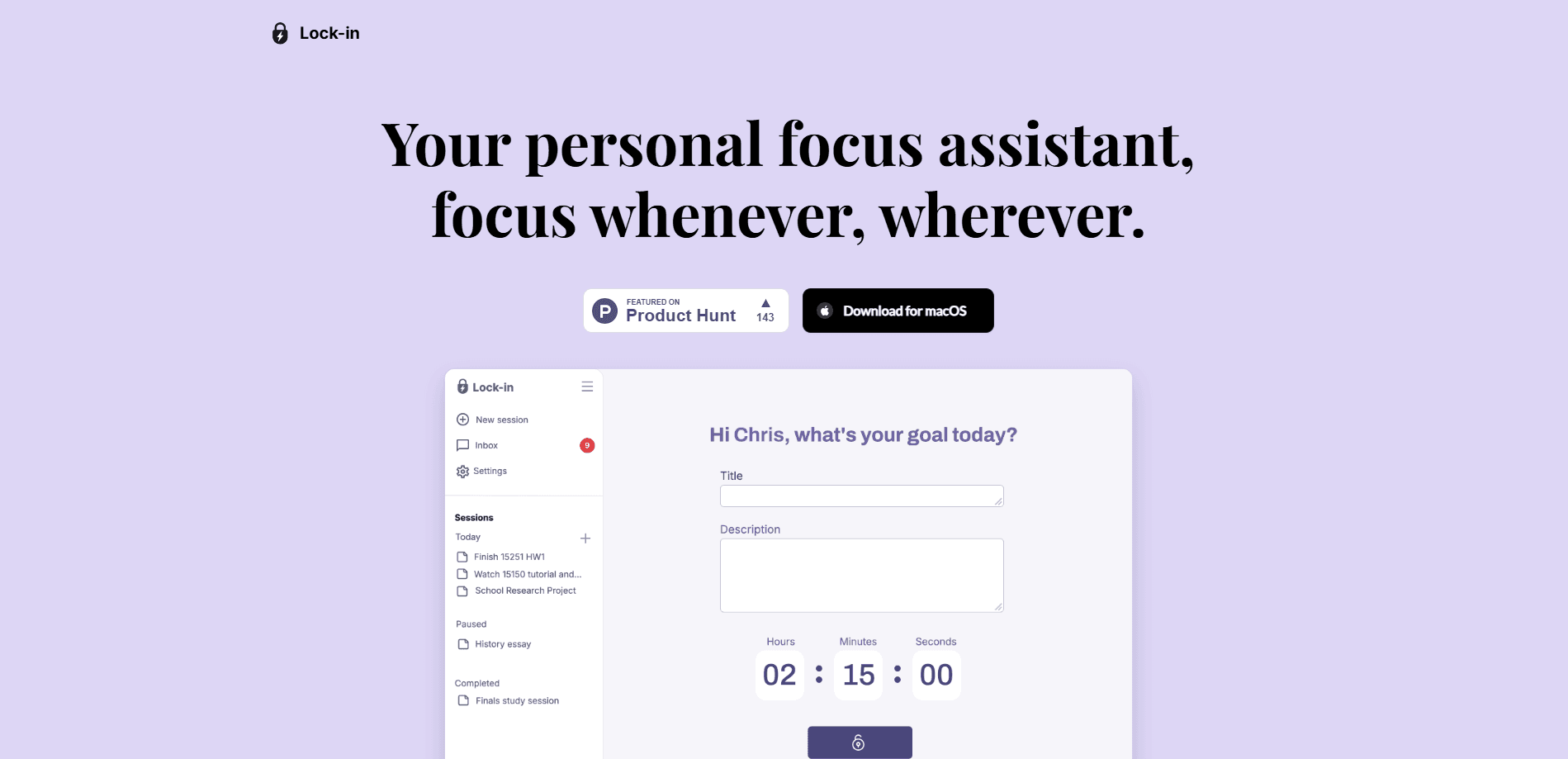
Lock-in is a macOS focus assistant that watches your real work, nudges you when you drift, and suggests short breaks before focus fades. It suits workers who want steady concentration.
About Lock-in
What Is Lock-in
Lock-in is a desktop app for macOS that acts as a personal focus coach. It runs quietly in the background, keeps an eye on what you're actually doing, and steps in when your attention starts to slip.
The product targets a familiar problem: you sit down to work, and three seconds of checking a tab turns into thirty minutes gone. Lock-in tries to catch that moment early instead of letting it run.
Its main limit is scope. Lock-in is built for macOS only, so Windows and Linux users can't run it. The official site also shows no published pricing or API, which makes it hard to judge cost up front.
Getting Started
- Download the app from the official site and install the macOS build.
- Open Lock-in and grant the permissions it needs to observe your active windows and idle time.
- Start a work session and carry on with your normal tasks.
- Let the smart nudges and break suggestions guide you, then review the session report at the end.
- Adjust your session length or break habits based on what the report shows.
Product Information
A quick look at Lock-in's pricing, supported platforms, and performance.
Best for
The users, tasks, and scenarios where this tool fits best.
Users
- Knowledge workers on a Mac
- Students writing long papers or studying
- Freelancers and remote workers without a manager watching
Tasks
- Deep writing and coding blocks
- Long study or research sessions
- Reviewing how you spent the day
Scenarios
- Working from a home desk with endless shortcuts to social media
- Deadline weeks where you keep pushing without breaks
- Building a focus habit over time
Key features
Smart Nudges
Lock-in tracks your real work and spots the small signs of drift, like rapid tab hopping or idle stalls. When it catches one, it nudges you before a three-second glance turns into a thirty-minute detour. The point is to interrupt the slide early, while it's still cheap to recover. You get a prompt, not a lecture.
Adaptive Break Suggestion
When your focus dips, Lock-in suggests a short reset based on what tends to help attention recover. The examples on its site are simple: a water break or a sixty-second stretch. These micro-breaks are meant to revive concentration rather than pull you fully out of the work. The app picks the moment, so you don't have to notice the dip yourself.
Session Insights
Each session ends with a short report. You get a focus score, a count of distractions, your recovery time, and a few practical tips for the next round. The report is the part that turns a vague sense of "that was a scattered morning" into something you can actually look at. Over several sessions, it becomes a record of how your concentration holds up.
Built as a Background Focus Assistant for Mac
Lock-in runs alongside your work rather than asking you to switch into a separate timer. It does distraction tracking instead of app blocking, so it fits into a normal Mac workflow without cutting off the tools you need. That approach suits people who don't want a hard blocker but do want a nudge when they drift.
Session Reports That Build Into a Picture
One report tells you about one session. A stack of them starts to show patterns, such as which days you recover fast and which days you keep sliding. That's where the app earns its place for habit builders: the data comes from real sessions, not a guess. It's a running record you can act on.
Pros and cons
Pros
- Runs in the background and works with your existing Mac tools instead of replacing them.
- Smart nudges catch distraction early, when pulling back is still easy.
- Break suggestions are short and specific, so stepping away feels low-effort.
- Session insights turn focus into numbers you can compare over time.
- Simple three-part feature set keeps the learning curve low.
Cons
- macOS only, so there's no Windows or Linux version for cross-platform teams.
- No published pricing on the official site, which makes budgeting harder.
- No app blocking, so it nudges rather than stops you from opening a distracting site.
- Available details are thin, and there's no public API for custom integrations.
Frequently asked questions
It's a macOS focus assistant that watches your active work, nudges you when you drift, suggests short breaks, and sums up each session in a report.
Related content
Explore related tools, skills, and articles for Lock-in.
Lock-in Alternatives

Base Code
Base44 (Wix) · Coding · ProductivityBase Code is a shared cloud development environment from Base44. Teammates describe changes to an existing GitHub codebase in chat, preview them live and send them back as pull requests.

Knocket
Knocket (Tencent RTC team) · Productivity · Business · ChatbotKnocket is a free live chat and contact page tool that lets visitors message you from your website, app, or a shareable link, with every reply handled from Telegram or one inbox.

FloorGen
Vinit Kumar (FloorGen) · Productivity · China AIFloorGen is a browser-based floor plan maker that turns a sentence or a sketch into an editable 2D plan and a 3D walkthrough. Export to PDF, DXF or video, and draw without an account.