

Locofy.ai
Locofy Pte Ltd · Image · Coding
Locofy.ai is an AI design to code tool that converts Figma and Penpot files into frontend code for React, React Native, HTML/CSS, Flutter, and more, so teams skip the manual build.
About Locofy.ai
What Is Locofy.ai
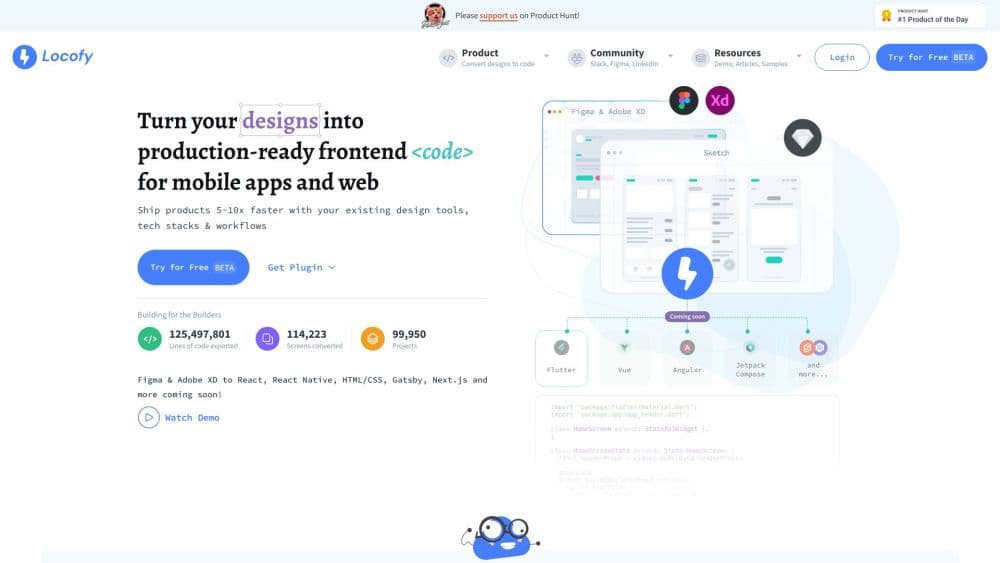
Locofy.ai is a design to code platform that turns your Figma or Penpot designs into working frontend code. You keep designing in the tools you already use, then send the finished screens straight to code instead of rebuilding them by hand.
The company is based in Singapore. Honey Mittal and Sohaib Muhammad started it in 2021, and the product is now used by agencies, startups, and enterprise teams that want to ship interfaces faster. It runs on Locofy's own Large Design Models, trained on millions of designs to read layout, spacing, and structure rather than just pixels.
The main draw is speed: a finished Figma file becomes React, HTML/CSS, or Flutter code in minutes, and you can push it to VS Code or GitHub without retyping anything. The catch is that results depend on how clean your source file is. Messy layers and missing Auto Layout produce messy code, and every conversion burns LDMtokens, so heavy use costs more than the sticker price suggests.
Getting Started
- Install the Locofy plugin from the Figma or Penpot community, or open the web app and sign in.
- Tag your design's interactive parts, such as buttons, inputs, and lists, so Locofy knows what they do.
- Import your design system and custom components from a CLI or GitHub repo to reuse existing pieces.
- Pick your target framework, then convert the selected frame and review the generated code.
- Export the code, pull it into VS Code, or push it to GitHub, then wire in your business logic.
Product Information
A quick look at Locofy.ai's pricing, supported platforms, and performance.
Best for
The users, tasks, and scenarios where this tool fits best.
Users
- Frontend engineers
- Designers who hand off work
- Founders and small teams
Tasks
- Converting a Figma screen to React
- Building a React Native app from web designs
- Turning a design system into reusable components
- Prototyping a clickable frontend fast
Scenarios
- A design agency delivering a client site on a tight deadline
- A startup validating an MVP before hiring more engineers
- A team wiring AI coding agents into their stack
Key features
Figma and Penpot to Frontend Code
Locofy reads your design file and works as a frontend code generator, outputting developer-friendly code for React, React Native, HTML/CSS, Flutter, Next.js, Angular, Vue, and Gatsby. It keeps your styling, layout, and responsiveness instead of dumping a flat image-based page. You convert a whole project or a single layer, and only the layers you edit get regenerated.
Large Design Models
The conversion runs on Locofy's Large Design Models, which are trained on millions of designs to understand structure and layout rather than just text. Because the focus is visual, Locofy says it leans on external language models for less than 5% of the work. The result is code that follows your frame's spacing and constraints more closely than a generic text model would.
MCP for AI Coding Agents
Locofy ships an MCP server that plugs into AI coding assistants such as Cursor, GitHub Copilot, Windsurf, Claude, and Gemini CLI. The agent gets accurate frontend code as a starting point, so it spends its effort on logic instead of guessing at layout. This is aimed at teams already running agents in their workflow.
Tagging and Component Reuse
You tag interactive elements so Locofy knows which parts are buttons, inputs, or lists, which improves the generated markup. You can import your own design system and custom components from a CLI or GitHub, and Locofy maps them to the matching Figma pieces. Components you already built get reused with their props filled in, so the output fits your codebase.
Code Export and Developer Workflows
Finished code leaves Locofy through several routes: a plain zip download, a VS Code extension, or a direct push to GitHub. You can pull code straight into your editor or your repo without copy-pasting, and code generation happens on the fly with no code stored on Locofy's side. Teams that use Figma Dev Mode can keep their existing habits.
Enterprise Deployment and Security
Enterprise plans add a dedicated private cloud or a self-hosted, on-premise option, plus SAML SSO for authentication. Locofy is SOC 2 and ISO certified, and Pro and Enterprise plans guarantee your content is never used to train or improve the platform. This matters for companies that can't send designs to a shared cloud.
Pros and cons
Pros
- Cutting the manual rebuild from design to frontend is the core win, and customers report large savings on frontend development time.
- One tool covers web and mobile frameworks, so React, React Native, Flutter, and HTML/CSS all come from the same design file.
- The MCP integration lets AI coding agents start from accurate UI code instead of guessing at the layout.
- Component reuse from GitHub or a CLI keeps your own design system in the generated output rather than replacing it.
- Enterprise options like on-premise deployment, SAML SSO, and a no-training guarantee fit teams with strict data rules.
Cons
- Code quality tracks your source file, so messy layers and missing Auto Layout produce messy output that still needs cleanup.
- Every conversion spends LDMtokens, and the metered model means heavy use costs more than the plan price alone suggests.
- The lower tiers cap frames per project and run one conversion at a time, which slows larger builds.
- Generated code speaks to developers, so non-coders still need help wiring in business logic and state.
Frequently asked questions
Locofy.ai converts Figma and Penpot designs into developer-friendly frontend code. It supports React, React Native, HTML/CSS, Flutter, Next.js, Angular, Vue, and Gatsby, and it runs on Locofy's own Large Design Models to read layout and structure rather than just pixels.
Related content
Explore related tools, skills, and articles for Locofy.ai.
Locofy.ai Alternatives

Google EmbeddingGemma 2
Google DeepMind · Writing · Image · CodingGoogle EmbeddingGemma 2 is a 740M-parameter open model that turns text, code, images, audio, and video frames into vectors in one 768-dimension space, running on phones and laptops.

Tractionwave
TractionWave · Image · MarketingTractionWave is an AI attention heatmap tool for static ads. Upload a PNG or JPG and it returns predicted attention, ranked hotspots, and fixes before you spend budget.

Imejis.io
Imejis.io · Image · MarketingImejis.io is an AI design studio for agents and marketing teams. Describe an image in plain words, and it writes the copy, builds the layout, reflows it to every size, then exports a finished file.