
Logo Diffusion
Logo Diffusion Inc. · Image
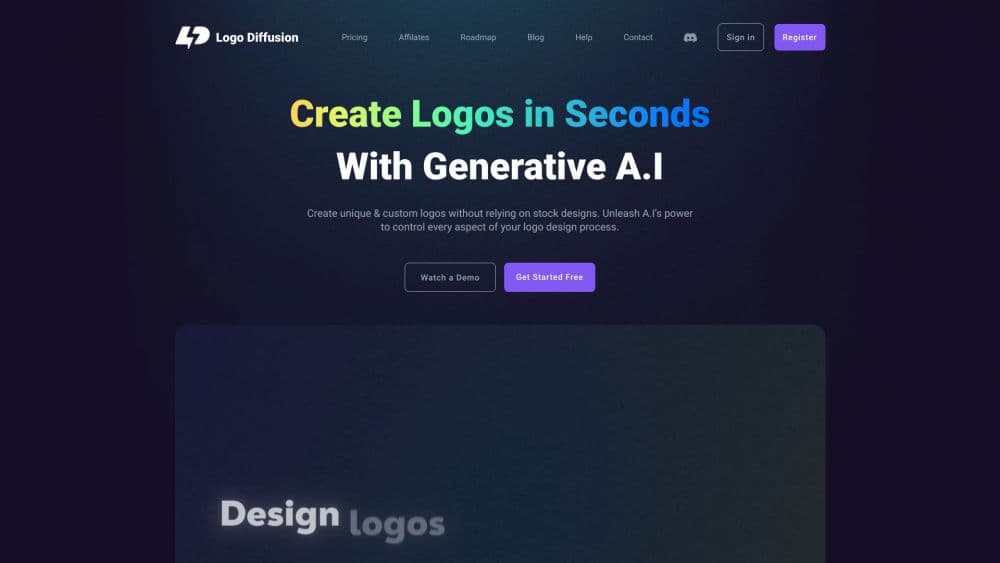
Logo Diffusion is an AI logo generator that turns text prompts, sketches, or existing images into editable logos, then exports them as clean vector SVG logo files for print and web use.
About Logo Diffusion
What Is Logo Diffusion
Logo Diffusion is an online AI logo maker and brand logo generator built by Logo Diffusion Inc. It runs on a model trained specifically for logo design rather than general image generation, which is why the output looks like a finished mark instead of a stock picture. You can start from a text prompt, a hand-drawn sketch, or an image you already have.
The platform bundles generation, editing, and export into one workspace. Instead of generating a logo and then moving to separate tools to clean it up, you refine colors, swap text, and produce vector files in the same place. That matters if you need a logo that survives being blown up onto a billboard or shrunk into a favicon.
The main catch is commercial rights. The Free plan gives you no commercial license and watermarked, low-resolution downloads, so anything you actually plan to use in public needs a paid plan. Output quality also varies with how specific your prompt is, the same as any prompt-driven design tool.
Getting Started
- Create an account at logodiffusion.com, or sign in with a Google account.
- Pick a starting point: Text to Logo, Sketch to Logo, or Image to Logo.
- Write your prompt and choose one of the available logo styles.
- Generate up to four options per run, then pick one and refine it with the editor.
- Export the final logo as an SVG or a high-resolution image file.
Product Information
A quick look at Logo Diffusion's pricing, supported platforms, and performance.
Best for
The users, tasks, and scenarios where this tool fits best.
Users
- Founders and small business owners
- Freelance designers
- Agencies producing high volume
Tasks
- Turning a rough idea into a first logo draft
- Tracing a hand-drawn sketch into a finished mark
- Rebranding an existing logo
- Building a color-matched logo system
Scenarios
- Launching a new product or side project on a tight timeline
- Prepping a pitch deck or social profile
- Testing a logo in a client feedback loop
Key features
Multiple Starting Points
Logo Diffusion works as a logo design tool that meets you wherever your idea already exists. You can write a prompt, draw a sketch on the canvas, or upload an image, and switch between these modes at any time. Starting from a sketch is the standout option, since it lets you guide the shape instead of hoping a text description lands.
Vector SVG Export
Generated logos export as clean SVG files with real layers, not auto-traced paths. That means you can open them in Illustrator or Figma and keep editing. Vector files stay sharp at any size, which is what you need for printing, signage, or packaging.
52 Logo Styles
The tool ships with a large style library covering pictorial marks, mascots, monograms, badges, line art, and more. You can run the same idea across several styles without rewriting the prompt, which speeds up the search for a direction that fits.
Magic Editor
Magic Editor lets you change a logo without losing the design behind it. You can swap text, generate variations, or build out a matching icon set while the original style stays intact. It keeps iteration fast instead of forcing you to regenerate from scratch each time.
Custom Color Control
You can match an existing brand palette or explore new directions, with full control over the colors in the output. Locking in your palette early means the first pass usually fits your brand without extra cleanup.
Background Remover
A one-click background remover produces transparent PNGs suited to logos and graphics. That covers the everyday need for an asset that sits cleanly on a website, a pitch deck, or product packaging.
Creative Upscaler
Paid plans include a 2x and 4x creative upscaler for enlarging a chosen logo without the soft edges you get from stretching a regular image. It's useful when a small draft needs to hold up at print resolution.
Pros and cons
Pros
- Starts from text, sketches, or images, so you can work from whatever you already have.
- Exports genuine vector SVG files with layers instead of traced approximations.
- Bundles generation, editing, background removal, and export into a single workspace.
- Free plan lets you test the workflow before paying.
Cons
- The Free plan has no commercial license, so client or business work needs a paid plan.
- Output quality tracks prompt quality, and vague prompts return generic results.
- Credit limits cap how much you can generate each month, and top ups cost extra.
- Free downloads are watermarked at 512x512, which rules them out for real use.
Frequently asked questions
Logo Diffusion is an online tool for creating logos with AI. You describe or sketch an idea and it returns finished logo options you can edit and export, so it covers everything from a first concept to a print-ready file.
Related content
Explore related tools, skills, and articles for Logo Diffusion.
Logo Diffusion Alternatives

Google EmbeddingGemma 2
Google DeepMind · Writing · Image · CodingGoogle EmbeddingGemma 2 is a 740M-parameter open model that turns text, code, images, audio, and video frames into vectors in one 768-dimension space, running on phones and laptops.

Tractionwave
TractionWave · Image · MarketingTractionWave is an AI attention heatmap tool for static ads. Upload a PNG or JPG and it returns predicted attention, ranked hotspots, and fixes before you spend budget.

Imejis.io
Imejis.io · Image · MarketingImejis.io is an AI design studio for agents and marketing teams. Describe an image in plain words, and it writes the copy, builds the layout, reflows it to every size, then exports a finished file.