

LogoAI.ai: AI Logo Maker Free Online
LogoAI.ai · Image
LogoAI.ai is an AI logo maker that turns a brand name, symbol, and industry into editable logo designs in seconds, with free daily generations, layer editing, and SVG export.
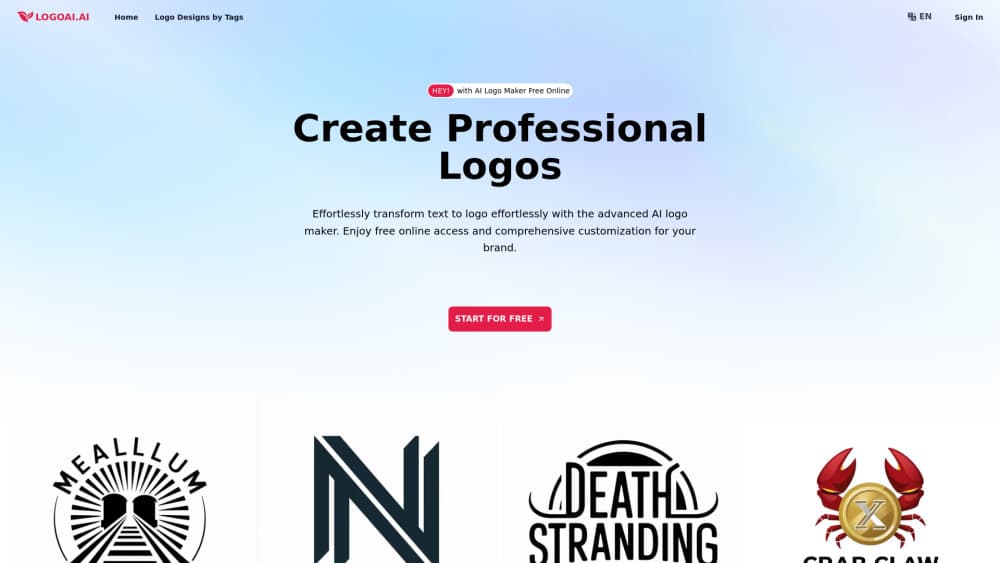
About LogoAI.ai: AI Logo Maker Free Online
What Is LogoAI.ai
LogoAI.ai is a browser-based AI logo generator, and it works as a free online logo maker for people who need a usable mark before they have a designer. You type a brand name, describe the symbol you want, pick an industry, and the tool returns a set of finished logo concepts. No blank canvas, no Illustrator skills, no waiting on a quote.
The part that separates it from most generators is what happens after the first batch. Every result opens in an editor where you can move layers, retype the wordmark, switch fonts, and erase stray elements. That matters because AI logos usually get the idea right and the brand name wrong. Here you fix the spelling instead of starting over.
The limits are real too. The free tier gives you five logo inspirations a day and no advanced edits, so serious work means a paid plan. Output quality still depends on how well you describe the mark. And you get logo files, not a full identity system with typography rules and stationery layouts.
Getting Started
- Open logoai.ai in a browser and sign in with an email address. No card is needed to start.
- Enter the logo name, a short description of the main symbol, a style such as minimal or detailed, and your industry.
- Review the generated options and pick the one closest to the mark you had in mind.
- Open it in the editor to fix text, swap fonts, adjust colors, and remove misplaced elements.
- Download a PNG or run a vectorization job for an SVG you can scale for print and signage.
Product Information
A quick look at LogoAI.ai: AI Logo Maker Free Online's pricing, supported platforms, and performance.
Best for
The users, tasks, and scenarios where this tool fits best.
Users
- Founders and small business owners
- Freelance designers
- Marketing generalists
Tasks
- Turning a name into a first logo concept
- Correcting garbled text in AI logos
- Preparing a print-ready file
- Testing a rebrand before committing
Scenarios
- A launch deadline this week
- Agency overflow
- Side projects and events
Key features
Text to Logo Generation
You describe the logo in plain language: the brand name, the symbol, the style, and the industry. LogoAI.ai reads that brief and returns a batch of finished designs instead of a single guess. The results vary in layout and color, so comparing directions takes seconds. Vague prompts produce vague marks, which is the main skill the tool rewards.
Advanced Editor for Layers and Text
Every generated logo opens in an editor with layers you can move, resize, and delete. Text is editable as text, so a typo or a rejected brand name costs one click, not a regeneration. Font and color controls sit in the same panel. This is the feature that makes the tool usable for real projects rather than mood boards.
Watermark-Free Downloads
Watermark-free logos come out on both free and paid downloads, which is rarer than it sounds among AI logo makers. High-resolution PNG exports are included, and the paid tiers add transparent PNG exports for placing the mark on photos and dark backgrounds. A logo you cannot use cleanly is a demo, not a deliverable.
SVG Vectorization
Raster logos blur the moment you scale them. LogoAI.ai runs vectorization jobs that turn a chosen design into SVG artwork, so the same file works on a business card and on a storefront sign. The free plan includes a small daily allowance, and the paid tiers raise the daily cap for people producing logos in volume.
Industry-Aware Prompts
Industry selection is not decoration. It steers symbol choice and palette, so a fintech mark does not come back looking like a bakery. Choose from common sectors such as retail, finance, education, media, and fitness, or describe your own. The shortcut saves prompt writing when you are generating several concepts.
Private Generations
Paid plans mark generations as private, so your prompts and results do not land in a public gallery. That matters for anyone working on an unannounced product or a client brand under NDA. Payment runs through Stripe, and card details are not stored on the site.
Pros and cons
Pros
- Free tier with five daily logo generations and no watermark, enough to judge whether the style fits.
- Layer-based editor fixes text, fonts, and colors after generation instead of forcing a reroll.
- SVG vectorization keeps the final mark sharp at signage size, which many competitors charge extra for.
- Annual Pro at $15.9 per month covers 40 generations and 40 edits a day, a workable volume for a freelance practice.
- Industry prompts and style presets cut prompt writing for people who have never briefed a designer.
Cons
- The free plan allows zero advanced edits, so you can look at the logo but not fix it without paying.
- Generated marks lean on familiar symbol clichés, and you will notice the same shapes across industries.
- You get logo files only, with no brand kit, typography system, or social templates bundled in.
- Vectorization runs on a daily quota, so a big batch of client concepts can hit the ceiling before the work is done.
Frequently asked questions
It handles brand logo design from a text brief and lets you edit the result before download. Most people use it for startup branding, quick rebrands, and small projects that do not justify a design budget.
Related content
Explore related tools, skills, and articles for LogoAI.ai: AI Logo Maker Free Online.
LogoAI.ai: AI Logo Maker Free Online Alternatives

Google EmbeddingGemma 2
Google DeepMind · Writing · Image · CodingGoogle EmbeddingGemma 2 is a 740M-parameter open model that turns text, code, images, audio, and video frames into vectors in one 768-dimension space, running on phones and laptops.

Tractionwave
TractionWave · Image · MarketingTractionWave is an AI attention heatmap tool for static ads. Upload a PNG or JPG and it returns predicted attention, ranked hotspots, and fixes before you spend budget.

Imejis.io
Imejis.io · Image · MarketingImejis.io is an AI design studio for agents and marketing teams. Describe an image in plain words, and it writes the copy, builds the layout, reflows it to every size, then exports a finished file.