

LogoGen
Friendly Tech · Image
LogoGen is an AI logo generator that turns a brand name and a short description into dozens of logo concepts, drops the weak ones, and vectorizes the results.
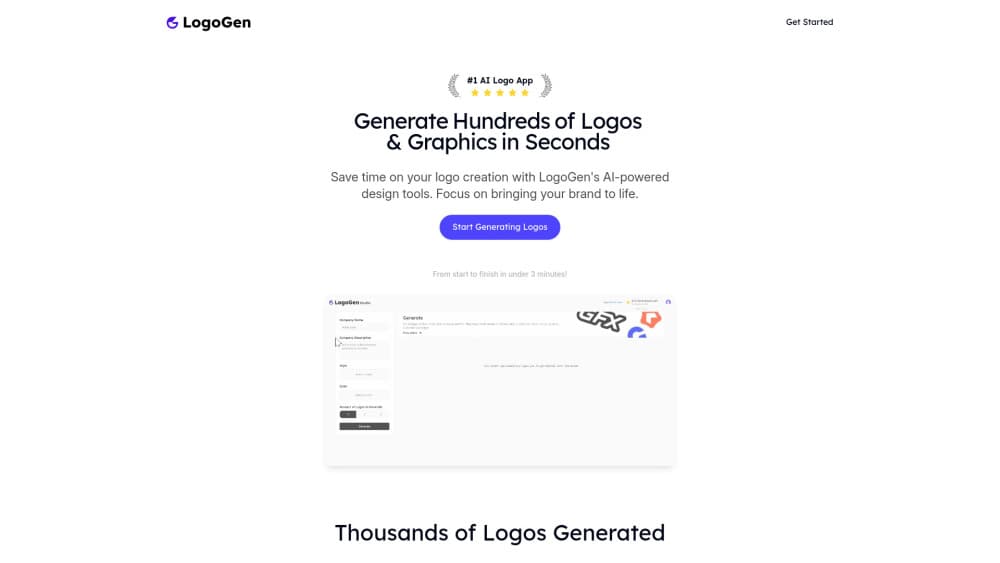
About LogoGen
What Is LogoGen
LogoGen is a browser-based AI logo generator and online logo creator from Friendly Tech. You enter a brand name and a short description, pick a style, and the service produces a batch of logo concepts in under a minute. It then runs those candidates through a filtering step that removes the weaker ones, so you mostly see designs worth considering.
The pitch is speed and price. A freelance designer might charge hundreds of dollars and take weeks; LogoGen advertises logos for a one-time fee that starts at $8, with the whole loop from brief to download taking about three minutes. The site claims the average agency logo costs $750, framing the tool as a cheaper first pass for founders who need something usable now and a proper identity later.
There is an important limit up front. LogoGen only supports English characters, so brands built on non-Latin scripts or accents may not come out right. It is a logo tool, not a full brand studio: it does not produce a complete visual system, and the output works best as a starting point that a designer can refine. Style choices are also narrower than bigger platforms, with modern and retro available at launch and more promised.
Getting Started
- Open the LogoGen site in a browser and choose Generate Logos.
- Enter your brand name and a short description of what the business does.
- Pick a logo style from the available options.
- Let the AI generate a batch of concepts and filter the low-quality ones automatically.
- Download the logos you like, including vector versions on plans that include them.
Product Information
A quick look at LogoGen's pricing, supported platforms, and performance.
Best for
The users, tasks, and scenarios where this tool fits best.
Users
- Founders validating a name
- Small businesses on a tight budget
- Freelancers handling several clients
- Designers after a first pass
Tasks
- Generating logo concepts from a brief
- Filtering weak output
- Getting a vector file
- Exploring style directions
- Testing many names fast
Scenarios
- Launching a startup on a shoestring
- Preparing a pitch deck
- Refreshing an old mark
Key features
Prompt-to-logo generation
LogoGen works as a brand logo design tool from two inputs: a brand name and a short description. You type those in, choose a style, and the model returns a batch of concepts built around your business rather than a generic logo maker template with your name pasted on. The site says a batch takes under ten seconds, which changes how you use the tool. You stop deliberating over one design and start comparing many, which is closer to how a designer explores directions. The limit is that the result reflects a short brief, so a vague description gives vague logos.
Automatic quality filtering
Generating dozens of logos is easy; finding the few worth keeping is the hard part. LogoGen runs its output through a filtering algorithm that removes the weaker designs before you see them. The company describes this as a multi-step process: generate a spread of options in your chosen style, then screen them down to the best. That step matters because raw AI output is inconsistent, and a wall of near-misses is worse than a short, strong list. It does not guarantee a keeper, but it cuts the noise.
Vector exports
A logo that looks fine at 200 pixels can fall apart on a business card or a banner. LogoGen addresses this by vectorizing the logos you keep, so you can scale them without pixelation. Vector files are what you need for print, signage, and large formats, and the ability to export them separates a usable logo from a screenshot. Vector exports come with the paid plans and the higher one-time packages, so you should check what a given tier includes before you buy.
Modern and retro styles
LogoGen generates in a modern or a retro style, with the company saying more styles are in development. The choice shapes the whole result, since a retro mark reads very differently from a clean modern one. For a new brand, trying both is a fast way to see which direction fits, and the tool applies the style consistently across a batch. The range is narrower than larger design platforms, so if you need a specific niche look, you may not find it here yet.
Free design tools
Alongside the logo generator, LogoGen offers a color palette generator, a random color generator, and an AI business name generator. These are free to use and sit next to the main product, so a founder can pick a name, settle on a palette, and generate a logo without leaving the site. Alongside the paid logo work, they round out the site as a small AI branding tool for people getting started. They are supporting tools rather than the core offer, but they fit the same job: getting a new brand off the ground quickly. They also give you a way to try the site before paying.
One-time pricing
LogoGen sells logo packs as one-time purchases, from $8 for 10 logos up to $50 for 100 logos, and offers monthly subscriptions for higher volume and vector exports. That structure suits people who need a logo once and do not want another subscription, which is common among early-stage founders. The tradeoff is that heavy use moves you toward a subscription, and the design platform itself is narrower than an all-in-one branding suite.
Pros and cons
Pros
- The workflow is fast, with a batch of concepts in under ten seconds and a full loop in about three minutes.
- One-time packs start at $8, which is far below the cost of a freelance or agency logo.
- Automatic filtering removes weak designs, so you compare a shorter, stronger list.
- Vector exports make the result usable for print and large formats, not just screen.
- Paid plans grant full commercial rights to the logos you create.
Cons
- Only English characters are supported, so non-Latin names may not render correctly.
- There is no free plan for the logo generator, so you cannot fully try it before paying.
- Style options are narrow, with modern and retro available and more still in development.
- The output is a starting point, and a polished brand identity may still need a designer.
- Vector exports and higher volumes sit behind the paid tiers, so costs rise with use.
Frequently asked questions
LogoGen is a web-based AI logo generator made by Friendly Tech. You give it a brand name and a short description, and it produces a batch of logo concepts in a chosen style, filters out the lower-quality ones, and lets you download the results, including vector files on paid plans.
Related content
Explore related tools, skills, and articles for LogoGen.
LogoGen Alternatives

Google EmbeddingGemma 2
Google DeepMind · Writing · Image · CodingGoogle EmbeddingGemma 2 is a 740M-parameter open model that turns text, code, images, audio, and video frames into vectors in one 768-dimension space, running on phones and laptops.

Tractionwave
TractionWave · Image · MarketingTractionWave is an AI attention heatmap tool for static ads. Upload a PNG or JPG and it returns predicted attention, ranked hotspots, and fixes before you spend budget.

Imejis.io
Imejis.io · Image · MarketingImejis.io is an AI design studio for agents and marketing teams. Describe an image in plain words, and it writes the copy, builds the layout, reflows it to every size, then exports a finished file.