

Design Agent by Lokuma
Lokuma · Image
Design Agent by Lokuma is a design intelligence layer you plug into AI coding tools so the pages they generate come out looking designed instead of generic. It sits behind tools like Claude Code, Cursor, and Codex, and takes over layout, typography, and visual hierarchy while the AI handles the code. Think of it as an AI layout generator that quietly fixes the parts AI usually ignores. If your AI can build a page but the result looks flat, this agent is the missing design step. That gap shows up fast.
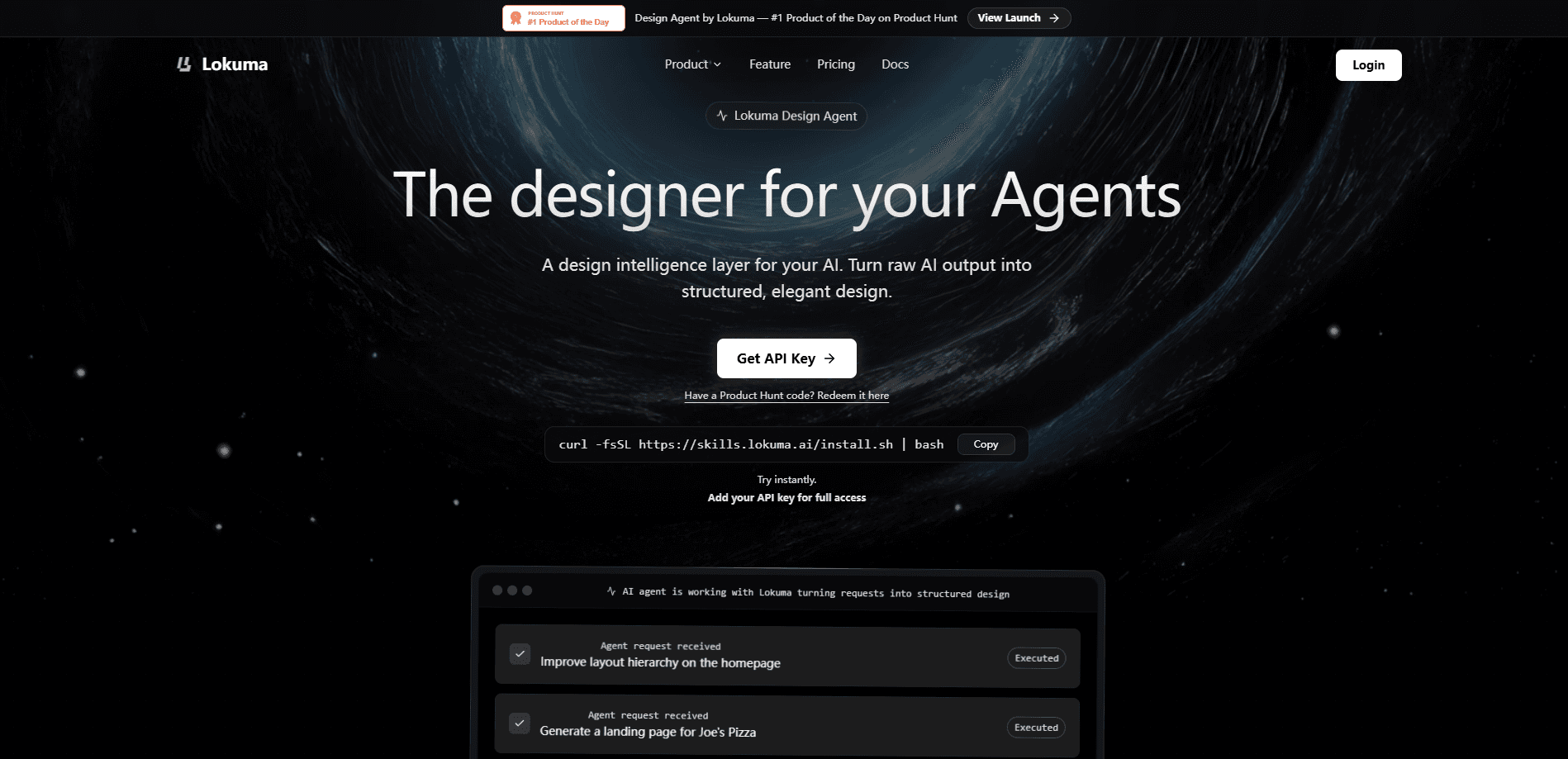
About Design Agent by Lokuma
What Is Design Agent by Lokuma
Design Agent by Lokuma is a separate service your AI coding tool calls when it needs to make something look good. The idea is simple: AI models are good at writing structure and code, but they don't have taste. Given a raw prompt, they produce pages that work but look like every other AI-generated page. Lokuma fills that gap by applying layout rules, spacing, type scales, and visual hierarchy the way a designer would. The whole pitch is AI website design that doesn't look machine-made.
It ships as a design layer rather than a standalone editor. You install it into your existing AI environment, add an API key, and your agent gains design reasoning it can call while it builds. There's no canvas to learn. It's for people who generate pages in code and want the output to look intentional.
The main limitation is that it's a paid, metered service that bills every single call your agent makes, which means a long generation session with many page requests can quietly turn into a bill you didn't plan for going into the project. Every call is billed. Heavy runs cost money. It also doesn't replace a human designer for brand-critical work, and it works best inside coding agents rather than as a browser tool.
Getting Started
- Sign up on the Lokuma site and grab an API key from your account dashboard.
- Install the Design Agent with a single shell command in your AI environment, or connect it through the MCP server.
- Add your API key so the agent can authenticate each design call.
- Work normally in Claude Code, Cursor, or Codex and let the agent call Design Agent while it generates pages.
- Review the designed output in your project and refine prompts until the layout matches what you want.
Product Information
A quick look at Design Agent by Lokuma's pricing, supported platforms, and performance.
Best for
The users, tasks, and scenarios where this tool fits best.
Users
- Developers using AI coding tools
- Indie builders and solo founders
- Designers working with AI
Tasks
- Polishing AI-generated pages
- Rapid prototyping
- Keeping a consistent look
Scenarios
- Launching a landing page for a side project
- Rebuilding an existing site section
- Trying out AI templates
Key features
Works inside your AI coding tools
Design Agent is built to be called by the tools you already use, including Claude Code, Cursor, Codex, Lovable, and Bolt. You install it once with a shell command and it becomes a design capability your agent can reach for mid-task. That means no new editor to learn and no context switching between a code tool and a design tool. Cursor users get what amounts to a Cursor design plugin without leaving their editor.
Layout and hierarchy reasoning
The agent handles the parts AI usually skips: spacing, alignment, visual hierarchy, and how content flows down a page. It reads what your model generated and restructures the visual presentation so readers know what to look at first. This is the core difference between output that works and output that looks designed. Small changes, big effect. A page where the headline, the supporting text, and the call to action each have a clear visual weight tends to hold attention far longer than one where everything competes for the same glance.
Typography refinement
It sets type scales, sizes headings in proportion to body text, and keeps spacing consistent across a page. Typography is one of the fastest ways AI output looks cheap, and this is where the design layer earns its keep. Bad type ruins an otherwise fine page. Good type makes it feel intentional, and that's the whole job here. Getting headings, line height, and body size to relate to each other properly is the sort of detail that takes a trained eye hours to tune by hand.
API and MCP access
You can call Design Agent as an API or through an MCP server, which makes it usable from almost any AI stack that can reach an external service, including custom pipelines that a team builds around its own models and deployment setup. Developers can wire it in. No lock-in to one tool.
Pay-as-you-go pricing
Billing is metered per call with a free welcome credit, so you can try it before committing. The Design Agent and the separate Website Builder share one login but keep independent credit balances, which keeps costs predictable if you use both. No subscription to cancel if you stop. That's a real difference from most design tools, which lock the useful features behind a monthly plan.
Shared design intelligence with the Website Builder
The same design engine powers Lokuma's Website Builder and its library of 67 templates, so pages produced by the agent match the quality you'd see browsing those templates. If you like how the templates look, that's what the design layer produces. Worth a look first.
Pros and cons
Pros
- Plugs into Claude Code, Cursor, Codex, and other AI tools instead of forcing a new editor.
- Targets the exact weakness of AI output: layout, spacing, and hierarchy.
- Pay-as-you-go with a free welcome credit lowers the cost of trying it.
- API and MCP access make it flexible for custom workflows.
- Same design engine behind Lokuma's own template library, so quality is inspectable up front.
Cons
- Every call is billed, so heavy generation sessions can add up quickly.
- It won't replace a human designer for brand-critical or highly custom work.
- It's aimed at coding-agent users, so people who work only in visual editors get less value.
- You still need to review output and refine prompts, since the agent improves presentation rather than content.
Frequently asked questions
It's a design layer your AI coding tool calls to improve how generated pages look. It handles layout, typography, spacing, and hierarchy so the final page reads as designed rather than generic.
Related content
Explore related tools, skills, and articles for Design Agent by Lokuma.
Design Agent by Lokuma Alternatives

Google EmbeddingGemma 2
Google DeepMind · Writing · Image · CodingGoogle EmbeddingGemma 2 is a 740M-parameter open model that turns text, code, images, audio, and video frames into vectors in one 768-dimension space, running on phones and laptops.

Tractionwave
TractionWave · Image · MarketingTractionWave is an AI attention heatmap tool for static ads. Upload a PNG or JPG and it returns predicted attention, ranked hotspots, and fixes before you spend budget.

Imejis.io
Imejis.io · Image · MarketingImejis.io is an AI design studio for agents and marketing teams. Describe an image in plain words, and it writes the copy, builds the layout, reflows it to every size, then exports a finished file.