

Lore
Erez Shahaf · Productivity · Other
Lore is a free, open-source desktop app that works as a private second brain for your notes and stray thoughts. It runs a local LLM through Ollama and stores everything in a local vector database, so you can capture an idea with one shortcut and ask for it back later in plain English. This local LLM note app sends nothing to the cloud. No API keys. Nothing leaves your machine.
About Lore
What Is Lore
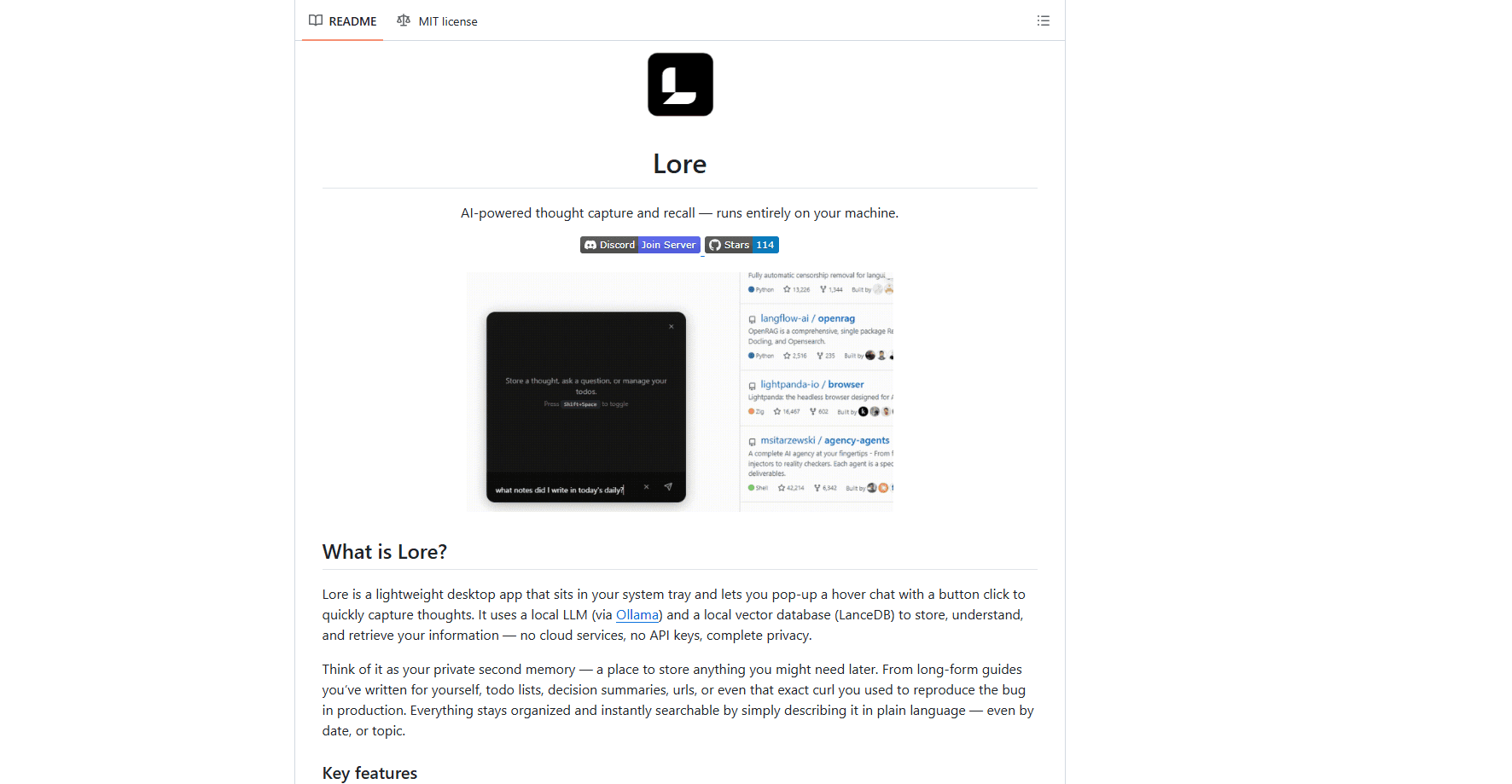
Lore is a lightweight AI thought capture app that lives in your system tray. Hit a global shortcut, a small chat bar pops up, you type whatever is on your mind, and it gets stored and classified automatically. Ask for it back later and a local model reads through your own notes to answer.
The pitch is privacy without giving up smart recall. Most private note taking apps that understand natural language send your data to a server somewhere. Lore keeps both the model and the database on your computer, which is what sets it apart from a typical cloud-based second brain app.
This is early-stage software. Lore is still young, and the bigger ambitions around personal agents are on the roadmap rather than in the app. You'll also need a machine that can run a local model comfortably, because performance depends on your hardware.
Getting Started
- Download the installer from the GitHub releases page for Windows, macOS or Linux.
- Run the installer and pick folders for your LLM models and for Ollama.
- Open the tray icon, go to Settings, then Models, and download both an embedding model and an LLM.
- Press Ctrl+Shift+Space (Cmd+Shift+Space on macOS) to toggle the popup.
- Type a thought, a todo, or a question in plain language and let Lore classify and store it.
Product Information
A quick look at Lore's pricing, supported platforms, and performance.
Best for
The users, tasks, and scenarios where this tool fits best.
Users
- Developers who keep loose notes, error reproductions and curl commands scattered across tabs
- Privacy-conscious users who won't put personal thoughts in a cloud note app
- People with too many small todos
Tasks
- Capturing a thought in under five seconds
- Finding an old note by describing it
- Light task tracking
Scenarios
- Jotting something down mid-meeting without breaking focus, since the popup doesn't pull you out of your current window.
- Wrapping up at day's end and asking what still needs doing on the way home.
- Keeping a personal knowledge base that never touches a server, for work you'd rather not upload anywhere.
Key features
Quick Capture
The whole point of Lore is speed. Press a global shortcut and a hover chat bar appears on top of your screen, ready for input. You type a sentence and it's stored right away, no save button, no picking a notebook first. That low friction is what keeps a capture tool from collecting dust.
Smart Recall
You get information back by describing it, not by remembering where you filed it, and that difference matters more than it sounds once your notes pile up past a few hundred entries. Ask a question in natural language and Lore searches your stored thoughts before answering. Want to know what you jotted down during standup? Just ask. It can pull results by topic or by date, so "what notes did I write at daily today" actually works.
AI Classification
It isn't a form you fill in. Lore reads your input and sorts it automatically into a thought, question, command or instruction, which is the part that makes the app feel less like data entry and more like talking to something that understands what you meant.
Todo Management
Todos live alongside your notes rather than in a separate app. You can add items conversationally, list what's pending, mark things complete and organize them by priority and category. It's basic task tracking, and it's the kind of thing you'd otherwise open a second tool for.
Local RAG Pipeline
Behind the scenes, Lore runs a retrieval-based pipeline against your own data. It finds the relevant context from your notes first, then hands it to the local model to draft an answer. The effect: answers come from what you actually wrote, not from a model's general knowledge.
Fully Local Processing
Both the AI model and the database run on your machine through Ollama and LanceDB, which means your notes and the model that reads them never leave the device they were captured on. No cloud. No API keys. No account. If your laptop is offline, this desktop AI assistant still works. For anyone whose notes contain anything sensitive, that setup is the main reason to pick it over a hosted note taking app.
Pros and cons
Pros
- Complete privacy: your notes and the AI processing both stay on your own hardware.
- Free and open source under the MIT license, so there's no subscription to think about.
- Fast capture through a global shortcut that works over any window.
- Natural-language recall means you search by describing, not by remembering tags or folders.
- Cross-platform builds for Windows, macOS and Linux.
Cons
- You need to download and run local models, which takes setup time and disk space.
- Performance depends on your hardware; a weak machine will feel slow.
- It's an early project, so features and the roadmap are still shifting.
- No public API yet, which rules out wiring Lore into your own scripts or apps.
Frequently asked questions
Yes. Lore is open source under the MIT license and costs nothing. There's no paid tier, because the AI runs on your own hardware instead of a paid cloud service. It's a genuinely free local LLM note app.
Related content
Explore related tools, skills, and articles for Lore.
Lore Alternatives

Swms
Swms AI · Writing · Productivity · BusinessSwms is an AI safety compliance tool that turns a plain description of a job into ready-to-use safety documents. Describe your project, trade, and known hazards, and it writes a safe work method statement, job hazard analysis, safe work procedure, RAMS, or safety data sheet in seconds. It also ships with Oscar, a chat assistant that answers workplace safety questions in any language. Teams in construction, mining, transport, and warehousing use it to cut the paperwork that usually eats into a workday.

Wordly AI Translation
Wordly · Voice & Language · ProductivityWordly AI Translation is a real-time AI translation and captioning platform built for meetings, conferences, and events. It delivers live translation, captions, transcripts, and summaries in more than 60 languages, and attendees join by scanning a QR code or opening a link instead of using dedicated headsets. The platform works with Zoom, Microsoft Teams, Google Meet, and Webex, and it's designed for organizations that want multilingual access without hiring human interpreters for every session. Simple as that.

Rows
Rows (Superhuman) · Productivity · BusinessRows is an AI spreadsheet and data analysis tool that imports live data from more than 50 sources, then lets you work with it using plain language instead of SQL queries or nested formulas. You can pull numbers out of PDFs, connect ad platforms, databases, and bank accounts, and ask the AI to build reports, merge datasets, or set up models that recalculate themselves. It runs in the browser, works like a spreadsheet, and now sits under the Superhuman umbrella.