

Lorka AI
Lorka · Productivity
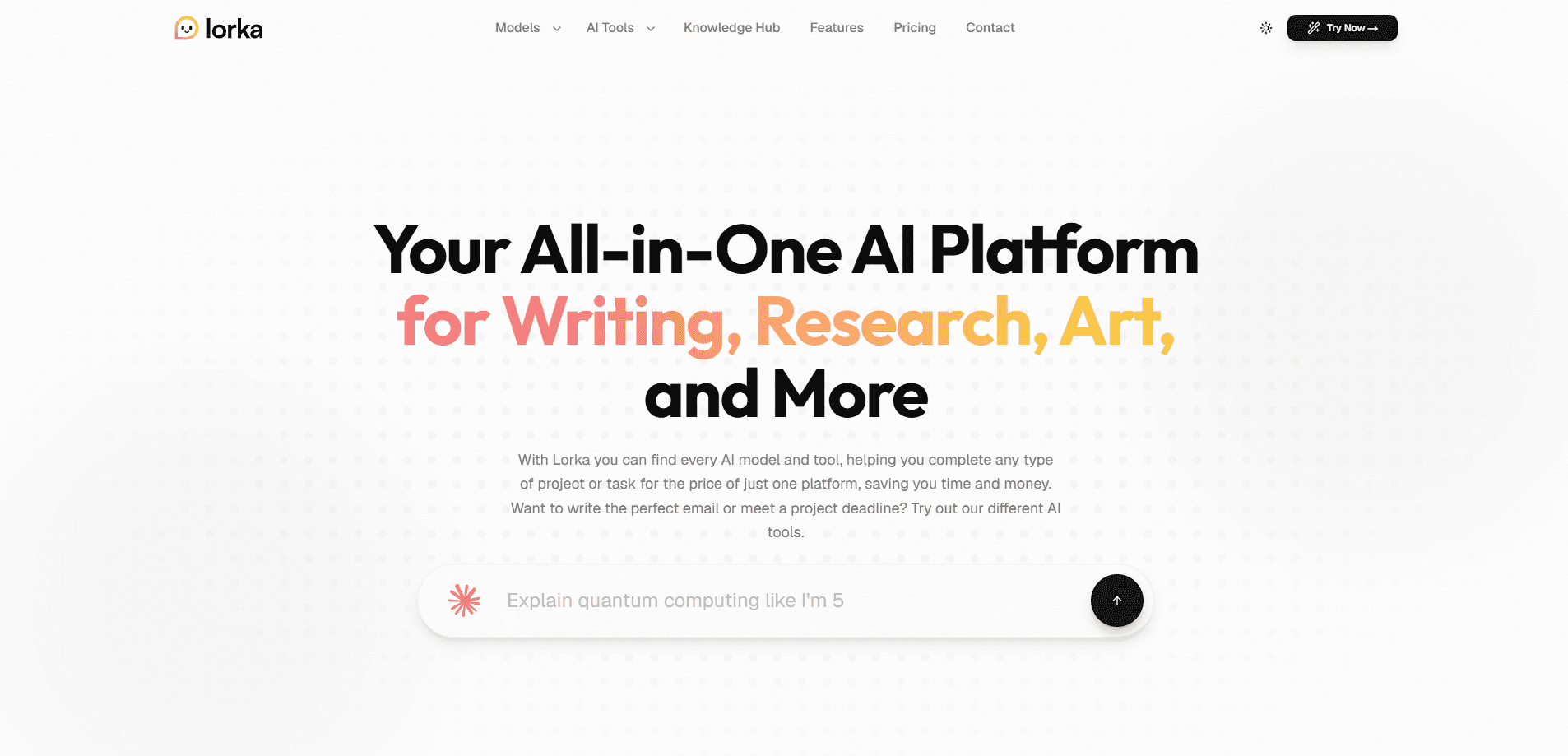
Lorka AI is an all-in-one AI workspace that bundles more than 30 leading models, including GPT, Claude, Gemini, Grok, DeepSeek, and Qwen, into a single chat window, so you can reach the strongest engine for any job without opening a separate app for each provider. Instead of paying for three or four separate subscriptions, you get one login, one bill, and a model switcher inside the conversation. It also folds in practical tools for image generation, video generation, background removal, and web search, which makes it a fit for professionals, students, and creators who move between tasks all day. One workspace. One bill.
About Lorka AI
What Is Lorka AI
Lorka AI is an AI chat platform built around a simple idea. The best AI models for a task change with the task. A long document reads better in one engine, a tricky spreadsheet in another, and a quick creative rewrite in a third. Lorka AI is an AI model aggregator, so it hands you all of those engines from one dashboard. You skip the new tab, and you skip re-pasting your context each time.
The product targets people who already use AI daily and are tired of the subscription math. The company quotes a single plan at $29.99 per month, and its own pitch is blunt about why. Most users lean hard on one or two tools. The rest just sit there. Switching models mid-conversation keeps your thread intact, so you can brainstorm with one model, refine with a second, and sanity-check the result with a third without losing what came before.
The main limitation is that Lorka AI is a reseller of other companies' models, not the maker of them. That means model availability and quality track whatever OpenAI, Anthropic, Google, and the rest ship, and it depends on those providers staying accessible, which is a real risk when a provider changes its terms or an outage takes a model offline. There's no free tier either, so you can't kick the tires without paying first. So who is this really for? Anyone already paying for two or three AI subscriptions and using them unevenly.
Getting Started
- Go to the Lorka sign-up page and create an account with an email address.
- Pick a plan. Standard covers the full model list plus all AI tools, while Max adds extended video generation.
- Open the chat workspace and choose a model from the built-in switcher for your first task.
- Type your prompt, then switch models inside the same thread if you want a second opinion or a different writing style, which is often faster than rewriting the prompt in a fresh tool.
- Reach for the extra tools (image generation, background removal, web search) from the same dashboard when a task needs more than text. It takes a minute.
Product Information
A quick look at Lorka AI's pricing, supported platforms, and performance.
Best for
The users, tasks, and scenarios where this tool fits best.
Users
- Students
- Professionals
- Creators
Tasks
- Multi-model writing
- Research and summarization
- Image and video generation
- Quick translation and rewriting
Scenarios
- A student prepping a paper the night before
- A marketer building a campaign folder
- A team that wants one bill instead of three AI subscriptions, with a single place to log in.
Key features
Multi-Model Chat in One Thread
The core of the AI chat platform is a model switcher inside the conversation. You can start with one engine, ask a second to critique the answer, and keep the whole thread intact instead of starting over. That matters most for long tasks where losing context means re-explaining yourself, and it saves the friction of rebuilding a prompt from scratch every time you want a different take on the same question. One thread. Many minds.
Large Model Library
Lorka AI rounds up more than 30 models from OpenAI, Anthropic, Google, xAI, DeepSeek, and Qwen. The lineup spans reasoning, coding, creative writing, and multilingual work. It's a library you can pick from per task rather than a single fixed engine, which matters when one model clearly handles a job better than the rest and you'd rather not pay for a separate subscription just to reach it.
AI Image Generator
Built-in image generation handles text-to-image prompts from inside the workspace. For creators who need a quick header or concept shot, it removes a step and a separate subscription. Output quality tracks whichever image model the platform routes to. No extra tab. No extra login. That's the whole pitch.
AI Video Generator
The platform also generates short video clips, with extended generation reserved for the Max plan. This is a lighter feature than the chat tools. The company frames it as a bonus rather than the main event, and given how new video generation still is across the industry, that reads as an honest description rather than marketing spin.
Background Removal
A one-click background remover sits alongside the generators. It's a small utility. But it's a useful one if you're prepping product shots or social images and don't want another browser tab open. No extra app. For a quick product listing, that saves real minutes.
Web Search and PDF Chat
Lorka AI can search the web for current information and let you work with PDFs directly in the chat. That combination covers research tasks, document summaries, and fact-checking. You stay in one place instead of switching to a separate tool. That's the whole point of an aggregator.
One Subscription, Many Engines
The pricing model is the headline feature. One plan replaces what would otherwise be several monthly bills. Simple. If you currently pay for two or three AI subscriptions and use them unevenly, the math tends to work in Lorka's favor, since you trade a stack of overlapping charges for a single predictable line on your statement each month.
Pros and cons
Pros
- One login and one bill replace several separate AI subscriptions.
- Model switching happens inside the thread, so context carries over.
- Mixes chat, image, video, and utility tools in a single workspace.
- Covers major engines from OpenAI, Anthropic, Google, DeepSeek, and others.
- Shorter decision time: you try a second model instead of committing to one.
Cons
- No free tier, so you can't test it before paying.
- It depends on third-party models, so quality and uptime track providers you don't control.
- Access limits differ by model and plan, which takes time to map out.
- Prices are shown in different currencies by region, so the real monthly cost varies.
Frequently asked questions
Lorka AI is an all-in-one AI workspace for people who want several top models without several subscriptions. You use it for writing, research, image and video generation, translation, and PDF work, all from one chat window. That covers most of what a typical day of AI use looks like.
Related content
Explore related tools, skills, and articles for Lorka AI.
Lorka AI Alternatives

Base Code
Base44 (Wix) · Coding · ProductivityBase Code is a shared cloud development environment from Base44. Teammates describe changes to an existing GitHub codebase in chat, preview them live and send them back as pull requests.

Knocket
Knocket (Tencent RTC team) · Productivity · Business · ChatbotKnocket is a free live chat and contact page tool that lets visitors message you from your website, app, or a shareable link, with every reply handled from Telegram or one inbox.

FloorGen
Vinit Kumar (FloorGen) · Productivity · China AIFloorGen is a browser-based floor plan maker that turns a sentence or a sketch into an editable 2D plan and a 3D walkthrough. Export to PDF, DXF or video, and draw without an account.