
Lovart
LiblibAI · Image · China AI
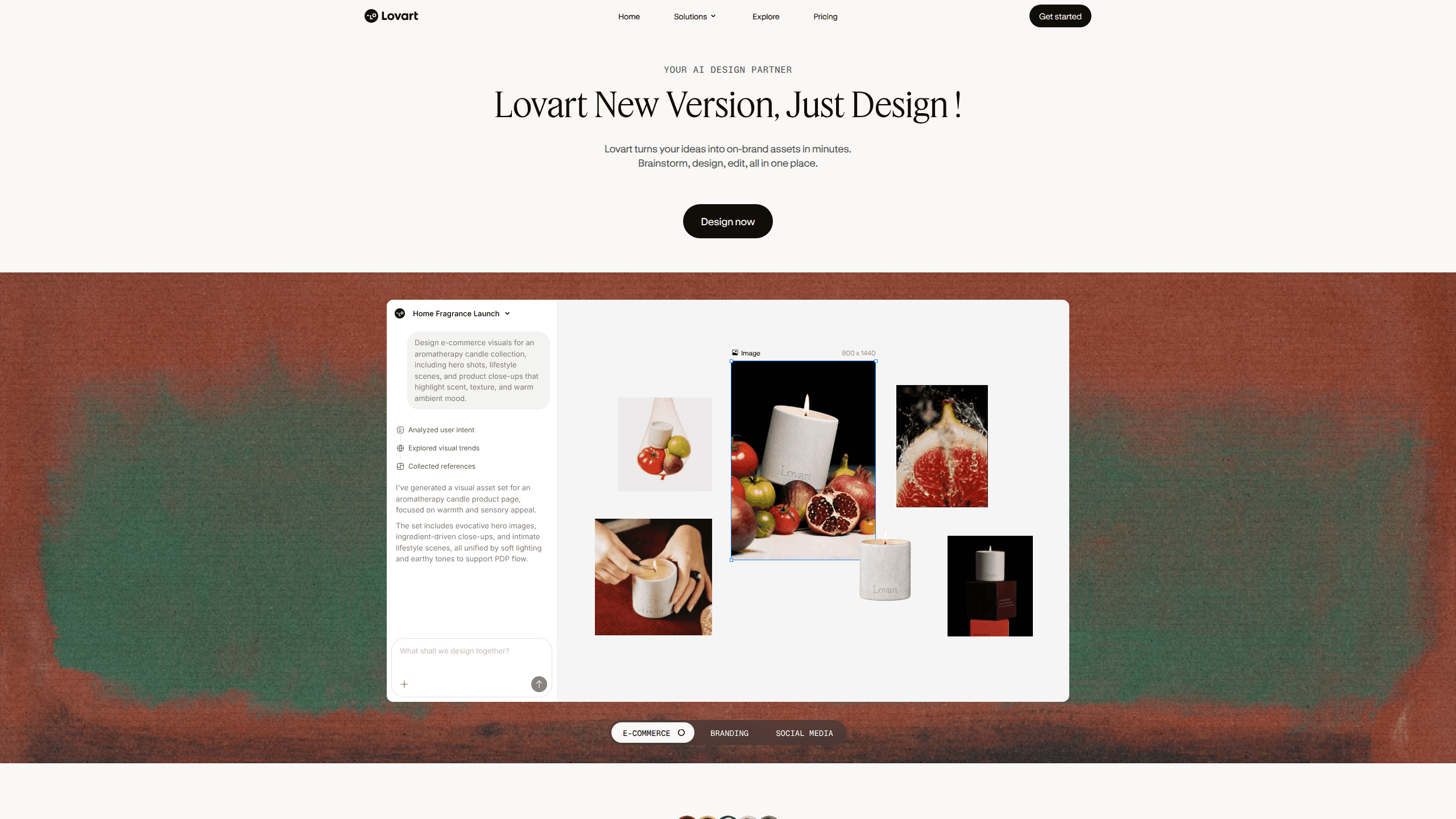
Lovart is an AI design agent that takes a written prompt and runs with it. Instead of handing you a single image, it plans the job, picks the right model for each step, and drops the results onto an infinite canvas you can keep editing. It came out of LiblibAI, a Chinese creative-AI company, and launched its public beta in mid-2025. The pitch is simple enough: you describe a poster, a logo set, or a full brand kit, and Lovart does the layout thinking for you. It acts as both an AI poster maker and a brand kit generator in one place. What sets it apart from plain text-to-image tools is the editing layer. Generated posters get split into separate layers, so text stays editable as text, and you can swap a headline or recolor a shape without regenerating the whole thing. It also chains multiple models together, so it can pull a video model for a clip and an image model for stills inside one project. That mix is why it fits branding work as well as it does one-off graphics.
About Lovart
What Is Lovart
Lovart is a design agent rather than a generator. You give it a goal in natural language, and it breaks that goal into steps: research, plan, prompt writing, then model calls. The output lands on an infinite canvas where you can generate, compare, organize, and export assets in one place.
It sits somewhere between a chat assistant and a design app. The agent handles the boring parts, like working out composition and which model fits a task, while you keep direct control over the canvas. That combination is why it gets used for logos, social graphics, product ads, and short brand videos in the same session.
Getting Started
- Go to lovart.ai and create an account, then sign in to open a new canvas project.
- Type a prompt that describes what you want. Something like "a perfume bottle on a grey studio background, green glass, soft window light" works better than a vague request.
- Watch the agent plan. It searches for references, writes its own sub-prompts, then calls the image or video models it needs.
- Pick the version you like, then jump into editing. Split text from the background, retype a headline, or ask for a targeted change in plain words.
- Export the finished assets, or keep iterating on the same canvas with follow-up prompts.
Product Information
A quick look at Lovart's pricing, supported platforms, and performance.
Best for
The users, tasks, and scenarios where this tool fits best.
Users
- Founders who need a logo and brand kit without hiring a designer
- Social media creators who want posters and thumbnails fast
- Small agencies exploring several visual directions for a client
- E-commerce teams building product images and promo assets
- Marketers who need ad creatives turned around in minutes
Tasks
- Turning a written brief into a finished poster or social graphic
- Building a starter logo set and simple brand system
- Generating product mockups and campaign visuals
- Making short promo videos from the same prompt workflow
- Editing generated layouts without starting over
Scenarios
- A coffee shop owner needs a cohesive brand identity before a launch
- A creator needs a batch of matching thumbnails for a channel
- A team wants ten color palette options before a campaign
- A solo seller needs clean product shots on a plain background
- A freelancer needs fast concept art to show a client
Key features
One Canvas, Many Models
The core of Lovart is the infinite canvas, and behind it sits a rotating set of image and video models. Rather than forcing you to pick a model up front, the agent decides which one fits the task and swaps between them inside a single project. If you already know what you want, you can also call a specific model directly. The practical effect is that a still poster and a short motion clip can come out of the same session, which saves a lot of exporting and re-uploading between tools. That's the whole trick.
Layered, Editable Output
Most generators hand you a flat image and call it done. Lovart splits the result into layers, which means the text on a poster stays as text you can retype, resize, or recolor. You can also nudge individual elements without touching the rest of the composition. For anyone who has ever received a near-perfect AI poster and then realized one word was spelled wrong, this is the feature that matters. It turns a dead-end result into a working draft. That alone changes the workflow.
Talk-to-Edit Changes
Beyond dragging elements around, Lovart takes plain-language edit requests. You can point at something and say "make the cat white" or "change this text to English," and it runs the change on that part of the image rather than regenerating everything. This targeted approach keeps the parts you liked intact. It's the difference between fine-tuning and starting over, and it makes longer editing sessions far less frustrating. No more redoing the good parts.
Prompt Planning and Research
When you hit send, Lovart doesn't just forward your words to a model. It breaks the request into steps, gathers reference material, and writes its own detailed prompts before generating. For a car campaign, for example, it might pull the model's specs and angles first, then plan and generate a consistent set of renders. That planning step is what lets it handle briefs that would need several manual prompts in a simpler tool.
Batch Generation and Comparison
Lovart is built for volume. It can produce several variations from one brief, which lets you compare options side by side on the canvas before committing. For brand work, that's the whole game: you test palettes, layouts, and styles quickly, then keep the winner. Having them all on one board means you're choosing from a real set of options instead of regenerating one at a time and hoping. It's faster, and it's less guesswork.
Brand Kit Support
For branding tasks, the agent reaches for a brand-kit workflow, producing a logo along with a color system and usage notes. It's not a full design system, but it's a fast way to get a coherent starting point you can refine. Solo founders and small teams tend to lean on this the most, since it replaces the first expensive round of agency work with something they can iterate on themselves.
Pros and cons
Pros
- The agent handles planning and model choice, so you can focus on the brief
- Layered output keeps text and elements editable instead of locked
- Targeted, plain-language edits save you from full regenerations
- One canvas holds images, video, and versions side by side
- Useful for non-designers who still want a professional-looking result
Cons
- Credit-based pricing can add up quickly on heavy use
- The interface is built around English prompts, which can feel clunky for other languages
- It leans on third-party models, so quality shifts as those models change
- Best results still need a clear, detailed prompt from you
- No public API, so it isn't a drop-in for automated pipelines
Frequently asked questions
It's an AI design agent. You describe a design task in plain language, and it plans the work, chooses the models, and produces editable assets on a canvas. Think of it as a design assistant that also happens to generate images and video.
Related content
Explore related tools, skills, and articles for Lovart.
Lovart Alternatives

X Ray Interpreter
X-ray Interpreter · ImageX Ray Interpreter is a web-based AI radiology tool that turns X-rays, CT scans, MRI, ultrasound, and PET images into plain-language reports. You upload a scan, get a preliminary X-ray interpretation in moments, then ask follow-up questions if something needs explaining. It works as a second opinion and a learning aid, not as a medical diagnosis.

Aieasypic
AIEasyPic · ImageAIEasyPic is an AI image generator that turns plain text prompts into finished artwork in seconds. You can also train custom models on your own photos, swap faces in existing images, and create short video clips from text, all from a browser. It suits casual creators who want quick visuals and hobbyists who want to build a personal model without touching any code.

Chargen
Chargen · ImageChargen is an AI character generator and worldbuilding toolkit built for Dungeons & Dragons and other tabletop RPGs. It turns a one-line idea into a painted character portrait, spins up NPCs, monsters, maps and encounters from the same session, and keeps every creature's details close at hand. The tabletop RPG art side runs on a credit system called Gold, while the text generators stay free for everyone.