

Ludo
Ludo.ai · Productivity · Leaning
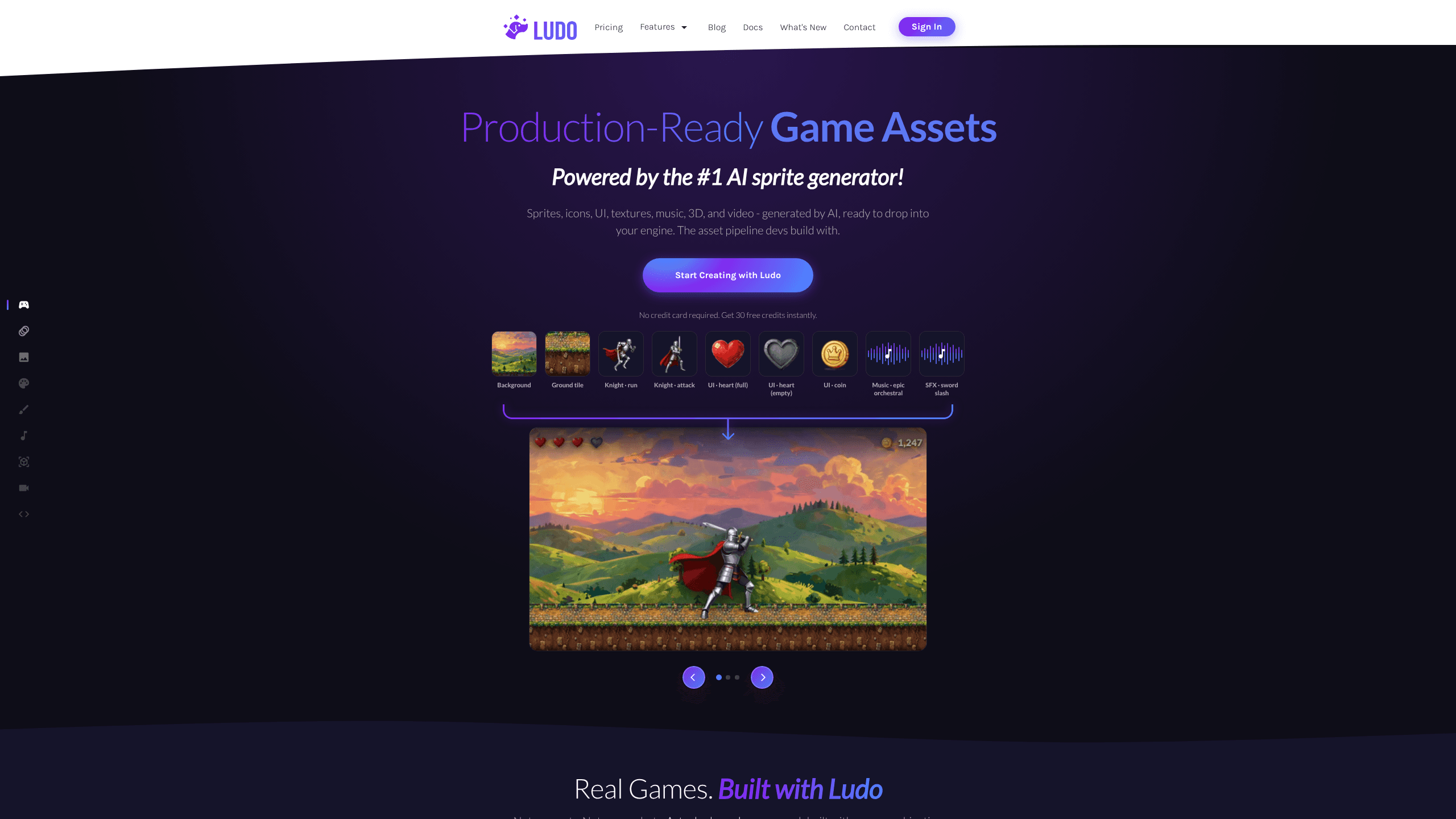
Ludo is an AI game asset generator that produces production-ready art, animation, audio, and 3D assets from plain text prompts. It started as a research and design assistant for game studios, and it now centers on a sprite and spritesheet generator that drops directly into Unity, Godot, or any engine that reads PNG and spritesheet files. You write a motion prompt, pick a style, and get a looping or one-shot animation without rigging a single bone.
About Ludo
What Is Ludo
Ludo is a browser-based platform from Ludo.ai that covers the whole asset pipeline for game teams: concept ideation, market research, and the actual art. Most image tools stop at a single picture, but Ludo works as a game art generator that hands you a frame sequence built for game engines rather than a still. You describe motion in plain English, and it returns a sequence you can drop straight into a project.
The pitch is speed. Indie developers use it to turn an idea into in-game icons or a 10-piece armor set in under an hour, according to case studies on the site. Solo devs are the loudest fans here, which makes sense. Animation eats the most time in game art, and it's the part Ludo targets hardest.
The main limit is how the free tier works. You get 30 credits to start with no card required, but high-compute jobs like 3D, video, and playable prototypes always burn credits. Unlimited generation applies to the web app only, so a long automated run can drain a whole month's balance in an afternoon if you point the API at a big batch. Every API or MCP call draws from your credit balance, including images.
Getting Started
- Create an account at ludo.ai. No credit card is needed, and 30 free credits are added right away.
- Name your project and pick the asset type you want, such as a sprite, spritesheet, 3D model, or music track.
- Upload a starting frame or generate one, then describe the motion you want in a plain-English prompt.
- Adjust the style, frame count, and whether the animation loops or plays once.
- Export the result as a spritesheet or model file and drop it into your engine.
Product Information
A quick look at Ludo's pricing, supported platforms, and performance.
Best for
The users, tasks, and scenarios where this tool fits best.
Users
- Solo indie developers
- Small studios
- Non-artist programmers
Tasks
- Generating spritesheets
- Creating 2D game art
- Building 3D assets
- Composing music and sound effects
- Early market research
Scenarios
- Prototyping a game idea on a weekend
- Filling content gaps in a live game
- Running asset generation through an API or MCP
Key features
AI Sprite and Spritesheet Generator
This is the core of the product. You supply a starting frame, write a motion prompt like "blue mech charging forward," and Ludo returns a frame sequence built for engines. It handles idle, walk, run, attack, hit, and death cycles, and you can set the loop behavior per asset. No rigging. No keyframes by hand.
Text-to-Animation Without Rigging
Standard 2D animation means building a skeleton and posing it frame by frame. Ludo skips that. As an AI animation tool for games, it lets you pull movement from a video or a preset and apply it to your sprite, which is how a non-animator gets a convincing run cycle in minutes instead of a weekend.
3D Model Generation and Rigging
You can turn a 2D image into a GLB model with PBR textures, then auto-rig it with skeleton and skin weights that follow engine-ready joint naming. From there, text-driven skeletal animation and preset retargeting let you animate the model without a separate 3D tool.
Audio and Music Generation
Ludo generates sound effects, background music, character voices, and text-to-speech. You can also generate audio matched to a specific spritesheet or video, which saves the step of lining up sound to frames by hand.
Game Research and Concept Ideation
The platform started as a research assistant and that layer is still there. It covers market trends, competitor data, and concept generation, and it can turn an idea into a playable iteration. So think of it as the stage before the art, where you decide what to build.
API and MCP Access
Pro and Studio plans expose an API and a Model Context Protocol server, so you can generate assets from your own tools or an AI assistant. One studio reported running almost the whole production pipeline remotely through the MCP. Note that API and MCP calls always consume credits, even on "unlimited" plans.
Unity Plugin and Engine-Ready Exports
Spritesheets and models export in formats engines read directly, and there's a Unity plugin for teams on that engine. The goal is zero cleanup between generation and import.
Pros and cons
Pros
- The spritesheet generator produces engine-ready sequences, not just static images, which is rare among AI art tools.
- One subscription covers art, animation, 3D, audio, and research instead of stacking several services.
- Text-to-animation removes the need for rigging skills, so non-artists can ship animated content.
- API and MCP access fit it into an existing production pipeline rather than forcing a manual workflow.
- Free tier with 30 credits and no card makes it cheap to test before paying.
- Real released games cite it in their credits, so the output is proven in shipping titles.
Cons
- API and MCP calls always burn credits, so heavy automation gets expensive fast. Unlimited generation only applies to the web app.
- The entry Indie plan has no API access and caps you at 5 active projects, which blocks anyone who wants to automate.
- 3D, video, and prototype generation are credit-heavy, so these features cost more than the flat monthly fee suggests.
- Output quality depends on your prompt and style reference. Vague prompts return generic art. You'll redo them.
Frequently asked questions
Ludo generates game assets: sprites, spritesheets, animated sprites, 3D models, textures, music, and sound effects. It also covers game research and concept ideation. Most users come for the sprite and spritesheet generator and stay for the wider pipeline.
Related content
Explore related tools, skills, and articles for Ludo.
Ludo Alternatives

Swms
Swms AI · Writing · Productivity · BusinessSwms is an AI safety compliance tool that turns a plain description of a job into ready-to-use safety documents. Describe your project, trade, and known hazards, and it writes a safe work method statement, job hazard analysis, safe work procedure, RAMS, or safety data sheet in seconds. It also ships with Oscar, a chat assistant that answers workplace safety questions in any language. Teams in construction, mining, transport, and warehousing use it to cut the paperwork that usually eats into a workday.

Wordly AI Translation
Wordly · Voice & Language · ProductivityWordly AI Translation is a real-time AI translation and captioning platform built for meetings, conferences, and events. It delivers live translation, captions, transcripts, and summaries in more than 60 languages, and attendees join by scanning a QR code or opening a link instead of using dedicated headsets. The platform works with Zoom, Microsoft Teams, Google Meet, and Webex, and it's designed for organizations that want multilingual access without hiring human interpreters for every session. Simple as that.

Rows
Rows (Superhuman) · Productivity · BusinessRows is an AI spreadsheet and data analysis tool that imports live data from more than 50 sources, then lets you work with it using plain language instead of SQL queries or nested formulas. You can pull numbers out of PDFs, connect ad platforms, databases, and bank accounts, and ask the AI to build reports, merge datasets, or set up models that recalculate themselves. It runs in the browser, works like a spreadsheet, and now sits under the Superhuman umbrella.