

Lyvia AI - Creative & Business
Cendrawasih Technologies LLC · Image · Video
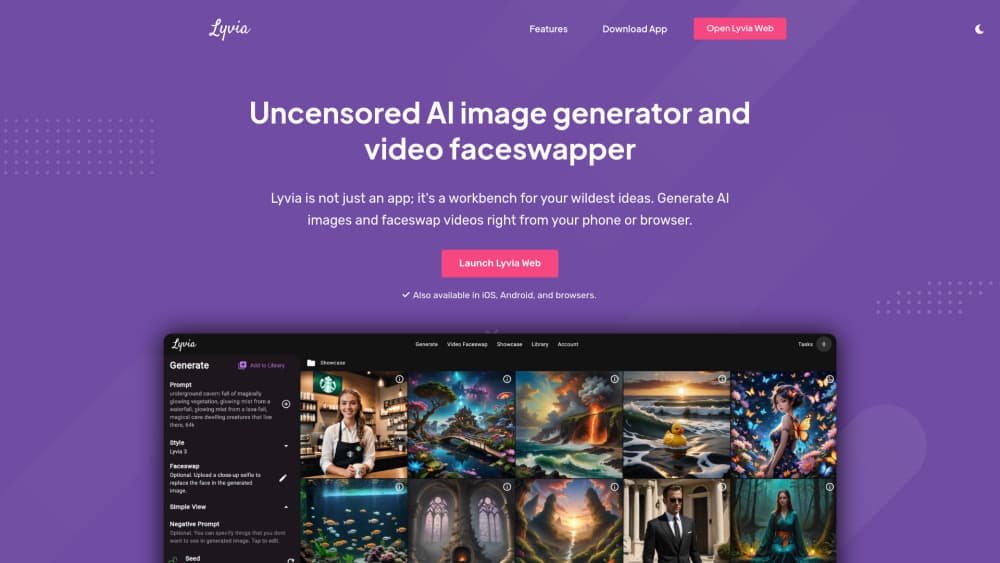
Lyvia AI is a professional AI production studio that turns product shots, characters, and rough ideas into cinematic images and short videos, working as an AI video generator for business and an AI image generator for e-commerce across mobile and web.
About Lyvia AI - Creative & Business
What Is Lyvia AI
Lyvia AI is an AI production studio for creators and businesses. It gathers image generation, video generation, reusable character references, face swap, and step-by-step workflows in one workspace, so you can build a product ad or a short scene without jumping between subscription apps.
The people it fits best are e-commerce sellers, marketers, real estate agents, and small agencies that need presentable visuals but don't have a studio budget. A boutique owner can restyle a clothing photo and animate it into a five-second clip, and an agent can use virtual staging AI to dress an empty room before a listing goes live. The pricing follows that pitch: credits you spend per generation, top-up packs that never expire, and no forced monthly seat.
The limits matter as much as the features. Video is always credit-based, so long or high-resolution clips cost more, and the credit cost is only known once you pick a model and settings. Business-tier API access is still listed as coming soon, and the free starting credits are small. It also leans on third-party engines like Google Veo and Alibaba Wan for its highest-quality video, which ties output and pricing to those models.
Getting Started
- Create a Lyvia AI account in the mobile app or on the web. One account covers both.
- Pick a starting point: photo, video, or a guided workflow like Product Photo or Product Video.
- Add a reference, such as a product shot, a character, or a text prompt, then describe what should happen.
- Choose the model, duration, and format, or keep the defaults, check the credit cost, and generate.
- Keep the keyframe, reuse your references in later shots, and animate the still into video when the look is right.
Product Information
A quick look at Lyvia AI - Creative & Business's pricing, supported platforms, and performance.
Best for
The users, tasks, and scenarios where this tool fits best.
Users
- E-commerce sellers and boutique owners
- Digital marketers and small agencies
- Real estate agents
Tasks
- Product ad videos
- Virtual try-on and outfit styling
- Character-consistent scenes
- Real estate virtual staging
Scenarios
- Launching a new product line on social
- Preparing a client pitch
- Filling a faceless YouTube or TikTok channel
Key features
One workspace for image and video models
Lyvia AI puts several engines under one account, including its own Lyvia 6, Clara, and Lumi models alongside Google's Veo, Nano Banana, and Gemini Omni Flash, plus Alibaba's Wan and Qwen Image. You pick the balance of quality, speed, and cost per shot instead of subscribing to each provider separately. The generated work, references, and credit balance stay together as you move between models.
Vertical Storyboard workflow
Rather than a single magic button, Lyvia walks you through a guided Vertical Storyboard. You generate a static keyframe first, lock the exact look you want, then send it to the video engine for animation. That ordering gives you control over composition and lighting before you spend credits on motion, and it makes results repeatable across a campaign.
Reusable references and character consistency
You can attach character or product references to a project and reuse them across scenes, which is what keeps a face or a product looking the same from shot to shot. When a frame still needs help, face swap works as a finishing tool. For multi-shot storytelling, this is the feature that separates Lyvia from one-off generators.
Business playbooks for commerce and real estate
The platform ships ready-made workflows aimed at specific jobs: e-commerce product showcases, virtual try-on, real estate staging and tours, faceless channel B-roll, venue prototyping, and pre-vis storyboarding for agencies. Each playbook sets up the pipeline, so you skip the parts of prompt-crafting that don't help a seller or an agent.
Transparent credit pricing
Every generation shows its credit cost before you confirm it. Credit spending varies by model, duration, and resolution, so you can size a job before committing. One-time top-up credits never expire and work with any model or pipeline, which suits teams that create in bursts instead of every month.
Cross-platform access with commercial use
Lyvia runs on iPhone, Android, and the web, and your account, credits, and creations follow you across devices. Outputs carry a commercial license on paid tiers and ship without watermarks, provided you hold the rights to your products, references, and any person's likeness.
Pros and cons
Pros
- Several leading image and video engines sit in one account with a single credit balance.
- The storyboard-first flow lets you fix a look before spending video credits on it.
- Reusable references and face swap keep characters and products consistent across shots.
- Transparent per-generation credit costs, and top-up credits that never expire.
- Mobile plus web access with a commercial license and no watermarks on paid plans.
Cons
- Video runs on credits, so long or high-resolution clips get expensive fast, and cost isn't known until you set the model and settings.
- The best video quality leans on third-party engines like Veo and Wan, so output and pricing shift with those providers.
- Free starting credits are small, so most real projects need a paid plan or a top-up fairly soon.
- No public API is available yet; Business-tier API access is still marked as coming soon.
- Frequently used pipelines depend on queue availability, and included zero-credit image generations fall under fair-use limits.
Frequently asked questions
Lyvia AI is an AI production studio for creators and businesses. It combines image generation, video generation, reusable character references, face swap, and guided workflows in one workspace on mobile and web.
Related content
Explore related tools, skills, and articles for Lyvia AI - Creative & Business.
Lyvia AI - Creative & Business Alternatives

Google EmbeddingGemma 2
Google DeepMind · Writing · Image · CodingGoogle EmbeddingGemma 2 is a 740M-parameter open model that turns text, code, images, audio, and video frames into vectors in one 768-dimension space, running on phones and laptops.

Tractionwave
TractionWave · Image · MarketingTractionWave is an AI attention heatmap tool for static ads. Upload a PNG or JPG and it returns predicted attention, ranked hotspots, and fixes before you spend budget.

Imejis.io
Imejis.io · Image · MarketingImejis.io is an AI design studio for agents and marketing teams. Describe an image in plain words, and it writes the copy, builds the layout, reflows it to every size, then exports a finished file.