

Magic Eraser - AI Photo Editor
Creatix Technology Global Limited · Image
Magic Eraser - AI Photo Editor is an Android app that removes unwanted objects, text and watermarks from photos, then enhances, expands or restyles them with AI.
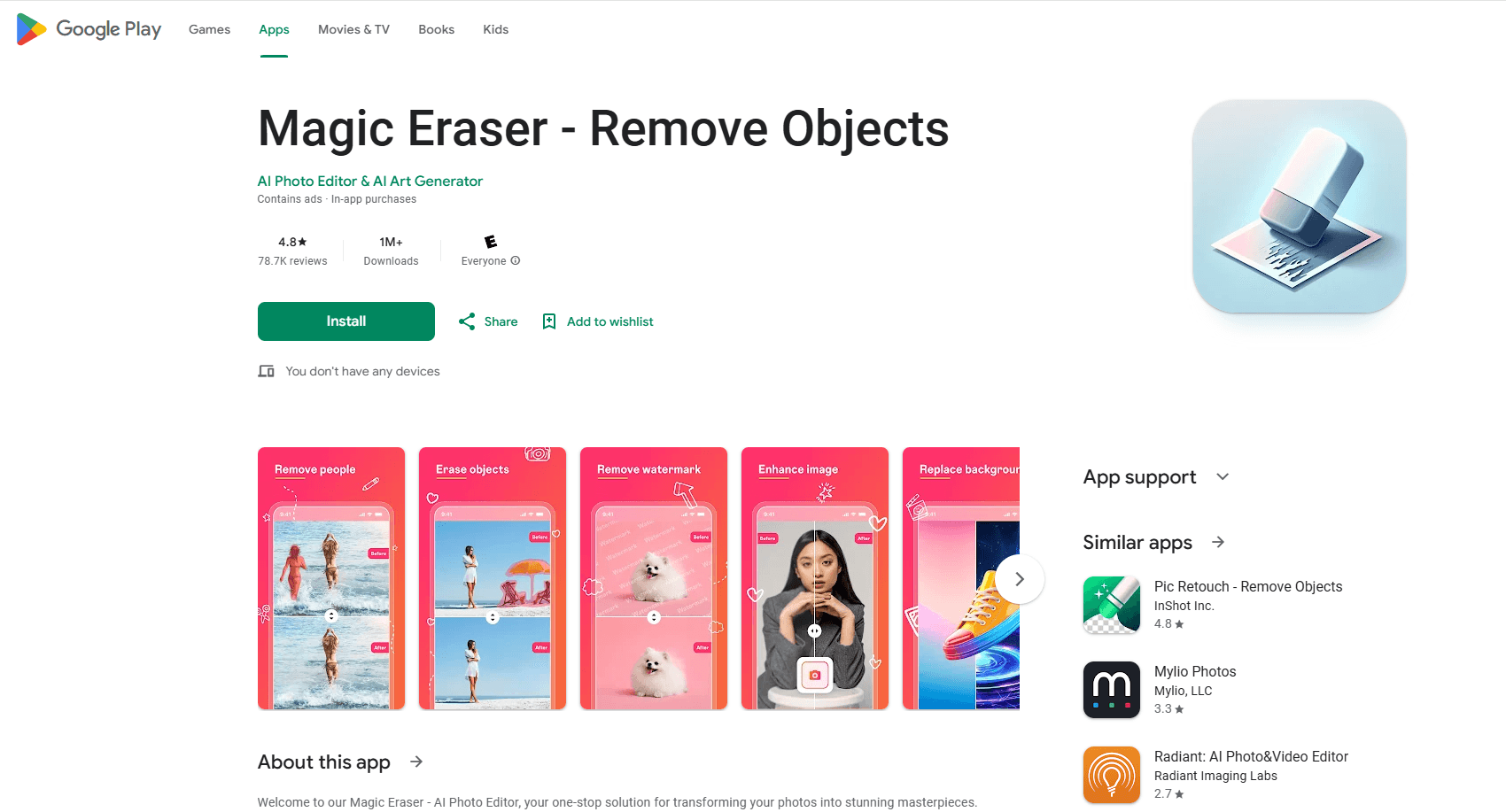
About Magic Eraser - AI Photo Editor
What Is Magic Eraser - AI Photo Editor
Magic Eraser - AI Photo Editor is a mobile photo editing app for Android that leans on AI to clean up and reshape pictures. Instead of carefully masking an object and cloning pixels over it by hand, you brush across it and let the app fill the gap. That saves real time. It's the reason the app has pulled in more than 10 million installs.
The app covers more ground than its name suggests. Yes, it erases. But it also separates subjects from backgrounds, sharpens blurry shots, upsamples low-resolution images, expands the canvas, and generates new visuals or anime-style versions from your photos. The blend of cleanup and creative tools is what separates it from a one-trick eraser.
The catch is the business model, and it shapes what you can actually do with the app. Magic Eraser is free to install but supported by ads, and the full feature set sits behind a subscription. So what do you get for free? A good chunk of the more experimental tools, like AI image generation and object replacement, work best on a solid internet connection, so offline editing is limited. Its Google Play rating sits around 4.7 stars across roughly 587,000 reviews, which points to a tool that does the basics well.
Getting Started
- Install Magic Eraser from Google Play and open it.
- Grant permission to read and write photos on your device so the app can load your gallery.
- Pick a photo, then choose a tool: brush over objects to erase them, tap a subject to cut the background, or open enhancement options.
- Preview the AI result, adjust the brush or settings if the fill looks off, then save the edited image back to your gallery.
Product Information
A quick look at Magic Eraser - AI Photo Editor's pricing, supported platforms, and performance.
Best for
The users, tasks, and scenarios where this tool fits best.
Users
- Casual Android photographers
- Content creators and social media users
- Small sellers and marketers
Tasks
- Removing objects from photos
- Erasing text, logos and watermarks
- Enhancing photo quality
- Expanding and recomposing
- Photo to anime conversion
Scenarios
- Fixing a vacation shot ruined by a passerby
- Preparing product images for an online store
- Restoring a faded family photo
- Making a themed avatar for a profile or occasion
Key features
AI Object Removal
Brush over anything you want gone, whether it's a person, an object, text, a logo or a watermark, and the app rebuilds the area behind it. The eraser handles blemishes and small retouches too, so it doubles as a touch-up tool. It's the core of the app. It's the feature most people install it for.
Background Eraser
The app separates your subject from its surroundings in one tap. That's handy for product shots, cutouts and clean profile images. You can then drop the subject onto a new backdrop or export it on its own. For sellers who shoot product photos on a phone and want a clean, even result without booking studio time or paying for another tool, this replaces a fair amount of that work.
Photo Enhancement and Upscaling
Enhancement tools fix sharpness, contrast and color balance. The upscaler enlarges images without turning them muddy, which matters if you want to print a photo or frame it at a larger size. Old, faded or low-resolution shots come out noticeably cleaner.
Canvas Expansion
The expand feature grows the background around your photo, which fixes tight framing and opens up space for captions or titles, and it does this by having the AI paint new pixels that match the tone and texture of the original shot. It's aimed at posters, banners and social covers where you need breathing room in the composition. The result usually looks natural.
AI Image Generation and Object Replacement
Beyond cleanup, the app works as an AI image generator: type a prompt, get a fresh visual. It also swaps objects, clothing or accessories inside a photo. The replacement tool matches color, lighting and texture so the edit blends in, and that attention to detail is what makes the swap believable rather than pasted on top of the original. This is where the app leans hardest on cloud processing, so results depend on your connection.
Photo to Anime Conversion
A converter turns portraits into anime or cartoon-style images. It includes an AI art generator for original pieces too. This is the playful side of the app, and it works well for avatars and social posts. Expect the most stylized results to need a subscription.
Pros and cons
Pros
- Handles both cleanup and creative edits in one app, so you don't juggle separate tools for erasing, enhancing and styling.
- The AI object remover produces natural fills on simple backgrounds without manual masking.
- Background removal and upscaling cover common phone-photo jobs like product shots and print prep.
- Works entirely on Android, which fits users who edit on their phone rather than a desktop.
- A free tier lets you test the core tools before you commit to paying for anything.
Cons
- Ads and a subscription gate the best features, so the free version feels limited once you hit the AI-heavy tools.
- The advanced generation and replacement features need an internet connection, so offline editing isn't fully available.
- It's Android only. iPhone users can't use it.
Frequently asked questions
It lets you remove objects from photos, along with text, logos and watermarks, and goes further with background removal, image enhancement, upscaling, canvas expansion and AI image generation. Think of it as an all-in-one AI photo editor for Android rather than a single-purpose eraser.
Related content
Explore related tools, skills, and articles for Magic Eraser - AI Photo Editor.
Magic Eraser - AI Photo Editor Alternatives

Google EmbeddingGemma 2
Google DeepMind · Writing · Image · CodingGoogle EmbeddingGemma 2 is a 740M-parameter open model that turns text, code, images, audio, and video frames into vectors in one 768-dimension space, running on phones and laptops.

Tractionwave
TractionWave · Image · MarketingTractionWave is an AI attention heatmap tool for static ads. Upload a PNG or JPG and it returns predicted attention, ranked hotspots, and fixes before you spend budget.

Imejis.io
Imejis.io · Image · MarketingImejis.io is an AI design studio for agents and marketing teams. Describe an image in plain words, and it writes the copy, builds the layout, reflows it to every size, then exports a finished file.