

Magicly - AI art & photo
Retomagic · Image · Marketing
Magicly is an AI art generator and photo app from Retomagic. Type a prompt to make images, avatars and short video, then reply to posts with a remixed version instead of a text comment.
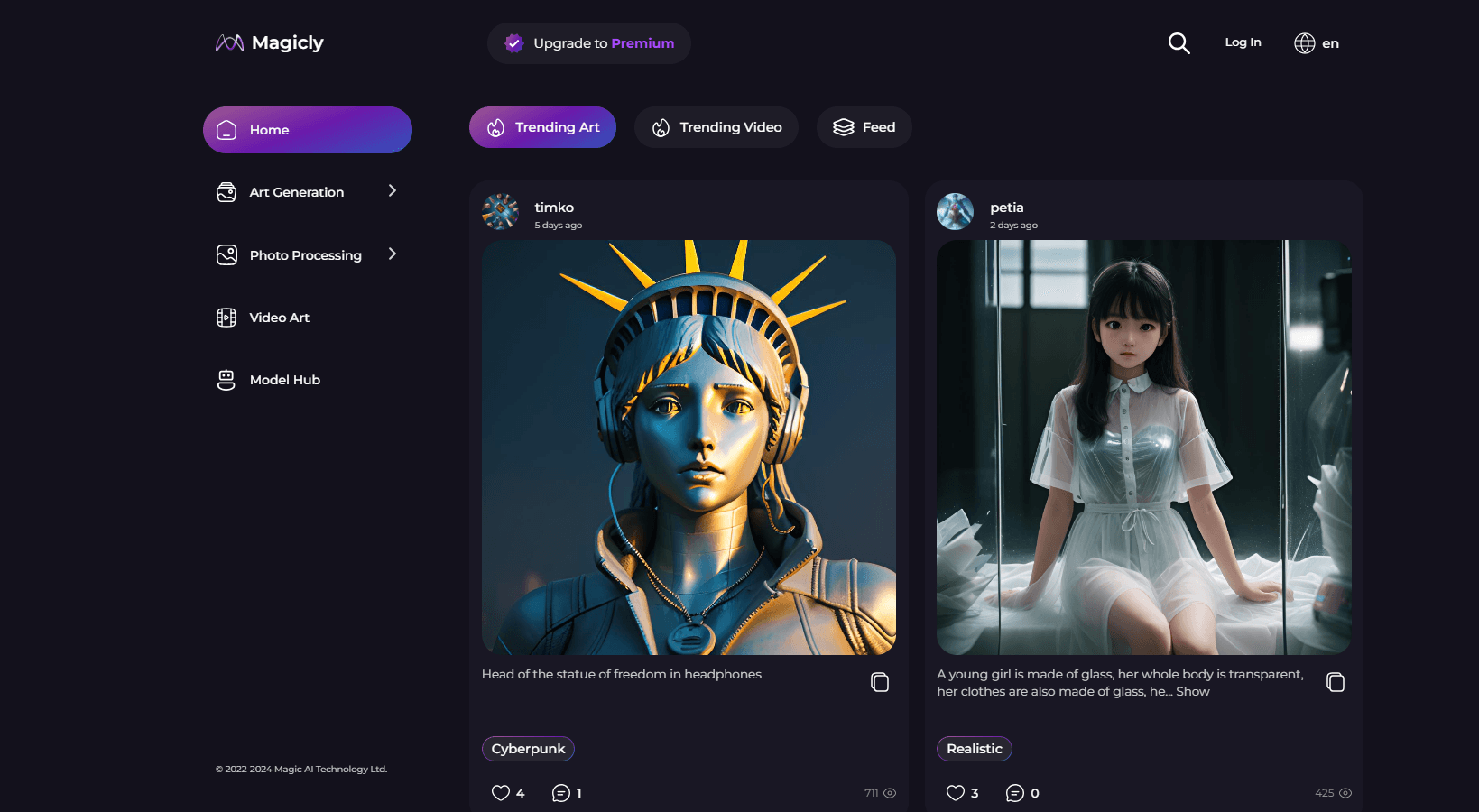
About Magicly - AI art & photo
What Is Magicly
Magicly is a mobile app and social network for AI art. You open the composer, write a prompt, pick a model, and get an image back in seconds. The app ships with a fixed set of free daily models and a longer list of credit-priced ones, so the cost per image is visible before you press Generate.
The social part is the real difference. Instead of typing "nice style" under a post, you reply with a generated image that starts from the original prompt. The reply lands in the thread as a comment, and the author can switch remixing off on any post.
The app covers images, avatars, photo cleanup and short AI video. The limits are worth knowing up front. Private posts and albums sit behind the Pro plan, premium models draw on monthly credits, and there is no documented public API for automating runs.
Getting Started
- Sign up with email, Apple or Google on iOS, Android or in a browser.
- Open the composer and pick a model: Neuro Art, Magic Variations and AI Avatars are free every day, or choose a credit-priced model like GPT Image 2.
- Write a prompt, or start from a ready-made idea and edit it. Add a reference photo when the model accepts one.
- Press Generate and wait for the progress bar. Keep the result private or publish it to your profile and the feed.
- Follow creators and open a style you like. Each style is a preset you can apply to your own prompt.
Product Information
A quick look at Magicly - AI art & photo's pricing, supported platforms, and performance.
Best for
The users, tasks, and scenarios where this tool fits best.
Users
- Casual image makers who want free AI art without a trial countdown
- Creators who learn by copying
- Social media freelancers who need quick visuals for a client post
Tasks
- Turning a text prompt into an illustration
- Fixing old or blurry photos
- Making an AI avatar from selfies
- Testing a short AI video
Scenarios
- Daily prompt practice
- A brand moodboard you don't want public
- A group creative challenge
Key features
Text to Image Generation
The core flow is plain text to image. You describe a scene, choose a model, and the app renders it on a square, portrait or wide canvas. Free models handle a hundred runs a day, and paid models such as GPT Image 2 or Nano Banana 2 are listed with their credit price next to the name.
Remix Replies
A remix is a comment made of pixels. You open any public post, hit reply, and the composer loads with the original image and prompt as the starting point. Change a word or swap a style and your result appears under the post, so a thread grows image by image.
Style Presets From the Feed
Every image on the feed exposes the style behind it. Open it and you get a preset you can apply to your own prompt, which is faster than guessing at phrasing. It also means the community ends up sharing a working vocabulary rather than isolated one-off results.
Free Daily Models
Neuro Art, Magic Variations and AI Avatars run on a daily allowance instead of a trial. Neuro Art and Variations give 100 generations per day, avatars give 30. The quota resets daily, and Pro doubles each of those numbers.
Photo Cleanup Tools
Three utilities cover the boring repair work: Enhance Photo sharpens and removes noise, Remove Background cuts the subject out of a shot, and Face Restore rebuilds detail in faces. Each one runs 200 times a day for free, which is enough for a small product catalog.
AI Avatar Generator
The AI avatar generator builds portraits from your own photos. You upload a few shots, pick a look, and the app returns a set of stylized faces. It suits profile pictures and character concepts more than documentary accuracy.
AI Video Generator
Video models sit on the same picker as the image ones. Kling v3 and Seedance 2.0 make clips of 4 to 15 seconds at up to 1080p, and Seedance adds synchronized audio. Pricing is per second of output, shown before the run starts.
Pros and cons
Pros
- The free plan is a real allowance, not a seven day trial that quietly expires.
- Remix replies teach prompting by example, which shortens the learning curve for anyone new to AI art.
- Credit prices appear in the model picker, so you can avoid a premium model when a free one will do.
- One app covers generation, avatars, photo repair and short video, which saves switching between tools.
Cons
- The best models draw on monthly credits, so heavy use of GPT Image 2 or video runs past the Pro allowance quickly.
- Private posts and albums are Pro only, which limits anyone who wants to keep client work off the feed.
- There's no documented public API, so teams can't script batches or connect Magicly to an existing pipeline.
Frequently asked questions
Yes. The daily models cost nothing and the free plan has no trial timer. You only pay when you want the credit-priced models, private posts or doubled limits.
Related content
Explore related tools, skills, and articles for Magicly - AI art & photo.
Magicly - AI art & photo Alternatives

Google EmbeddingGemma 2
Google DeepMind · Writing · Image · CodingGoogle EmbeddingGemma 2 is a 740M-parameter open model that turns text, code, images, audio, and video frames into vectors in one 768-dimension space, running on phones and laptops.

Tractionwave
TractionWave · Image · MarketingTractionWave is an AI attention heatmap tool for static ads. Upload a PNG or JPG and it returns predicted attention, ranked hotspots, and fixes before you spend budget.

Imejis.io
Imejis.io · Image · MarketingImejis.io is an AI design studio for agents and marketing teams. Describe an image in plain words, and it writes the copy, builds the layout, reflows it to every size, then exports a finished file.