

MagicSchool AI
MagicSchool AI · Productivity · Leaning
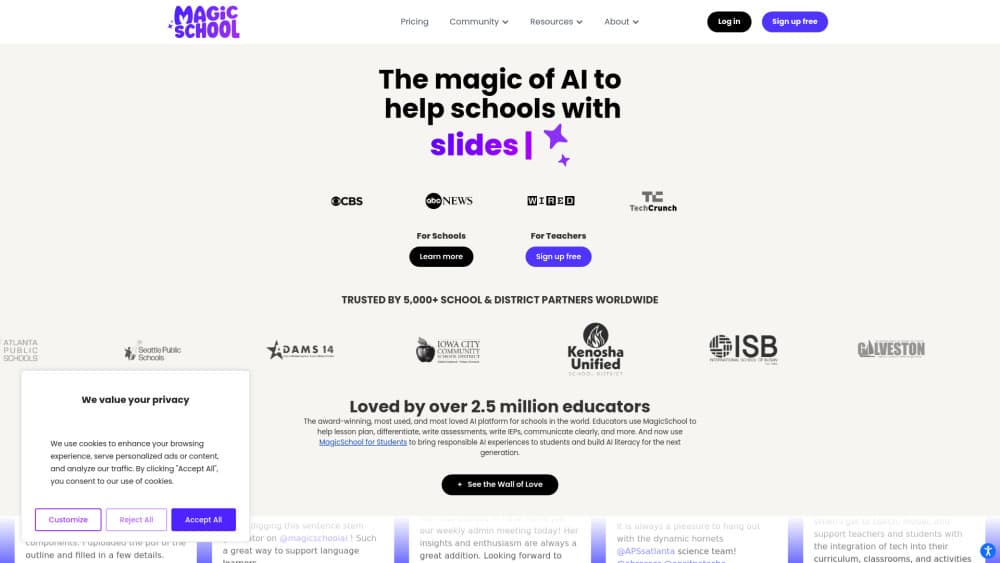
MagicSchool AI is an AI platform for teachers and schools, with 80+ tools for lesson plans, quizzes, and student feedback.
About MagicSchool AI
What Is MagicSchool AI
MagicSchool AI is a web-based AI platform built for K-12 educators, students, and school districts. Instead of handing teachers a blank chatbot, it packs 80+ ready-made teaching tools into one dashboard: lesson plan generators, quiz makers, rubric builders, IEP helpers, and presentation creators. In short, it's a teacher AI assistant that already knows the job. Teachers pick a task, fill in the grade level and subject, and get a draft they can edit.
The product tackles teacher burnout head-on. Administrative work, differentiated materials, and grading eat hours every week, and MagicSchool aims to cut that load. Adeel Khan, a former teacher and principal, started the company in 2023, and it now works with thousands of schools and districts worldwide. Districts get the controls they need for compliance: single sign-on, tool management, and data policies that keep student work out of AI training sets. That last part matters.
That district-level reach is also the main limit. Free access covers individual teachers, but features like SIS integration, custom district tools, and analytics sit behind the paid school plans. Solo tutors and homeschool parents on a tight budget won't get the full platform.
Getting Started
- Go to the MagicSchool AI site and sign up for a free account with your school email or Google login.
- Pick a tool from the dashboard, such as the Lesson Plan Generator or Multiple Choice Quiz Maker.
- Enter your grade level, subject, and topic, then generate a first draft.
- Refine the output in Studio Mode: edit the text, add images, and export to Google Docs or Slides.
- Share results with students through Student Rooms if your plan supports it.
Product Information
A quick look at MagicSchool AI's pricing, supported platforms, and performance.
Best for
The users, tasks, and scenarios where this tool fits best.
Users
- K-12 teachers
- School and district leaders
- Students
Tasks
- Drafting lesson plans
- Creating assessments
- Giving writing feedback
Scenarios
- Sunday night prep
- Differentiated instruction
- Parent communication
Key features
80+ AI Teacher Tools
The dashboard covers lesson planning, worksheet generation, quiz creation, IEP drafting, and presentation building. Each tool comes with guided prompts, so you set the grade and subject rather than writing a long prompt from scratch. That structure is what makes it faster than a generic chatbot for everyday teaching tasks. Less fiddling, more teaching.
50+ AI Tools for Students
Students get their own set of tools for writing feedback, tutoring, and math review. Teachers decide which tools appear and can group them into Student Rooms with set learning goals. It keeps AI use inside guardrails instead of a wide-open chat window.
Student Rooms
Student Rooms let teachers configure a space where students work with chosen AI tools at their own pace. Teachers monitor participation in real time and see how each learner engages. It's a practical way to bring AI in the classroom without losing oversight. No surprise, that matters to admins.
Class Writing Feedback
This tool reviews written assignments in batches and drafts feedback based on your rubric. You personalize each comment before sending, so the final note still sounds like you. For teachers drowning in essays, it turns a full evening of marking into a single review pass across the whole class. That time back adds up.
Studio Mode
Studio Mode lets you edit any AI output directly: reformat text, add structure, and drop in images. When the draft looks right, export it to Google Docs, Slides, or download it. It closes the gap between a rough generation and something you'd actually hand out. Sound familiar? Most AI tools skip this step.
Integrations
MagicSchool AI plugs into Google Docs, Google Classroom, Canvas, Schoology, and other tools teachers already use. Clever and ClassLink support means districts can sync rosters without manual setup. You launch it from your LMS instead of juggling a separate tab. Why does that matter? Because every extra login is one more reason a busy teacher skips the tool.
District Alignment and Controls
Schools can upload handbooks and curriculum so the AI applies district-specific knowledge across tools. Admins can show or hide tools on educator dashboards, add co-branding, and track adoption through data dashboards. For larger districts that need oversight across dozens of schools and thousands of staff, this is the difference between a scattered pilot and one managed rollout. Who sees what stays under admin control.
Pros and cons
Pros
- 80+ teacher tools and 50+ student tools in one place, with no prompt engineering required.
- Free tier is genuinely usable for individual teachers.
- Strong district controls: SSO, SIS integration, tool management, and co-branding.
- Google and Microsoft export fit existing teaching workflows.
Cons
- Outputs need editing before classroom use, so it saves time rather than replacing your judgment.
- The richest features, like SIS integration and custom district tools, need a paid school plan.
- Most tools assume a K-12 setting, so higher-ed and corporate trainers get less value.
Frequently asked questions
It's used to automate teaching tasks: building lesson plans, generating quizzes and worksheets, creating rubrics, drafting IEPs, and giving students writing feedback. Teachers also use it to prepare parent communications and presentations.
Related content
Explore related tools, skills, and articles for MagicSchool AI.
MagicSchool AI Alternatives

Base Code
Base44 (Wix) · Coding · ProductivityBase Code is a shared cloud development environment from Base44. Teammates describe changes to an existing GitHub codebase in chat, preview them live and send them back as pull requests.

Knocket
Knocket (Tencent RTC team) · Productivity · Business · ChatbotKnocket is a free live chat and contact page tool that lets visitors message you from your website, app, or a shareable link, with every reply handled from Telegram or one inbox.

FloorGen
Vinit Kumar (FloorGen) · Productivity · China AIFloorGen is a browser-based floor plan maker that turns a sentence or a sketch into an editable 2D plan and a 3D walkthrough. Export to PDF, DXF or video, and draw without an account.