

MagicShot.ai
MagicShot · Image
MagicShot.ai is a browser-based AI studio that turns text prompts and photos into images, videos, headshots, edited photos, and voiceovers, all pulled from one shared credit balance.
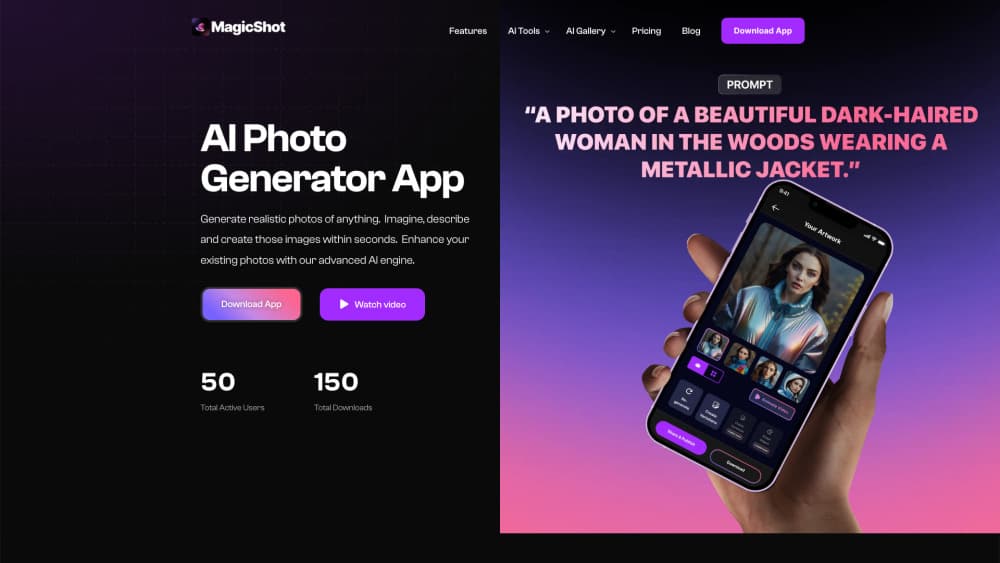
About MagicShot.ai
What Is MagicShot.ai
MagicShot.ai is an online creative suite that bundles five separate product categories into one account: AI image generator, AI video generator, AI photoshoot, AI photo editor, and audio tools. Instead of subscribing to a video service, a headshot service, and an image upscaler separately, you pay into one credit pool and spend it wherever you need.
The problem it goes after is subscription fatigue. Most creators end up with three or four tools that each charge a monthly fee and each keep their own gallery, login, and export limits. MagicShot compresses that into a single dashboard where a text to video clip and a product shot come out of the same balance.
The limit is control. You work through preset tools and model choices rather than a layered editor, so fine retouching and frame-accurate video cuts still belong in dedicated software. Credits also expire monthly, which matters if you work in bursts.
Getting Started
- Sign up at magicshot.ai with an email address and land on the studio dashboard.
- Pick a workspace from the top menu: Image, Video, Photoshoot, Photo Editor, or Audio.
- Choose a tool, then either type a prompt or upload a photo, depending on what the tool expects.
- Adjust the style, aspect ratio, or model if the tool offers those options, then hit generate.
- Download the result, or keep iterating in the same workspace until the output is usable.
Product Information
A quick look at MagicShot.ai's pricing, supported platforms, and performance.
Best for
The users, tasks, and scenarios where this tool fits best.
Users
- Solo content creators
- Small ecommerce sellers
- Job seekers and freelancers
Tasks
- Making short-form video ads
- Cleaning up product photos
- Adding narration to a clip
Scenarios
- Launching a product page with no photo budget
- Keeping a weekly posting schedule
- Refreshing a dating or social profile
Key features
One Credit Pool for Every Tool
Every plan unlocks the full model list, and the newest image and video models are available even on the cheapest tier. One balance covers all of them. There are no premium-only models and no per-model surcharges, so you decide whether this month's credits go to video or to headshots. The catch is that credits reset each cycle and don't roll over.
AI Image Generator with 100+ Styles
The image workspace renders logos, stickers, wallpapers, artwork, and product shots from a text prompt. Over a hundred style presets cover photorealistic, anime, and 3D looks, and output upscales to print-ready resolution. Paid plans include a commercial license on whatever you make.
AI Video Generator and UGC Ads
This is where MagicShot separates itself from photo-only studios. Text to video, image to video, and script-driven modes cover cinematic clips, UGC-style ads, and talking presenters. You get a finished vertical clip without a camera, a lighting setup, or an editing timeline.
AI Photoshoot and Headshots
Upload a handful of selfies and the photoshoot tool returns studio-style portraits, on-model fashion imagery, dating photos, and pet portraits. It's the fastest route to a polished headshot for a resume or a company page. Results track closely with how clear and evenly lit your source photos are.
Photo Editor with Background and Object Removal
The editor handles the fixes people actually need on existing photos. It removes backgrounds and stray objects, sharpens soft images, and repairs damaged prints. Upscaling tops out at 4K, which is enough for web and most print work.
Audio Tools for Voiceovers and Music
The audio workspace covers voiceovers, cloned narration, and original music generated from a text description. It's the layer that turns a silent clip into something postable, and it runs on the same credits as everything else.
Brand Studio
Brand Studio builds a starter brand kit. A short description returns a logo, a color palette, and a visual direction. It's aimed at small teams that need consistent visuals across listings and social posts without a designer on call.
Pros and cons
Pros
- Every model on every plan: the cheapest paid tier reaches the same image and video models as the top tier.
- One bill instead of five: image, video, photoshoot, editing, and audio live in a single account with a shared balance.
- Usable free tier: text to video, text to speech, and the photo generator work without a card, so you can test before paying.
- Commercial rights included: paid plans grant a license for output, which matters for client work and ads.
Cons
- Credits expire monthly: unused credits vanish at the end of each cycle, so light users pay for capacity they won't spend.
- Preset-driven, not layer-based: there's no fine manual control, which rules it out for detailed retouching or precise video edits.
- Quality depends on the model and the input: results vary between the underlying engines, and weak source photos produce weak portraits.
Frequently asked questions
It's an all-in-one AI studio covering five areas: image generation, video generation, AI photoshoots and headshots, photo editing, and audio. Each tool runs on the same credit balance inside one account.
Related content
Explore related tools, skills, and articles for MagicShot.ai.
MagicShot.ai Alternatives

Google EmbeddingGemma 2
Google DeepMind · Writing · Image · CodingGoogle EmbeddingGemma 2 is a 740M-parameter open model that turns text, code, images, audio, and video frames into vectors in one 768-dimension space, running on phones and laptops.

Tractionwave
TractionWave · Image · MarketingTractionWave is an AI attention heatmap tool for static ads. Upload a PNG or JPG and it returns predicted attention, ranked hotspots, and fixes before you spend budget.

Imejis.io
Imejis.io · Image · MarketingImejis.io is an AI design studio for agents and marketing teams. Describe an image in plain words, and it writes the copy, builds the layout, reflows it to every size, then exports a finished file.