

MagicSlides App
MagicSlides · Productivity · Other
MagicSlides App is an AI presentation maker that turns a topic, text, or link into a structured slide deck in minutes, then lets you refine it by chat and export to PowerPoint or Google Slides.
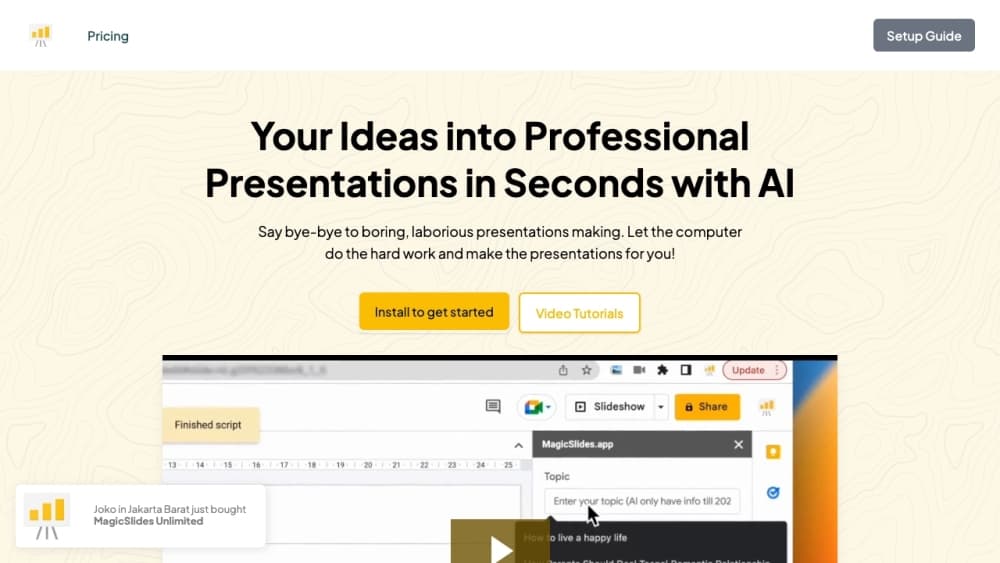
About MagicSlides App
What Is MagicSlides App
MagicSlides App is an AI presentation tool built by a team that also runs a small collection of AI creation tools under the MagicSlides name. You give it a prompt, a document, or a URL, and it returns a full slide deck with titles, bullet points, and images. The design work, layout, and structure happen automatically, so you don't need any editing experience to get a usable result.
The appeal is speed. Someone who would normally lose an evening to slide formatting can get a draft in minutes and spend the saved time on the actual message. Students use it for class projects, professionals use it for reports and pitch decks, and teams use it to keep shared decks consistent.
The main limits are worth knowing up front. AI-generated content still needs a human review, especially for numbers, claims, and anything client-facing. Export happens through PowerPoint or Google Slides rather than a fully native editor, so deep formatting control stays in those apps. Heavy users also hit credit limits on the free plan.
Getting Started
- Sign in with a Google account and open the MagicSlides App web dashboard or the Google Slides add-on.
- Choose an input type: type a topic, paste text, or drop in a document or link.
- Set the number of slides, language, and template, then generate the deck.
- Refine slides in the live AI chatbox by asking for edits in plain language.
- Export to PowerPoint or Google Slides, or share directly from the app.
Product Information
A quick look at MagicSlides App's pricing, supported platforms, and performance.
Best for
The users, tasks, and scenarios where this tool fits best.
Users
- Students
- Professionals
- Creators
Tasks
- Turning a rough topic into a structured deck
- Converting a long document or link into slides
- Reworking an existing deck
Scenarios
- Last-minute presentations before a meeting
- Early project research
- Recurring reporting
Key features
AI Slide Generation
You enter a topic, paste text, or share a link, and MagicSlides App builds a complete deck with titles, bullet points, and matching images. Results depend on the quality of your input, so a clear prompt produces a tighter structure. Think of it as a fast AI slide generator that gets you to a working draft quickly.
Live AI Chatbox Editing
A chat panel sits inside the workflow so you can ask for changes in plain language, like shortening a slide or adding examples. The AI updates the deck in place instead of making you start over. This is the feature that separates it from one-shot generators that only produce a single static output.
Export to PowerPoint and Google Slides
Finished decks export in formats compatible with PowerPoint and Google Slides, so you can keep editing in the tools your team already uses. This matters when someone downstream needs to apply a brand template or fix exact spacing. The app itself stays lean and hands heavy formatting off to those editors.
Template and Theme Options
You pick from a set of templates and adjust layouts, styles, and formatting to match a preferred look or brand. Templates won't rival a designer's custom theme, and the selection is narrower than in dedicated design suites. For everyday decks, the built-in options still cover the usual formats.
Multilingual Content Generation
MagicSlides App can generate content in many languages based on your input, which helps if you present to an international audience or need a deck in a second language. One account can handle a translated outline without a separate translation tool. Accuracy still depends on your review of the output.
Input Flexibility
The tool accepts topics, pasted text, documents, and links, so you're not locked into one starting point. Someone with only a vague idea can start from a topic, while someone with a finished report can feed the document in directly. That range keeps it useful across very different tasks.
Pros and cons
Pros
- Turns a prompt or document into a full draft in minutes, cutting the usual formatting work.
- Live chat editing means you refine the deck instead of rebuilding it.
- Exports to PowerPoint and Google Slides, so it fits existing workflows.
- Handles multiple input types and multiple languages.
- Free plan makes it easy to test before paying.
Cons
- Generated content needs a review pass, so it isn't a fully hands-off tool for critical decks.
- Template and design choices are narrower than in dedicated design apps, which limits fine control.
- Free plan credits run out with heavy use, so frequent users hit the paid tiers fast.
Frequently asked questions
It's an AI presentation maker and AI PPT maker for building slide decks from a topic, text, or link. People use it for class projects, business reports, pitch decks, and quick drafts they later polish in PowerPoint or Google Slides.
Related content
Explore related tools, skills, and articles for MagicSlides App.
MagicSlides App Alternatives

Base Code
Base44 (Wix) · Coding · ProductivityBase Code is a shared cloud development environment from Base44. Teammates describe changes to an existing GitHub codebase in chat, preview them live and send them back as pull requests.

Knocket
Knocket (Tencent RTC team) · Productivity · Business · ChatbotKnocket is a free live chat and contact page tool that lets visitors message you from your website, app, or a shareable link, with every reply handled from Telegram or one inbox.

FloorGen
Vinit Kumar (FloorGen) · Productivity · China AIFloorGen is a browser-based floor plan maker that turns a sentence or a sketch into an editable 2D plan and a 3D walkthrough. Export to PDF, DXF or video, and draw without an account.