

Make Agent Fast
Make Agent Fast · Business · Chatbot
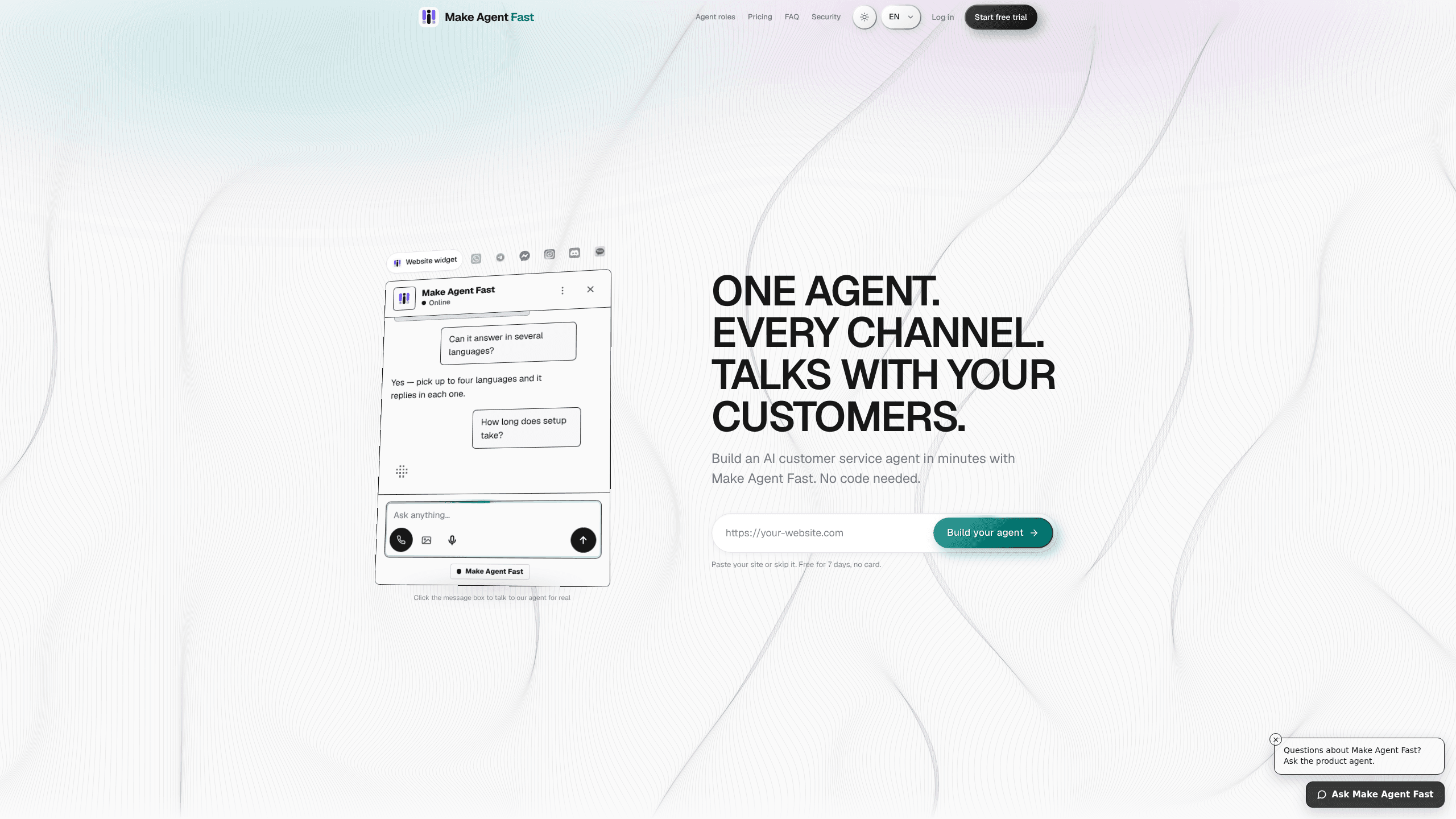
Make Agent Fast is a no-code AI agent builder for small businesses that want a customer service agent running on their own website. You paste a URL, the tool reads what's already on your site, and it drafts an agent that answers customer questions. It captures requests too, and hands the conversation to a human the moment someone asks for one. The agent lives in a widget on your site and, on the upper plans, in messaging channels like Telegram, Discord, and WhatsApp. Want the short version? It's a customer support chatbot you don't have to build. That's really it.
About Make Agent Fast
What Is Make Agent Fast
Make Agent Fast is a platform for building customer-facing AI agents without writing code. It targets the gap small teams keep running into: you want a support agent that actually knows your business, but hiring a developer to wire one up is out of reach. So you point the tool at your website instead. It pulls from that content, and you get a working assistant you can embed in an afternoon. No code. No developer. That's the pitch.
The whole thing runs on a credit model. Each grounded reply, generated answer, or minute of live voice spends credits from your monthly balance. A quiet month costs less than a busy one. You can also run the agent on your own provider keys on the top plan, where the AI provider bills you directly and the platform fee covers the rest. Flexible, in other words.
The main limit is scale. Make Agent Fast is built for businesses getting their first real conversations going, not for teams running dozens of agents across an enterprise stack. The agent answers from the knowledge you approve, so if your website is thin or outdated, the answers will be too. It's a fast start, not a deep customization project. Know that going in.
Getting Started
- Paste your website URL on the sign-up page to get a draft agent before you pay for anything.
- Review what the agent pulled from your site and add the answers it missed, like policies or service details.
- Pick a role for the agent, such as general assistant, and choose the one customer task you want it to handle first.
- Embed the widget on the site you already have, or connect a messaging channel on the upper plans.
- Watch the conversations for a week, then tune presets, languages, and the widget to match what customers actually ask.
Product Information
A quick look at Make Agent Fast's pricing, supported platforms, and performance.
Best for
The users, tasks, and scenarios where this tool fits best.
Users
- Small business owners
- Solo founders and side projects
- Support leads at lean teams
Tasks
- Answering repeat questions
- Capturing customer requests
- Multichannel support
- Voice conversations
Scenarios
- A service business handling the same five questions daily
- A new site with no support staff yet
- A launch week with a traffic spike
Key features
Website-to-Agent Onboarding
You start by pasting a URL. Make Agent Fast reads your site and turns what you already publish into an agent's knowledge, so you don't build a knowledge base from scratch. You can talk to a draft before signing up, which makes the decision low-risk. It's a nice touch.
Grounded Answers
The agent answers from the knowledge you approve rather than inventing things. If a customer asks about a service you offer, the reply comes from your own content. Thin sites produce thin answers. A little cleanup of your pages pays off here.
Human Handoff
The moment someone asks for a person, the agent stops and passes the conversation to you. That's the part many budget chatbots skip, and it's the one that matters when a frustrated customer wants a human, not another loop. Simple as that.
Messaging Channels
Operate and Scale plans push the agent beyond your website widget into Telegram, Discord, WhatsApp, and other chat apps. Your customers get answers where they already spend time. You keep them in one agent instead of running separate bots.
Live Voice
From the Operate plan up, customers can speak to the agent instead of typing. It runs on a per-minute model with a monthly allowance. That suits businesses whose customers prefer calling to chatting.
Custom Widget and Languages
The widget's accent color, position, and light or dark mode are adjustable. Higher plans give you custom labels, presets, and more languages. Launch covers one language, Operate two, and Scale all four.
Credits and Bring-Your-Own Keys
Every plan ships with a monthly credit balance that covers replies, generated sections, and live voice. On Scale, you can plug in your own provider keys. The AI provider bills you directly while the platform fee covers the tooling.
Pros and cons
Pros
- No code needed: pasting a URL gets you a draft agent, so a non-technical owner can launch without a developer.
- Pay-as-you-use credits mean lighter months cost less. Unused credits roll over for one more cycle.
- A 7-day trial on each plan lets you test the agent before committing.
- Live voice and messaging channels arrive on the mid plan, not just the top tier.
- Bring-your-own keys on Scale give you control over the AI provider and its billing.
Cons
- No free plan means you can test a draft but pay $12/month at minimum to keep an agent live.
- Answer quality depends on your website content, so a thin or outdated site gets a weak agent.
- Live voice maxes out at 30 minutes on Operate and 90 on Scale, which limits heavy call volume.
- There's no published API, so teams wanting to wire the agent into their own systems are stuck.
Frequently asked questions
It builds a customer-facing AI agent from your website and embeds it on your site as a chat widget. On higher plans the same agent also answers on messaging apps and over live voice.
Related content
Explore related tools, skills, and articles for Make Agent Fast.
Make Agent Fast Alternatives
Liveplan
Palo Alto Software · BusinessLivePlan is business plan software that helps founders and small business owners turn an idea into a funder-ready plan. It combines AI-assisted writing, market research with cited sources, and connected financial forecasting so your income statement, cash flow, and balance sheet move together when you change one number. Over 1.5 million businesses have used it to plan, forecast, and track performance against real accounting data. That's a lot of founders. It's also a signal the tooling survived contact with real lenders.

Swms
Swms AI · Writing · Productivity · BusinessSwms is an AI safety compliance tool that turns a plain description of a job into ready-to-use safety documents. Describe your project, trade, and known hazards, and it writes a safe work method statement, job hazard analysis, safe work procedure, RAMS, or safety data sheet in seconds. It also ships with Oscar, a chat assistant that answers workplace safety questions in any language. Teams in construction, mining, transport, and warehousing use it to cut the paperwork that usually eats into a workday.

Rows
Rows (Superhuman) · Productivity · BusinessRows is an AI spreadsheet and data analysis tool that imports live data from more than 50 sources, then lets you work with it using plain language instead of SQL queries or nested formulas. You can pull numbers out of PDFs, connect ad platforms, databases, and bank accounts, and ask the AI to build reports, merge datasets, or set up models that recalculate themselves. It runs in the browser, works like a spreadsheet, and now sits under the Superhuman umbrella.