

MakeResume
MakeResume · AI Assistant
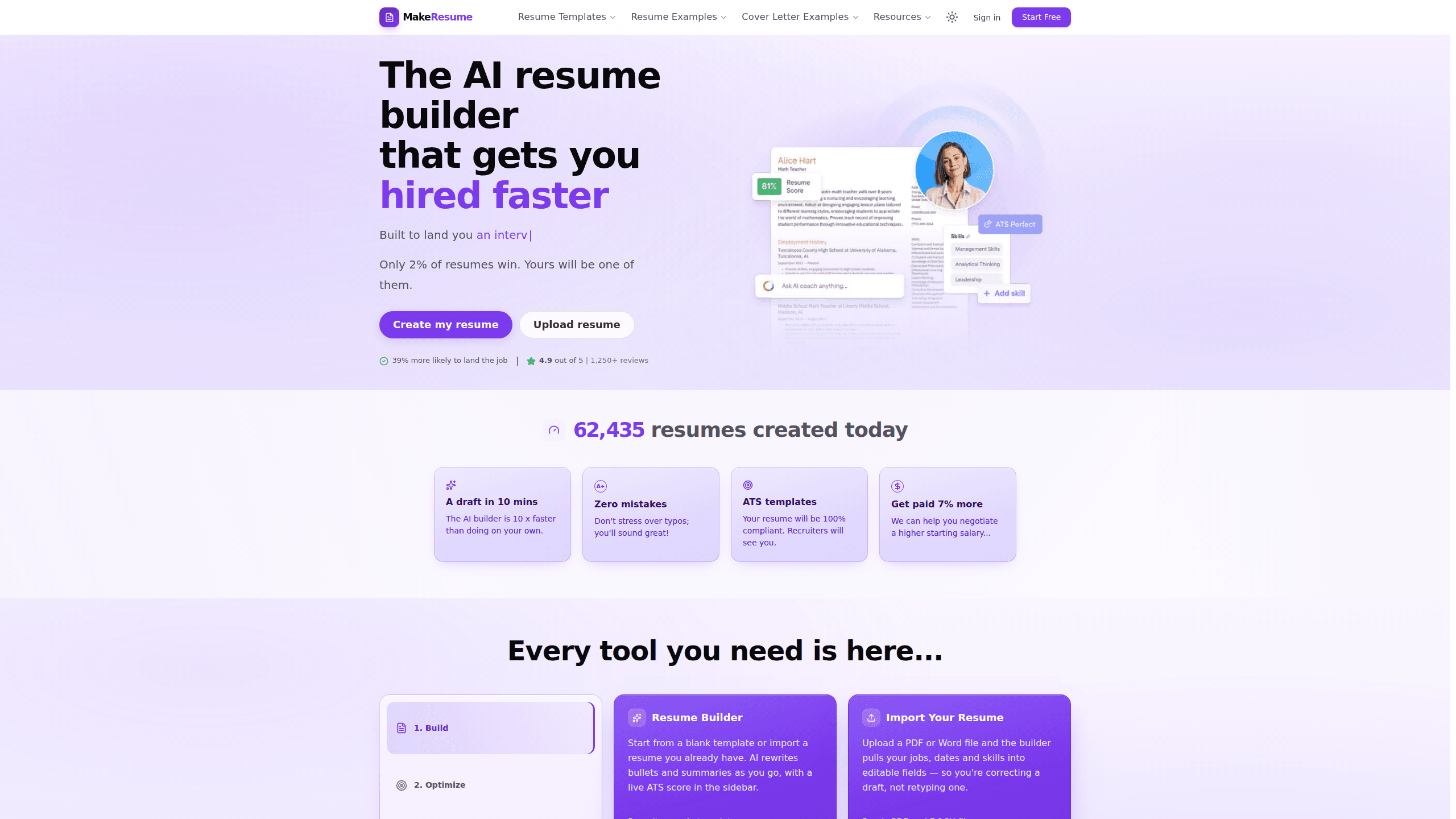
MakeResume is an AI resume builder that helps job seekers turn rough experience into a finished, ATS-friendly document. It pairs AI bullet and summary rewrites with a live ATS score, a job-description keyword matcher, PDF and Word import, and a catalog of recruiter-ready templates. You can build and download a full resume without paying, which makes it a practical starting point for students, career changers, and anyone applying to several roles at once.
About MakeResume
What Is MakeResume
MakeResume is an online resume platform built around one idea: good candidates get filtered out by screening software before a human reads their file. The builder writes and rewrites your bullet points, checks your wording against a specific job posting, and scores the result against what applicant tracking systems look for. Everything runs in the browser, and you can start without creating an account.
The tool is aimed at people who aren't resume experts. You upload an existing PDF or Word file, and MakeResume pulls your jobs, dates, and skills into editable fields, so you spend your time fixing a draft instead of typing one from scratch. AI suggestions handle the phrasing; a live ATS score in the sidebar shows what still needs work.
The biggest limit is the paywall on exports. The free plan gives you one resume and one cover letter, PDF export on two basic templates, and a limited set of AI features. Wider template access, Word export, multiple saved resumes, and the in-builder ATS score all sit behind a paid plan. So how far can you get for free? Far enough to finish one resume and download it.
Getting Started
- Open the builder and choose a template, or upload an existing resume in PDF or DOCX so MakeResume can fill in your sections automatically.
- Paste the job description you're applying for, since the AI uses its wording to write bullets that match the role's vocabulary.
- Rewrite weak lines one at a time with the AI assist. Keep the bullets you already like. Don't regenerate the whole document.
- Run the resume through the ATS checker to see which terms from the posting are still missing, then close those gaps.
- Export your finished resume as a PDF, and save the version so your next application starts from it.
Product Information
A quick look at MakeResume's pricing, supported platforms, and performance.
Best for
The users, tasks, and scenarios where this tool fits best.
Users
- Students and new graduates with little formal resume-writing experience, who can lean on AI rewrites to describe coursework and part-time work in a results-focused way
- Career changers who need to reframe past experience around a new field. The keyword matcher closes vocabulary gaps against a specific posting.
- Active job seekers applying to several roles at once, who benefit from keeping multiple tailored versions ready to export
Tasks
- Rewriting weak bullet points
- Tailoring a resume per application
- Checking an existing resume
Scenarios
- A job search likely to run a month or two, where a short paid trial covers the whole sprint
- First-time applications where you need the structure and section headings that screening software recognizes
- Applying to large employers that lean heavily on applicant tracking systems and reject most resumes before a human sees them
Key features
AI Bullet and Summary Rewrites
MakeResume's core feature rewrites individual bullet points and professional summaries rather than regenerating your whole document. You highlight a weak line, ask for a rewrite, and keep the parts you already like. Small edits, big difference. The AI is trained toward a results-first pattern: what you did, then what changed because of it, with a number where possible. That surgical approach matters when most of your resume is fine and only a handful of lines need sharpening.
Live ATS Score and Resume Checker
The builder shows an ATS score in the sidebar as you type, and a standalone ATS checker scores any resume without requiring an account. The checker flags missing terms from the job posting, so you can see exactly what a keyword scan would notice. Screeners compare your wording against one specific posting, which is why a generic resume scores badly across all of them, and this feature is the tool's main answer to that problem.
Job Description Keyword Matching
Instead of guessing which terms matter, you paste the posting into MakeResume and let it align your bullets with the employer's vocabulary. The AI writes using the same words the job ad used, which is what a keyword scan looks for. This is resume keyword optimization in practice, and the tool's own guidance calls it the step that changes the result most. Skip it and your resume stays generic. Use it and it speaks the employer's language.
PDF and Word Resume Import
Upload an existing PDF or DOCX file and MakeResume pulls your jobs, dates, and skills into editable fields. You end up correcting a draft rather than retyping from a blank page, which saves real time on a long work history. It also means the tool works well for people who already have a resume and just want to improve it, rather than build one from zero.
Recruiter-Ready Template Catalog
The template library covers a paid catalog of around 72 designs plus free options, all built to parse cleanly through applicant tracking systems. Single-column layouts in reading order are the default for screening safety, since two- and three-column designs often arrive scrambled in a parser. The two free designs, Half Tone and Executive, export as PDF at no cost. That's the whole free layout.
Cover Letter Generator
Alongside resumes, MakeResume drafts cover letters tied to the role you're targeting. Free users get one draft, while paid plans allow unlimited generations and editing. It rounds out the application package for people who would otherwise send a resume with no letter, which some employers still expect. Not everyone needs one.
LinkedIn Profile Analyzer
Paid plans include an analyzer for your LinkedIn profile. It's a smaller feature than the resume builder, but it fits the same goal of making your profile consistent with the document you send.
Pros and cons
Pros
- You can build and download a real PDF without paying, using either of two free templates
- The ATS checker scores any resume with no sign-up, so you can test an existing document before committing to the builder
- Pasting the job description pulls your wording toward the employer's own vocabulary, which is what screening software scans for
- PDF and Word import turns an existing file into an editable draft instead of forcing you to retype it
- Rewrites work bullet by bullet, so you keep the lines that already work
Cons
- The free plan limits you to one resume and one cover letter, so anyone tailoring several applications will hit the ceiling fast
- Only two free templates export as PDF, and they may not suit every industry or seniority level
- The live in-builder ATS score, Word export, and the wider template catalog all require a paid plan, which blurs the line between "free" and "actually useful"
- The paid trial renews automatically, so you need a reminder if you only want the short discounted period
Frequently asked questions
Yes, with limits. The free plan lets you build a full resume, edit every section, import an existing file, and download a PDF using the two Free-category templates, Half Tone or Executive. It caps you at one resume and one cover letter and holds back Word export, the live ATS score, and the wider template catalog.
Related content
Explore related tools, skills, and articles for MakeResume.
MakeResume Alternatives

Iplan AI
Iplan AI · Productivity · AI AssistantIplan AI is an AI travel planner that turns a few trip details into a full day-by-day itinerary in seconds. You answer questions about your destination, interests, budget, and travel companions, and the tool builds a plan you can edit, share, and carry with you on any device. It targets travelers who want a solid draft without spending hours in spreadsheets and browser tabs. Think of it as an itinerary generator that does the tedious part for you.

Screenhelp
Screenhelp · Productivity · AI AssistantScreenhelp is an AI screen assistant that turns a single keyboard shortcut into real-time help. You press Ctrl+Shift+Space, it captures what's on your screen, and it streams an answer into a private panel in about two seconds. Think of it as an AI screenshot helper you trigger on demand. It runs on Mac, Windows, and the web, starts free with 30 answers a month, and stays invisible during screen sharing on Zoom, Teams, and Google Meet.

Rainbow
Rainbow · AI AssistantRainbow is an AI weather forecast app built around short-term precipitation nowcasting. Its engine pushes min-by-min rain and snow predictions up to four hours ahead, blending live satellite and radar feeds into hyperlocal forecasts. The app adds live rain radar, a seven-day outlook, precipitation alerts, home-screen widgets, and a hurricane tracker, and it runs on both Android and iOS with a free tier plus paid upgrades.