

Makko AI
Makko AI · Image
Makko AI is an AI-powered 2D game studio that lets you describe a world, a character, or a full game idea in plain English and get finished art, animated sprites, and a playable browser game back. It bundles two tools under one subscription: an Art Studio for concept art, characters, backgrounds, and animation, and a Code Studio that builds the actual game from your prompt. Think of it as an AI game maker and an AI game art generator rolled together. You don't need drawing skills or programming experience to get a working prototype running in the browser.
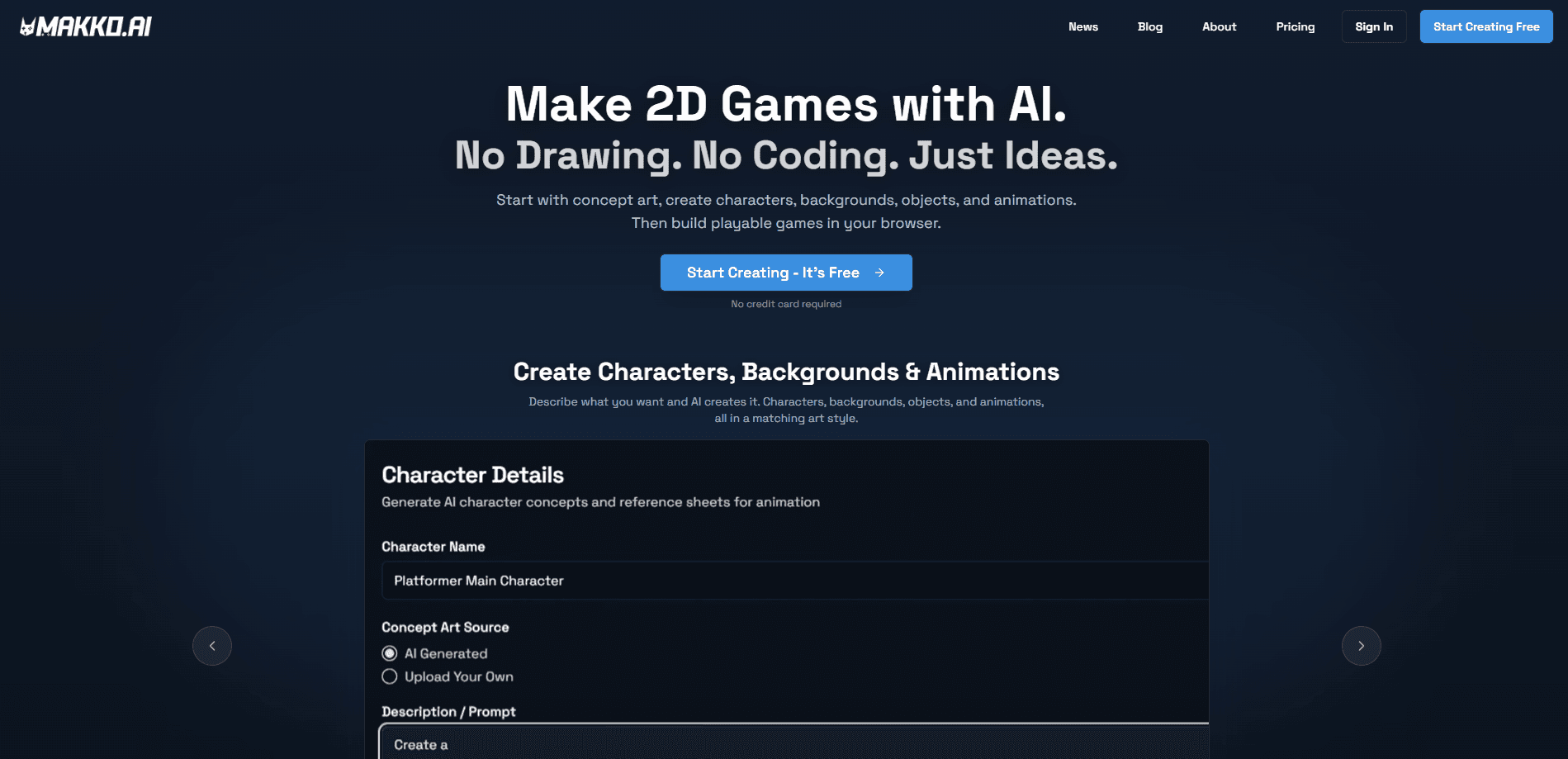
About Makko AI
What Is Makko AI
Makko AI is a web-based game creation platform for 2D projects. You start by making a Collection, which is its way of locking a single visual style across every character, prop, and background you generate. From there the tools branch out: describe a world and it produces concept art, pick a concept and it builds a character with gear and details, then generate animations such as walk, run, and attack cycles.
The product targets a specific gap. Plenty of people have game ideas but can't draw or code well enough to build one. Makko closes that gap by handling the technical side while keeping you in control of the creative decisions. It's no-code game development in the most literal sense: you write descriptions, not functions.
The biggest limitation is scope. Everything it makes is 2D and runs in a browser, so this isn't a path to a 3D title or a console release. Credit-based pricing also means heavy animation work, which costs far more than a single image, can drain your budget faster than you'd expect. As a browser game creator, it's excellent. As a game engine, it isn't trying to be one.
Getting Started
- Create a free account at makko.ai. No credit card is required to start.
- Set up a Collection and describe your world to generate the first concept art.
- Turn a concept into a character, then add gear, armor, and other details.
- Generate animations for that character, such as idle, walk, and attack cycles.
- Describe your game in plain English and let the Code Studio build it with your own art. Play and share it in the browser.
Product Information
A quick look at Makko AI's pricing, supported platforms, and performance.
Best for
The users, tasks, and scenarios where this tool fits best.
Users
- Aspiring game creators
- Artists and illustrators
- Indie developers
- Storytellers
Tasks
- Concept art generation
- Character reference sheets
- Sprite animation
- Game prototyping
- Game publishing
Scenarios
- Testing a game idea before investing real development time
- Building a portfolio piece
- Filling an art gap on a solo project
- Teaching game design basics
Key features
Collections for Consistent Art
The hardest part of AI art is keeping a character looking the same across every pose and scene. Makko solves that with Collections, which hold a shared visual style for everything inside them. Generate a character, a background, and a prop in the same Collection and they'll match. This consistency is the feature that separates it from tools that produce one-off images with no through-line.
Text-to-Game Builds
The Code Studio takes a plain English description and builds a playable game using your own characters and art. It covers common 2D genres, including platformers, puzzle games, arcade shooters, and RPG-style games. You don't touch code at any point. The output runs directly in a browser, so you can play it the moment it finishes.
Character Creation and Reference Sheets
You pick a concept, then layer on details like gear, armor, and accessories to shape a specific character. Makko compiles the result into a reference sheet you can reuse. For anyone building a cast of characters, that means a consistent record of how each one should look instead of scattered images.
Sprite Animation from a Prompt
Describe an action and Makko generates the animation frames for it, covering walk, run, idle, and attack cycles. It works as a sprite animation generator, so you skip hand-drawing every frame. Sprite animation is the single most expensive feature on the platform, starting at 45 credits, which reflects how much compute each frame takes. Paid tiers render animations up to 1080p.
One-Click Publishing
When a game is done, you publish it with a single click and get a shareable link. There's no hosting to set up and no server to manage. For a prototype or a small finished game, that removes almost all of the friction that usually sits between "finished" and "playable by other people."
Credit Top-Ups That Don't Expire
Beyond the monthly subscription, you can buy one-time credit top-ups, and those credits don't expire. Volume discounts apply as you buy more. It's a useful option if your usage is bursty, since free-tier credits reset monthly but purchases stick around.
Pros and cons
Pros
- Combines game art, animation, and coding in one studio, so you're not stitching together three separate tools.
- Collections keep a consistent art style, which fixes the biggest weakness of most AI art generators.
- No coding or drawing skills required, which opens game creation to people outside development.
- Free tier with 150 monthly art credits and 70 weekly AI requests, and no credit card to start.
- You keep full ownership of games and assets, and Makko takes no revenue share or royalties.
Cons
- Limited to 2D browser games, so it's not a fit for 3D, console, or mobile store releases.
- Credit costs vary sharply by feature, and animation at 45 credits per batch adds up fast.
- Preview pricing pages load dynamically, so exact plan tiers and quantities take a little digging to confirm.
Frequently asked questions
No. You describe what you want in plain English and the AI handles the technical and visual work. The platform is built for people with a creative vision rather than a development background.
Related content
Explore related tools, skills, and articles for Makko AI.
Makko AI Alternatives

Google EmbeddingGemma 2
Google DeepMind · Writing · Image · CodingGoogle EmbeddingGemma 2 is a 740M-parameter open model that turns text, code, images, audio, and video frames into vectors in one 768-dimension space, running on phones and laptops.

Tractionwave
TractionWave · Image · MarketingTractionWave is an AI attention heatmap tool for static ads. Upload a PNG or JPG and it returns predicted attention, ranked hotspots, and fixes before you spend budget.

Imejis.io
Imejis.io · Image · MarketingImejis.io is an AI design studio for agents and marketing teams. Describe an image in plain words, and it writes the copy, builds the layout, reflows it to every size, then exports a finished file.