

Manaflow
Manaflow · Productivity
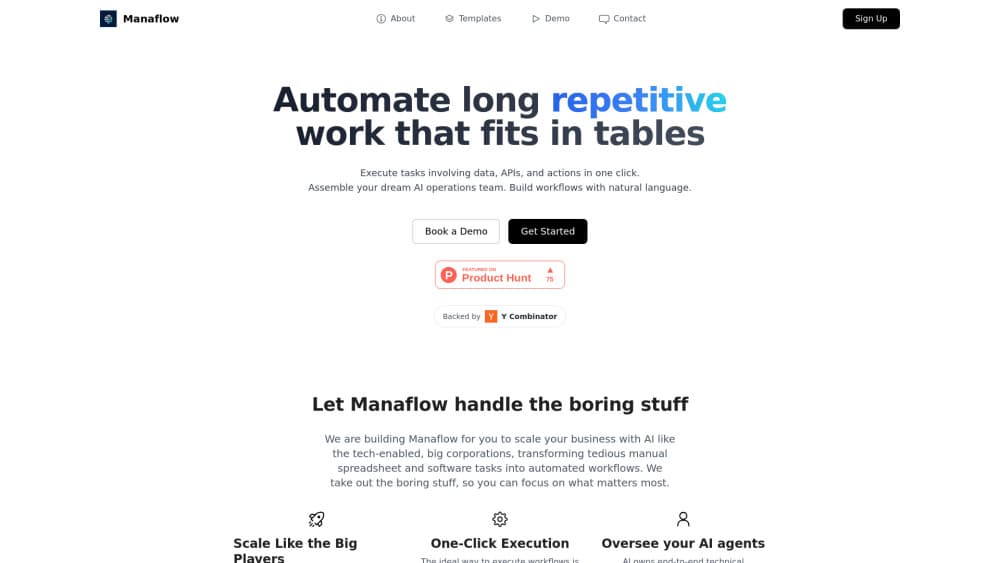
Manaflow is an open source AI lab behind cmux, a free macOS terminal that runs several coding agents side by side, flags the ones that need you, and adds a scriptable browser next to your shell.
About Manaflow
What Is Manaflow
Manaflow is a small applied AI lab that ships developer tools as open source. Its main release is cmux, a macOS terminal for AI agents built for people who hand work to coding agents instead of typing every command themselves.
The problem it targets is clutter. Run Claude Code in one tab and Codex in another, and soon you have a wall of scrolling logs where a single request for permission is easy to miss. cmux gives each agent its own pane, marks the panes that need attention, and keeps a sidebar with the branch, pull request and open ports for every workspace. In practice it turns your Mac into a multi-agent workspace instead of a stack of tabs.
The limits are worth stating up front. cmux is an AI coding agent terminal for macOS, so Windows and Linux users are out for now. It doesn't write code on its own, so nothing happens until you install Claude Code, Codex or a similar CLI. cmux isn't a fork of the Ghostty terminal either; it uses libghostty as a rendering library, the way an app uses WebKit for a web view.
Getting Started
- Download the DMG from cmux.com or run
brew install --cask cmuxafter adding the Manaflow tap. - Launch cmux. Your existing
~/.config/ghostty/configsettings for theme, fonts and colors carry over automatically. - Create a workspace and start an agent in a pane, for example
claudeon the left andcodexon the right. - Switch on notification rings so a pane lights up when an agent asks a question.
- Optional: run
cmux ssh user@hostto open a workspace on a remote machine.
Product Information
A quick look at Manaflow's pricing, supported platforms, and performance.
Best for
The users, tasks, and scenarios where this tool fits best.
Users
- Developers who run several coding agents at once
- macOS users already on Ghostty
- Team leads reviewing agent work
- People working on remote servers
Tasks
- Running Claude Code and Codex on the same repo
- Checking a web change an agent just made
- Orchestrating subagents
- Setting up routine layouts
Scenarios
- Long refactor sessions where you step away
- Debugging a deploy on a remote host
- Picking up work the next morning
Key features
Notification Rings and Panel
Panes get a blue ring and tabs light up when an agent needs an answer. A notification panel collects every pending request in one list, which matters when four agents run and only one is blocked. Alerts fire through standard terminal escape sequences (OSC 9, 99 and 777), so any agent that emits them works without extra setup.
Split Panes With a Sidebar That Shows State
cmux splits horizontally and vertically, and the sidebar carries the git branch, linked pull request status and number, working directory, listening ports and the latest notification text for each workspace. You get the context of a tmux status line without writing the config to build it.
Built-In Scriptable Browser
A real browser pane opens next to the terminal and takes orders over the same socket API as the rest of the app: navigate, snapshot the DOM, click, type, run JavaScript, read console and network activity. Agents can check their own web changes without leaving the window, and cookies imported from Chrome, Firefox, Arc and 20 other browsers mean panes start logged in.
CLI and Socket API
Every action in the app is scriptable. You can create workspaces, open splits, send input, read screen contents and take screenshots from the command line or a Unix socket. That makes cmux a target for scripts and hooks rather than a window you only click around in.
SSH and Remote Workspaces
cmux ssh user@host builds a workspace for a remote machine, and browser panes route through that machine's network, so a localhost URL resolves where the code actually runs. You can attach to existing remote tmux sessions, and drag an image into a remote pane to push it over scp.
Works With Any Terminal Agent
Claude Code, Codex, OpenCode, Gemini CLI, Kiro, Aider, Goose, Amp, Cline and Cursor Agent all run in cmux, because cmux is a terminal and not an agent runtime. A dedicated cmux claude-teams command turns Claude Code's teammate mode into native splits with no tmux layer.
Pros and cons
Pros
- Free and open source under GPL-3.0, with the source on GitHub. No seat limits and no trial clock.
- Native Swift and AppKit build on top of libghostty, so startup is quick and memory stays low next to Electron apps.
- Any agent that runs in a shell works, which keeps you from being locked into one vendor's CLI.
- Windows, panes and scrollback come back after a restart, including running agent sessions.
- The CLI and socket API cover workspace control, input and browser automation, so the app slots into scripts.
Cons
- macOS only. Windows and Linux users have no build to install, so the whole workflow is closed to them.
- The iOS app is in beta on TestFlight, and early access ships with the paid Founder's Edition, so phone access isn't a free default.
- Cloud VMs, cmux AI and voice mode are listed as early access perks rather than shipped features, so you can't test them today.
- Because it's a terminal, the setup work for your agents (API keys, configs, permissions) still lands on you.
Frequently asked questions
Manaflow is the lab that builds cmux. The company calls itself an open source applied AI lab focused on developer tools, and cmux is its main product.
Related content
Explore related tools, skills, and articles for Manaflow.
Manaflow Alternatives

Base Code
Base44 (Wix) · Coding · ProductivityBase Code is a shared cloud development environment from Base44. Teammates describe changes to an existing GitHub codebase in chat, preview them live and send them back as pull requests.

Knocket
Knocket (Tencent RTC team) · Productivity · Business · ChatbotKnocket is a free live chat and contact page tool that lets visitors message you from your website, app, or a shareable link, with every reply handled from Telegram or one inbox.

FloorGen
Vinit Kumar (FloorGen) · Productivity · China AIFloorGen is a browser-based floor plan maker that turns a sentence or a sketch into an editable 2D plan and a 3D walkthrough. Export to PDF, DXF or video, and draw without an account.