

Mangaka.app
ThinkPrompt · Image
Mangaka.app is an AI manga generator and AI comic creator that turns a written script into finished manga pages. Upload a story, design characters, pick a manga art style and download the chapter.
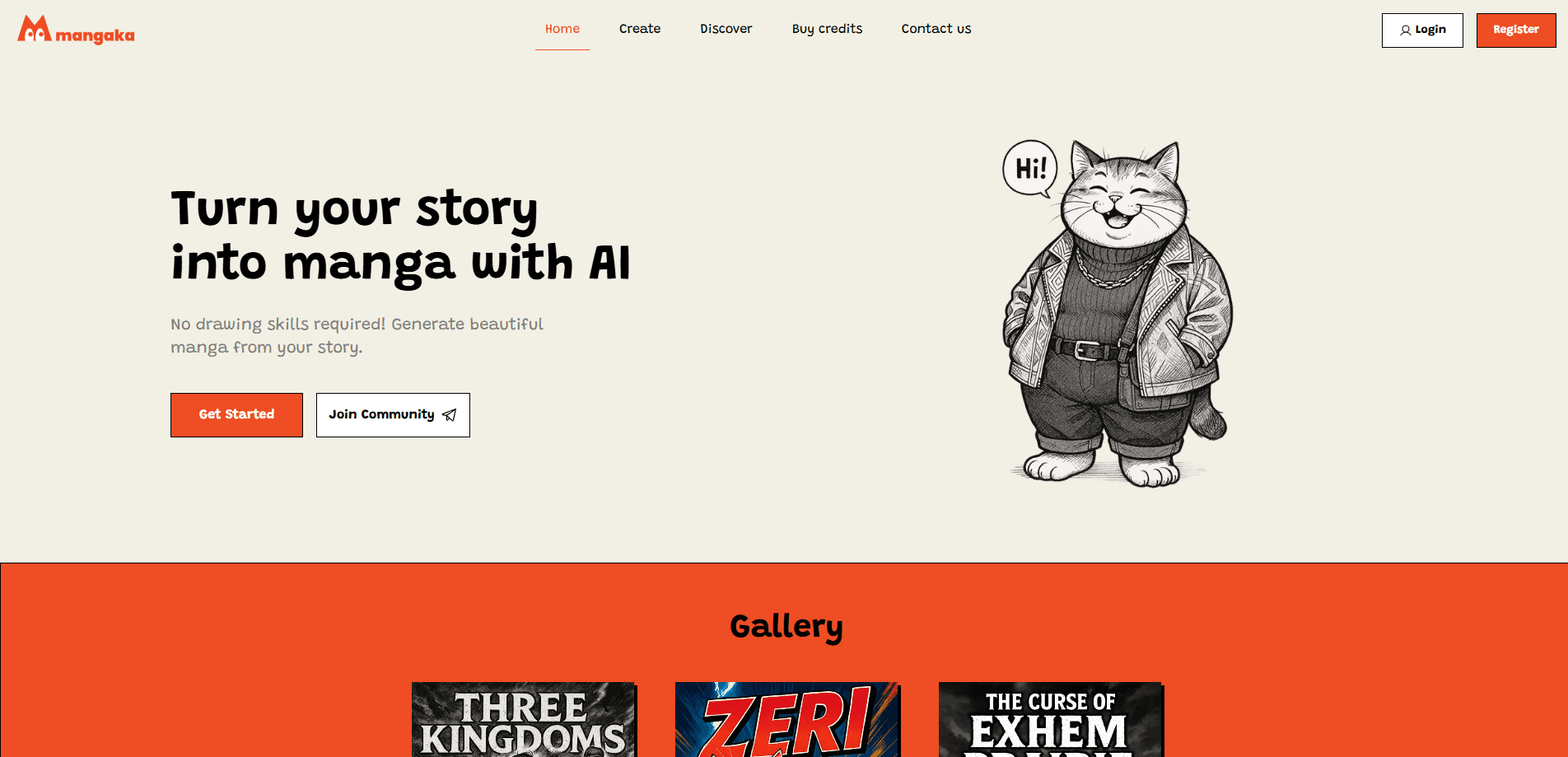
About Mangaka.app
What Is Mangaka.app
Mangaka.app is a web tool that turns text into manga panels. You write a script, or upload a TXT file, and the AI draws the pages in the style you choose. There's an iOS app too, but that one is a reader for finished stories, not a studio for making them. The creation work happens in the browser.
The tool aims at people who can tell a story but can't draw one. That covers novelists, web fiction writers, indie creators and small studios pushing a story into a visual format. The pitch is simple: you handle the plot and dialogue, the AI handles the artwork. The AI doesn't infer your whole book, however. It works from the script you hand it, so the more specific your character descriptions and scene notes, the better the panels match what you pictured.
Two limits matter up front. Everything runs on credits, and each page or character costs one, so long projects add up. And generation is not instant. The site warns that a manga can take up to 30 minutes to finish, which rules out the kind of back-and-forth you'd expect from a chat model.
Getting Started
- Create an account with an email address or your Google login
- Write your story in the script box, or upload a TXT file with the text, then name the manga and chapter
- Set genre, art style, language, story length and quality, then describe your characters or let the tool create them
- Review the scene previews, then let the AI generate the pages and download the finished chapter as an editable file
Product Information
A quick look at Mangaka.app's pricing, supported platforms, and performance.
Best for
The users, tasks, and scenarios where this tool fits best.
Users
- Novelists and web fiction writers
- Indie comic creators
- Small studios and publishers
- Content creators on social platforms
Tasks
- Turning a script into pages
- Designing and reusing characters
- Generating story intros
- Publishing chapters online
- Building a private project
Scenarios
- You've written a web novel and want a visual teaser
- You run a small studio with more scripts than artists
- You post story content on TikTok or Instagram
- You want to test a story idea before committing
- You're drafting and don't want it public
Key features
Script to Manga Generation
The core feature takes a written script and turns it into drawn pages. You type the story or upload a TXT file, and the AI breaks it into panels, adds the artwork and letters the dialogue. The optional scene preview step shows key backgrounds before the full pages are built, so you can catch a mismatch early. Pages come out as downloadable files, and paid tiers include the editable versions so you can tweak them later.
Character Design and Consistency
You can create characters from a description, giving each one a name, gender and visual look, then reuse them across the story. The tool keeps a consistent appearance between panels so a protagonist doesn't drift into a different face two pages in. Characters can also be re-created when you want a change, and the workspace saves them for later chapters. This is the feature that separates a readable story from a set of unrelated drawings.
Manga Art Styles
The tool offers a range of preset manga styles, so it doubles as an AI anime art engine, and it lets you define a custom one with your own prompt. Instead of locking you to a handful of looks, it lets you describe a medium, a color mood and reference points in plain language. That gives creators a way to match an existing series or build a house style for a studio. Style is set at the project level, so a full chapter stays visually uniform.
Story Length and Quality Control
You choose how long the story should run, from a short 20 to 25 page piece up to 45 to 50 pages, or let the AI decide based on the plot. Quality has three tiers: Normal, Medium and High, with the two higher ones reserved for paid users. Higher quality means a more advanced model and better detail in the panels. The auto length setting charges only for the pages the AI actually creates.
Animation Intros
Beyond static pages, you can order a short animated intro for a chapter. You submit the manga name, chapter and a link to your story, and the tool returns a clip with matched character voiceovers, cinematic transitions and background music, delivered by email. It's a promotional extra rather than a story-making tool, aimed at creators who want a polished opener for social media.
Discovery and Publishing
Finished stories can be published to a Discovery feed where readers browse by genre, art style and language. The feed sorts by trending, newest or title, and includes a leaderboard of authors. Free accounts can publish public stories but can't set them private, while paid plans unlock private visibility. Collaborators who join the program earn free credits by sharing their work.
Credits System and API Access
The tool runs on credits rather than flat access, and credits pricing is simple to follow. One credit equals one uploaded story, one character creation or one generated page, and credits come from monthly plans. Paid users can generate an API key to run the Mangaka generator from agents and automation. The API keys are not available on free accounts, which keeps automated generation behind a paid tier.
Pros and cons
Pros
- Turns an existing script into laid-out, lettered manga pages without any drawing skill
- Character tools keep faces and outfits consistent across a full chapter
- Custom art style prompts let you match a house look instead of picking from fixed presets
- Paid plans include editable files, so you can fix panels after generation
- Free tier to start, plus free credits for creators who join the collaborator program
Cons
- Credits add up fast on long stories: a 50 page chapter and a large cast can burn a plan quickly
- Generation can take up to 30 minutes per manga, which slows down any editing loop
- Free accounts can only publish public stories, which stings if you're drafting something you want to keep quiet
- The two higher quality tiers are locked behind a paid plan, so the free tier caps how good the art can look
- The iOS app is a reader for finished stories rather than a full creation tool
Frequently asked questions
It turns a written story into manga pages. You write or upload a script, design characters, pick a genre and art style, and the AI generates drawn, lettered panels you can download and edit.
Related content
Explore related tools, skills, and articles for Mangaka.app.
Mangaka.app Alternatives

Google EmbeddingGemma 2
Google DeepMind · Writing · Image · CodingGoogle EmbeddingGemma 2 is a 740M-parameter open model that turns text, code, images, audio, and video frames into vectors in one 768-dimension space, running on phones and laptops.

Tractionwave
TractionWave · Image · MarketingTractionWave is an AI attention heatmap tool for static ads. Upload a PNG or JPG and it returns predicted attention, ranked hotspots, and fixes before you spend budget.

Imejis.io
Imejis.io · Image · MarketingImejis.io is an AI design studio for agents and marketing teams. Describe an image in plain words, and it writes the copy, builds the layout, reflows it to every size, then exports a finished file.