

Mantle Chat
Mantle Chat · Productivity · Chatbot
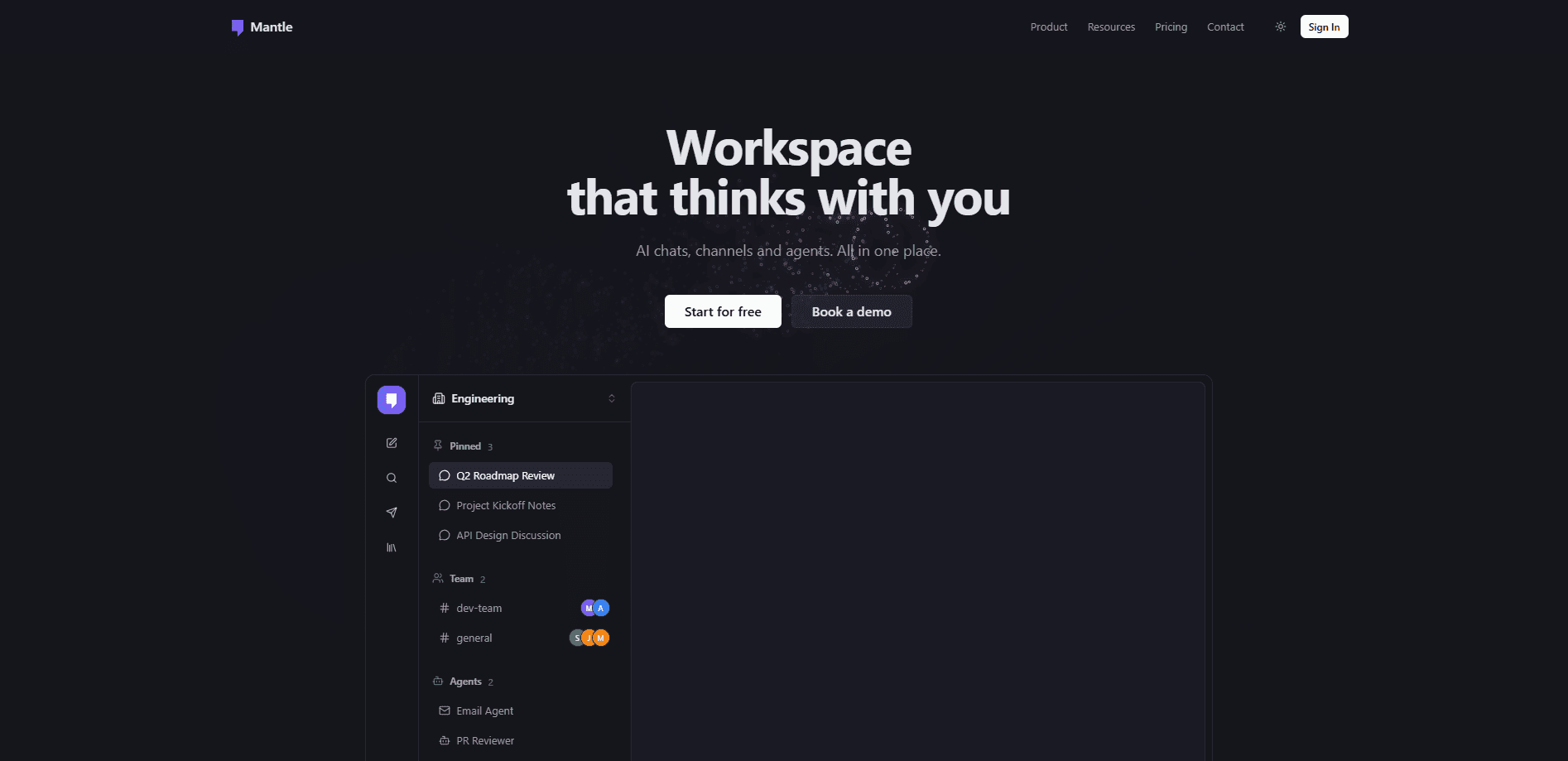
Mantle Chat is a collaborative AI workspace where your team chats in Slack- or Discord-style channels and @mentions AI whenever it helps. Think of it as multi-model AI chat built for groups. It bundles more than 60 models, shared AI agents, canvases, and 30+ tool integrations into one subscription, so answers land in the open where everyone can see and build on them.
About Mantle Chat
What Is Mantle Chat
Mantle Chat is a team chat app with AI sitting inside the room instead of off to the side. You get the usual channels, direct messages, and threads, then @mention a model or a custom agent the same way you'd mention a coworker. The reply shows up in the channel, not in somebody's private tab.
The problem it targets is familiar. Most people still run AI alone, in one browser window, and then paste results into chat for everyone else. That copy-and-paste loop loses context fast, and teammates can't ask follow-ups on an answer they never saw created. Mantle Chat fixes this by making the whole conversation, and the AI that joins it, shared by default. Everyone works from the same shared AI context instead of scattered private threads.
The biggest limitation is platform coverage. Native apps exist for macOS and Windows today, while Linux, iOS, and Android are still listed as coming soon on the vendor's roadmap. The browser version works everywhere in the meantime, so nothing is blocked, but mobile users won't get a native app yet.
Getting Started
- Sign in with Google or your email at mantle.chat. A free workspace is ready in about 30 seconds, and no credit card is needed.
- Create a channel for a team or a project, then invite teammates the way you would in any chat app.
- Bring in a model. Pick from over 60 options inside a chat, or @mention a model in any channel to pull an answer into the thread.
- Build a shared agent if you want repeatable work. Give it a model, instructions, a knowledge base, and the integrations it needs to act.
- Add your tools, like Gmail, Notion, or Linear, so agents can read and act on the apps your team already uses.
Product Information
A quick look at Mantle Chat's pricing, supported platforms, and performance.
Best for
The users, tasks, and scenarios where this tool fits best.
Users
- Small teams exploring AI together
- Product and engineering groups
- Teams already paying for ChatGPT or Claude
Tasks
- Drafting team documents
- Turning meetings into action
- Recurring reporting
Scenarios
- Project kickoffs where several people need the same background
- Debugging or research sessions that need a second pair of eyes
- Cross-tool busywork like checking email or updating tickets
Key features
Chat With Any of 60+ Models in One Place
Mantle Chat puts model families from Anthropic, OpenAI, Google, xAI, and DeepSeek behind a single subscription. You can switch models mid-conversation, compare answers side by side, and settle one bill instead of juggling several. One bill. No switching accounts. For teams that keep debating which model fits a job, this removes the guesswork and the extra invoices along with it.
Shared Channels With AI in the Room
Every channel and DM can pull AI into the conversation through a mention. The reply lands where the whole team can read it, quote it, and ask follow-ups. Want a second opinion on a draft? Just mention a model in the thread and it answers in front of everyone. That single design choice separates Mantle Chat from a private chatbot window, since context stays visible to everyone who needs it.
Agents Your Team Builds and Uses Together
You can spin up agents from a template or from scratch, each with its own model, instructions, knowledge base, and integrations. These AI agents for teams are shared and live, so a teammate can join a running task, watch it work, or redirect it. Agents can also act on tools like Gmail, not just talk about them.
Calls That Take Their Own Notes
Voice calls work in any channel or DM. AI notes catch decisions and action items as they happen, and any note turns into a task with one click, which means the write-up you used to dread is already sitting in chat by the time the call ends. No more scrambling to remember who agreed to what. Teams that hate writing up meetings will feel the difference immediately.
Canvases and a Shared Knowledge Base
Canvases are collaborative docs for plans, articles, and documentation, and AI can read them too. Stack files, canvases, and instructions into the knowledge base and every model answers with your company's context, so a teammate asking about an old decision gets the same answer the docs give rather than a fresh guess. It's the difference between a generic reply and one that knows your project.
Tasks That Run on a Schedule
Tasks run manually, on a schedule, or when an event arrives. A recurring weekly report can write itself and land in team chat without anyone remembering to trigger it. Set it once. Then forget it. Agents already power these tasks, so the same setup you use for chat carries straight over.
Integrations With 30+ Tools
Mantle Chat connects to Linear, Notion, Slack, Gmail, Google Calendar, Google Drive, GitHub, Jira, Figma, Discord, Stripe, and Asana, among others. With these hooks, agents read and act on the apps your team already lives in, so asking an agent to check a Linear issue or draft a Notion page is a real request, not a wish. The free plan includes one integration, and higher tiers raise that limit.
Bring Your Own AI Subscriptions
If you already pay for ChatGPT, Claude, or a supported coding agent, the desktop app runs those locally. Supported tools include Codex, Claude Code, Cursor, OpenCode, and Grok CLI. You sign in once and keep using subscriptions you've already bought inside Mantle.
Pros and cons
Pros
- One subscription covers 60+ models, so teams stop paying for several AI accounts.
- Shared channels and live agent sessions keep AI answers visible to everyone, which removes the copy-paste loop.
- Agents can act on real tools like Gmail and Linear, not just produce text.
- The free plan supports 10 members and 3 workspaces, enough for a small team to test properly.
- Desktop app runs coding agents on the ChatGPT or Claude subscriptions you already own.
Cons
- Native apps are limited to macOS and Windows for now, so Linux and mobile users rely on the browser.
- AI usage runs on a monthly credit balance, and heavy use of frontier models or long context burns through it faster than light chat.
- The free plan's 90-day chat history and single integration will feel tight once a team leans on the workspace daily.
- No public API is documented, so you can't wire Mantle Chat into your own systems yet.
Frequently asked questions
It's a team workspace for using AI together. You chat in channels, @mention models or agents, and keep every AI answer in a shared place instead of private tabs.
Related content
Explore related tools, skills, and articles for Mantle Chat.
Mantle Chat Alternatives

Base Code
Base44 (Wix) · Coding · ProductivityBase Code is a shared cloud development environment from Base44. Teammates describe changes to an existing GitHub codebase in chat, preview them live and send them back as pull requests.

Knocket
Knocket (Tencent RTC team) · Productivity · Business · ChatbotKnocket is a free live chat and contact page tool that lets visitors message you from your website, app, or a shareable link, with every reply handled from Telegram or one inbox.

FloorGen
Vinit Kumar (FloorGen) · Productivity · China AIFloorGen is a browser-based floor plan maker that turns a sentence or a sketch into an editable 2D plan and a 3D walkthrough. Export to PDF, DXF or video, and draw without an account.