

Math.now: Free Math AI Solver powered by math GPT
Math.now · Leaning
Math.now is a free online math AI solver powered by Math GPT. You type or photograph a problem, get step-by-step solutions, and keep asking the math AI bot follow-up questions.
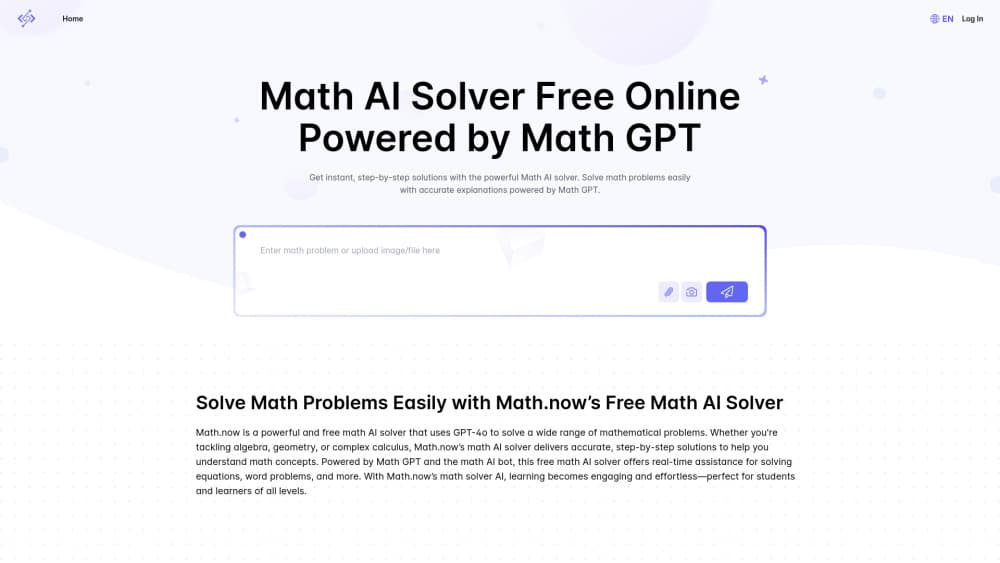
About Math.now: Free Math AI Solver powered by math GPT
What Is Math.now
Math.now is a web-based AI math solver built by the Math.now team. You bring a problem, either by typing it or by uploading a photo, and the site returns a worked solution with each step spelled out. The math AI bot stays open afterward, so you can ask why a step works or request another problem like it.
The point is exam prep, homework, and self-study. A math picture solver reads equations straight from a photo using OCR, which saves you from retyping long expressions. Math.now says it runs on GPT-4o, and the same platform also covers physics, science, and engineering topics.
The main catch is the daily credit limit. Free accounts get 5 credits a day, while the Pro plan raises that to 100 credits a day (3000 a month) with priority response times and access to advanced models. The whole product lives in the browser, so there's no offline mode and nothing to install.
Getting Started
- Open math.now in a browser. There's nothing to install, and a free account works from the first visit.
- Type your problem into the input box, or switch to Solve with image and upload a photo.
- Send it, and the math AI solver returns a step-by-step solution.
- Ask the math AI bot follow-up questions if a step doesn't make sense.
- Work through the reasoning until you can solve the same type of problem on your own.
Product Information
A quick look at Math.now: Free Math AI Solver powered by math GPT's pricing, supported platforms, and performance.
Best for
The users, tasks, and scenarios where this tool fits best.
Users
- High school students
- College students working through calculus and linear algebra
- Parents helping with homework
- Teachers and tutors
- Self-learners returning to math
Tasks
- Solving a written equation
- Checking homework
- Studying for an exam
- Working through word problems
- Getting unstuck on a single step
Scenarios
- Reviewing homework at night
- Preparing for a test the next day
- Helping a child with a worksheet
- Brushing up on a topic before a course
- Checking a long calculation
Key features
Photo input with a math picture solver
Math.now reads problems straight from a photo. Point your camera at a printed or handwritten equation, upload the image, and the OCR layer converts it into something the solver can work with. That means you skip retyping long or messy expressions, which is where most of the friction sits when you're copying from a textbook.
Step-by-step solutions
The math AI solver breaks a problem into stages and explains each one rather than spitting out a bare answer. You see how the equation gets rearranged, why a rule applies, and where the numbers come from. For exam prep, that breakdown is the part that actually teaches the method.
Follow-up questions with the math AI bot
After the first solution, you keep chatting with the bot. Ask why a step is valid, request a simpler explanation, or ask for another problem of the same type. This back-and-forth is what separates Math.now from a plain calculator, because you can dig into the reasoning until it makes sense.
Coverage beyond pure math
Math.now organizes its tools into Math, Physics, Science, Engineering, AI Study, and Daily Life sections. The math solver handles algebra, geometry, and calculus, while the other tabs cover physics and science problems. If your coursework crosses into those subjects, you use one site instead of several.
Multiple input methods
You can type a problem, upload a photo, or submit a file for longer or more complex questions. Each option suits a different situation: typing for a quick equation, a photo for a worksheet, and a file upload when the problem runs long. The flexibility matters when a single problem spans several lines.
Free daily credits with a Pro upgrade
A free account gives you 5 credits a day, enough for casual checking and review sessions. The Pro plan lifts that to 100 credits a day (3000 a month), adds priority response times, advanced models, and 24/7 AI tutor support, and costs $6.9 a month, with an annual option that saves 30 percent.
Pros and cons
Pros
- The free plan is genuinely usable, with 5 credits a day that cover everyday homework checks.
- Photo input means you can photograph a textbook page instead of retyping the equation.
- Step-by-step explanations and follow-up questions turn answers into actual learning.
- One site covers math, physics, science, and engineering, so you don't juggle separate tools.
- Setup is instant since it runs in the browser with nothing to install.
Cons
- The 5 free credits a day run out fast if you work through long problem sets.
- There's no offline mode, so you need an internet connection every time you use it.
- The stronger models, priority speed, and 24/7 tutor support all sit behind the Pro plan, which adds a monthly cost for heavy users.
Frequently asked questions
Math.now is a free online math AI solver powered by Math GPT. You type or upload a math problem and get a step-by-step solution, then keep asking the math AI bot follow-up questions. It runs in a browser and also covers physics, science, and engineering.
Related content
Explore related tools, skills, and articles for Math.now: Free Math AI Solver powered by math GPT.
Math.now: Free Math AI Solver powered by math GPT Alternatives

HireKey
HireKey · Voice & Language · Productivity · LeaningHireKey is an AI job search copilot built by a former tech recruiter. It checks role fit, tailors resumes, runs interview practice and tracks every application.

Lune
Retrograde Labs · Productivity · LeaningLune is a research search engine for scientific AI agents. It runs as an MCP server that lets Claude, ChatGPT and Cursor search peer-reviewed computer science papers and cite them.
Coddy
Coddy · Coding · LeaningCoddy is a gamified platform to learn to code through short interactive lessons in 20+ languages, with a browser editor, an AI tutor and free certificates.