

MBox AI Meet
MBox · Productivity
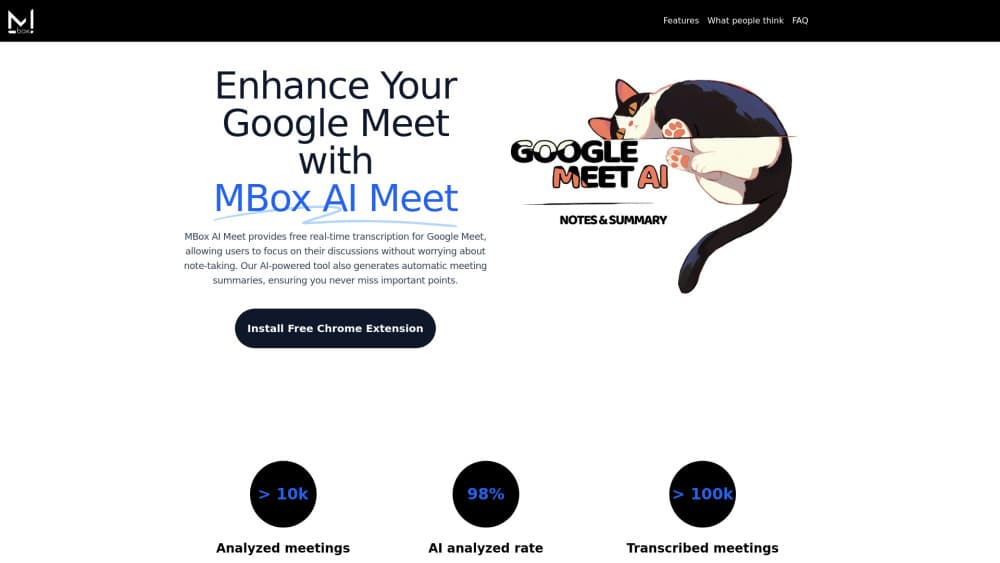
MBox AI Meet is a Chrome extension that transcribes Google Meet calls live and emails an AI summary with action items, powered by Gemini Pro and built to skip audio storage.
About MBox AI Meet
What Is MBox AI Meet
MBox AI Meet is a meeting transcription extension for Google Meet. It reads the live captions of a call, builds a transcript as people talk, and sends a written recap to your inbox when the meeting ends. Think of it as an AI note taker that sits in the browser rather than joining the call. The company ships it from mbox-meet.com and lists it in the Chrome Web Store, where the same extension also goes by the name MBox AI Toolkit.
The pitch is narrow on purpose. Most meeting recorders capture audio or video files, then ask you to clean up an hour of footage. MBox sticks to text. It processes captions in real time, keeps no audio, and hands you a short set of notes you can forward to people who missed the call.
The limits are worth knowing before you install. It works with Google Meet on desktop Chrome, so Zoom, Microsoft Teams, and phone dial-ins are outside the scope. Live captions have to be running for the extension to have anything to read, and a rough connection means gaps in the transcript. The free plan covers basic summaries, while advanced summaries and end to end encryption sit behind the Pro plan.
Getting Started
- Install the extension from the Chrome Web Store, then pin it to your toolbar so you can see when it's active.
- Sign in with a Google account, which also lets the extension write summaries to your Gmail address.
- Join a Google Meet call and turn on captions. MBox starts collecting the transcript once speech appears in the caption track.
- Set the depth you want in the summary panel, from a short list of decisions to a longer breakdown with owners and deadlines.
- Open the email that arrives after the call, or copy the summary from the extension panel into Notion, Slack, or your task manager.
Product Information
A quick look at MBox AI Meet's pricing, supported platforms, and performance.
Best for
The users, tasks, and scenarios where this tool fits best.
Users
- Remote teams that live in Google Workspace
- Project managers running several calls a day
- Freelancers and consultants
Tasks
- Writing minutes without typing
- Tracking decisions and owners
- Running calls across languages
Scenarios
- Back to back client calls
- Weekly sprint planning
- User research interviews
Key features
Real Time Transcription
MBox reads the caption stream during a Google Meet session and turns it into a working transcript while the call is still going. You can watch the text build up in the side panel, which helps when you want to check that a name or a figure came through correctly. Nothing is recorded to disk, so the transcript is the only artifact.
AI Summary by Email
When the call ends, the extension sends a condensed AI meeting summary to the address tied to your Google account. It covers the main topics, the decisions, and the loose ends, usually in a few short paragraphs. The email is the default delivery route, so the recap is waiting even if you close the tab straight away.
Customizable Summary Depth
A slider in the panel sets how much detail you get. A brief mode returns a handful of bullets for a status call, while a deeper setting expands into context, reasoning, and next steps for a planning session. You pick per meeting rather than committing to one format for everything.
Smart Action Tracking
The model scans the conversation for commitments and flags them as tasks with the person attached. It catches phrasing like "I'll send the draft Friday" that a keyword search would miss. You still confirm the list before it goes anywhere, which matters when people talk in hypotheticals.
Speaker Identification
Each line in the transcript carries a speaker label, so a long discussion stays readable after the fact. In a five person call the labels make it obvious who raised a concern and who answered it. Accuracy depends on distinct voices and a decent microphone.
Privacy and Language Coverage
Audio and video never leave the call, and the Pro plan adds end to end encryption for the text it keeps. The same extension handles multi-language meetings, so a Spanish or Japanese session produces notes in the language spoken. Pro also unlocks a stronger Gemini Pro configuration with larger token limits, which helps on long calls where the basic model trims detail.
Pros and cons
Pros
- No meeting bot joins the call, so participants don't see an unfamiliar guest in the list.
- Emailed recaps arrive without any extra step, which suits people who never open another dashboard.
- Free tier covers real time transcription and basic summaries, enough to test on a few calls.
- Works on top of Google Meet's own captions, so setup is one extension and one sign in.
- Pro costs $4.99 a month, well below the per seat price of most meeting assistants.
Cons
- Google Meet on desktop Chrome only, so Zoom and Teams users get nothing from it.
- Captions must be enabled, and a poor connection leaves holes in the transcript.
- Summaries are English centric in tone even when the meeting runs in another language, which shows up in phrasing and names.
- No native mobile app and no calendar integration, so the recap depends on email as the delivery channel.
Frequently asked questions
Yes. The free plan includes real time transcription and basic AI summaries. Pro adds advanced summaries, end to end encryption, and priority support for $4.99 a month, and Enterprise pricing is quoted on request.
Related content
Explore related tools, skills, and articles for MBox AI Meet.
MBox AI Meet Alternatives

Base Code
Base44 (Wix) · Coding · ProductivityBase Code is a shared cloud development environment from Base44. Teammates describe changes to an existing GitHub codebase in chat, preview them live and send them back as pull requests.

Knocket
Knocket (Tencent RTC team) · Productivity · Business · ChatbotKnocket is a free live chat and contact page tool that lets visitors message you from your website, app, or a shareable link, with every reply handled from Telegram or one inbox.

FloorGen
Vinit Kumar (FloorGen) · Productivity · China AIFloorGen is a browser-based floor plan maker that turns a sentence or a sketch into an editable 2D plan and a 3D walkthrough. Export to PDF, DXF or video, and draw without an account.