
MD+HTML Reader
IndieSeek · Productivity
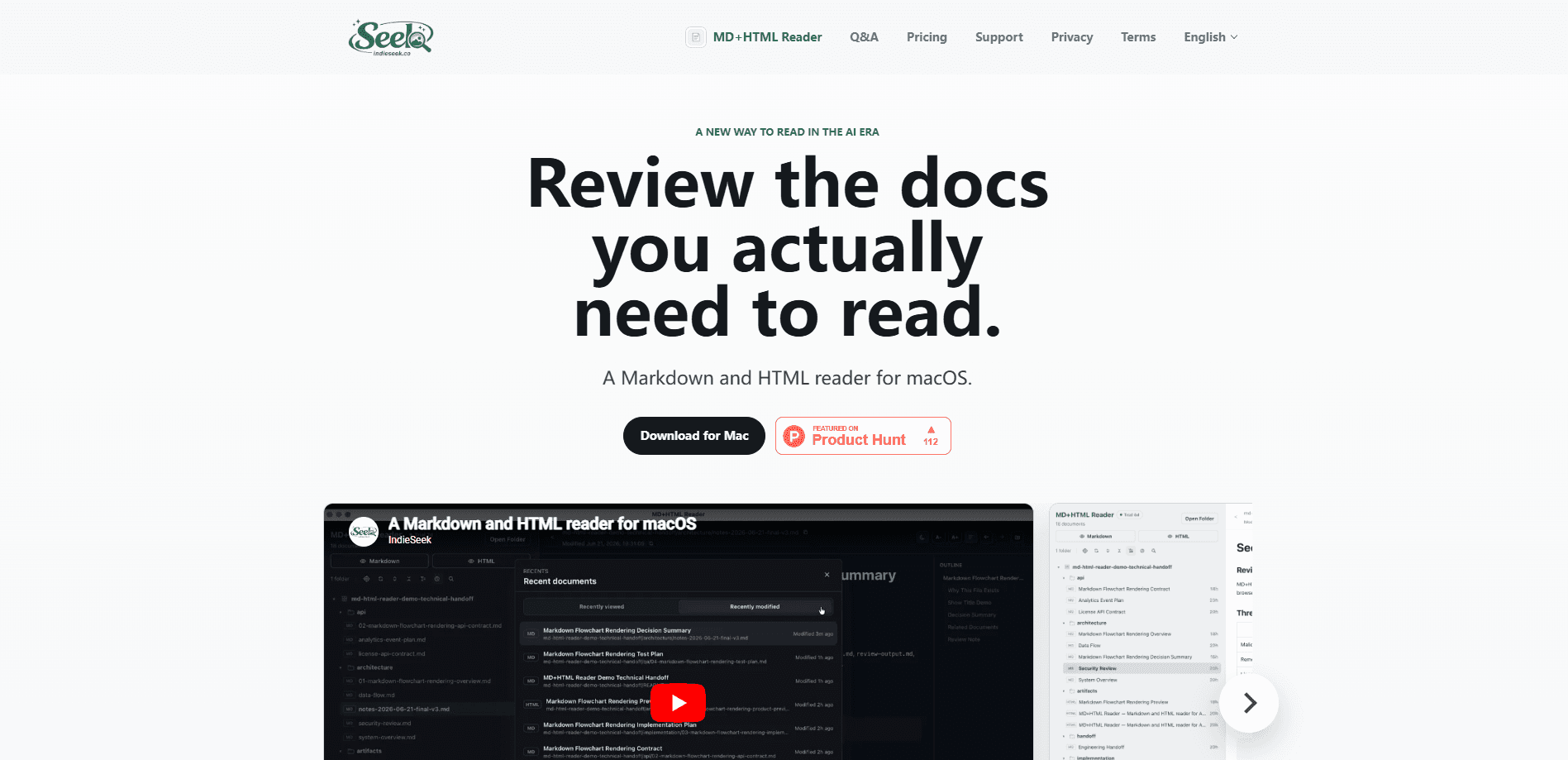
MD+HTML Reader is a lightweight, read-only macOS app that works as a Markdown reader for Mac, built for reviewing AI-generated docs. It opens a local project folder, filters out the source code and build files, and shows only the Markdown and HTML artifacts worth reading. Render Markdown with an outline and Mermaid diagrams, preview HTML in a sandboxed reader, and jump back to recent documents without digging through the project tree. Think of it as a local-first document reader for the human side of AI work.
About MD+HTML Reader
What Is MD+HTML Reader
MD+HTML Reader is a desktop app for macOS that turns a cluttered project folder into a calm reading space. AI coding agents now produce plenty of Markdown and HTML: plans, specs, release notes, handoff summaries, flowcharts. Those files live next to source code, dependencies, and build output, so opening the folder in an editor means scrolling past noise before you find the one doc you need.
The app solves that by filtering. It scans a folder and surfaces only .md, .markdown, .html, and .htm files, then renders them in a read-only Markdown viewer. Markdown gets an outline and Mermaid diagram rendering. HTML opens in a sandboxed preview with local CSS. Nothing gets edited. Nothing breaks. You can't accidentally touch a generated file while reading it.
The main catch is scope. This is a Mac-only reader with no editor, no cloud sync, and no support for other file types yet. If your work happens on Windows, or you need to write and read in the same window, it won't fit. Document content stays local and never uploads. That trade-off is what makes the read-only design useful for a private repo.
Getting Started
- Download MD+HTML Reader for Mac and start the 30-day free trial. No payment is needed to begin.
- Open the app and point it at a project folder that holds your Markdown and HTML files.
- Let it filter the folder so only readable docs remain in the list.
- Pick a document to render Markdown with outline and Mermaid support, or preview HTML in the sandboxed reader.
- Use recent documents, search, and live refresh to move between files as the project changes.
Product Information
A quick look at MD+HTML Reader's pricing, supported platforms, and performance.
Best for
The users, tasks, and scenarios where this tool fits best.
Users
- Developers reviewing AI agent output
- Technical writers working with generated docs
- Small teams doing handoffs
Tasks
- Reading AI-generated Markdown
- Previewing HTML artifacts
- Revisiting recent documents
Scenarios
- Reviewing a repo before the next commit or prompt
- Checking flowcharts and diagrams in a spec
- Skimming release notes after an agent run
Key features
Markdown and HTML Document Filter
The core job is separating docs from everything else. Point MD+HTML Reader at a project folder and it lists only Markdown and HTML files, ignoring source code, dependencies, and build artifacts. That means the reading list matches what you actually came to read, not the whole repo. It supports .md, .markdown, .html, and .htm.
Read-Only Rendering
Every document opens in a read-only view, so reviewing a generated file never risks changing it. The app renders Markdown with a document outline and supports Mermaid diagrams for flowcharts and similar visuals. HTML artifacts preview in a sandboxed reader that respects local CSS. Need to edit? Do that in your original tool.
Recent Documents
The reader tracks what you viewed and what changed on disk, then lists recent work docs by viewed and modified time. After a long agent session, you can return to handoff-notes.md or release-report.html without reopening the whole project tree and hunting through folders that mostly hold code and build output. It's a small feature that saves a surprising amount of hunting.
Search and Live Refresh
Search finds documents inside the current project without leaving the app. Live refresh watches the files on disk and updates the view when they change, so a file rewritten by another tool shows its new content without a manual reload. Together they keep the reader in step with a project that's still moving.
Local-First Privacy
Document content is read locally and never uploaded. Files open from local folders on your Mac, and the app keeps document content and local paths on your machine. That's the whole point. Mixed with the read-only design, it makes the reader a reasonable fit for private repositories where you'd rather not push generated docs through a cloud service.
Pros and cons
Pros
- Filters a project folder down to Markdown and HTML, so review starts from a clean list.
- Read-only rendering protects generated files from accidental edits during review.
- Mermaid and outline support covers the diagrams common in AI-written specs.
- Local-first design keeps document content off the network, useful for private repos.
- One-time price of $10 with no subscription and license activation on up to 2 devices.
Cons
- Mac-only, with no Windows or mobile versions, so it can't cover a cross-platform team.
- No editing at all, so you'll still need another app to fix anything you spot.
- Limited to Markdown and HTML, so PDFs, Word docs, and other formats stay out of reach.
- No API or automation, which rules out scripting it into a larger review pipeline.
Frequently asked questions
MD+HTML Reader is a read-only Mac app for reviewing AI-generated documentation. It filters a project folder down to Markdown and HTML files and renders them in one place, so you can read plans, specs, handoff notes, and HTML artifacts without scrolling past source code.
Related content
Explore related tools, skills, and articles for MD+HTML Reader.
MD+HTML Reader Alternatives

Base Code
Base44 (Wix) · Coding · ProductivityBase Code is a shared cloud development environment from Base44. Teammates describe changes to an existing GitHub codebase in chat, preview them live and send them back as pull requests.

Knocket
Knocket (Tencent RTC team) · Productivity · Business · ChatbotKnocket is a free live chat and contact page tool that lets visitors message you from your website, app, or a shareable link, with every reply handled from Telegram or one inbox.

FloorGen
Vinit Kumar (FloorGen) · Productivity · China AIFloorGen is a browser-based floor plan maker that turns a sentence or a sketch into an editable 2D plan and a 3D walkthrough. Export to PDF, DXF or video, and draw without an account.