

memi
Humyn LLC · Coding
memi is an AI design workbench for product teams that ship interfaces with coding agents. It reads your codebase before an agent edits it, checks the change before it ships, and stores what it learns in an editable project design memory. The toolkit covers a command-line UI audit tool, a macOS Studio app, a Figma bridge, and a shadcn registry export, so designers and engineers work from the same source of truth.
About memi
What Is memi
memi is a design workbench built for one specific problem: coding agents edit interfaces without understanding the interface first. If you've watched an AI assistant restyle a button, miss your spacing tokens, and quietly break an accessibility rule, you already know the pain. memi sits between the agent and your repo.
It runs a repository audit, produces a compact brief, and returns a reviewable report before any edit is trusted. The findings live in a project design memory you can edit, not a black box. Under the hood it's a set of connected tools: a CLI, a macOS Studio app, a Figma bridge, and an export to the shadcn registry.
The biggest limit is reach. The Studio app is macOS-only and still in beta, and the whole toolkit targets frontend codebases rather than any project you throw at it. So will it work for your backend repo? Probably not. It's open source under the FSL-1.1-ALv2 license, Apple-signed by Humyn LLC, and free with no account required.
Getting Started
- Run the CLI with
npx -y @memi-design/cli diagnose .to scan your repository and get a first audit report. - Review the findings in the receipt file. The diagnose mode reads only; it won't change your source.
- Install the Studio app (
brew install --cask memi-design/memi/memi-studio) if you want run history and Figma handoff on macOS 13 or later. - Connect your agent workflow and let memi prepare a design brief before an edit is allowed.
- Check the change after it's made, then store whatever you learned back into the project design memory.
Product Information
A quick look at memi's pricing, supported platforms, and performance.
Best for
The users, tasks, and scenarios where this tool fits best.
Users
- Design leads running a frontend design review
- Frontend engineers working with coding agents
- Product designers who hand off to developers
- Small product teams shipping interfaces fast
Tasks
- Auditing a repository for raw colors, missing alt text, and design-token drift before a release.
- Preparing a design brief so a coding agent knows your spacing, type, and color rules before it edits anything.
- Reviewing an agent's change against the interface it was meant to respect.
- Exporting components to the shadcn registry so the design system stays in sync with the code.
Scenarios
- A design review where you need a shareable receipt of what changed and why, instead of a vague "looks good."
- Onboarding a new coding agent onto a project it has never seen.
- Checking an unread badge or command menu for usability before it ships, the way the memi site demonstrates.
- Keeping a design memory that survives across runs and editors, so the same mistake doesn't repeat.
Key features
Repository Audit and Receipts
The CLI scans your codebase and returns a structured report with file-level findings, each tagged by type and severity. You get a receipt. It lists what was checked, how many files and routes were scanned, and an overall audit score. Diagnose mode reads only. Nothing gets rewritten behind your back.
Project Design Memory
memi keeps what it learns about your interface in an editable design memory tied to the project. Colors, type rules, and component conventions live there as reusable context. Because it's editable, you can correct a bad assumption instead of living with it.
Agent Briefs Before Edits
Instead of letting an agent guess, memi prepares a compact design brief that describes how the interface should behave. The agent works from that brief, which reduces the sheer number of round trips spent fixing design drift after the fact. Fewer rounds, cleaner diffs.
macOS Studio App
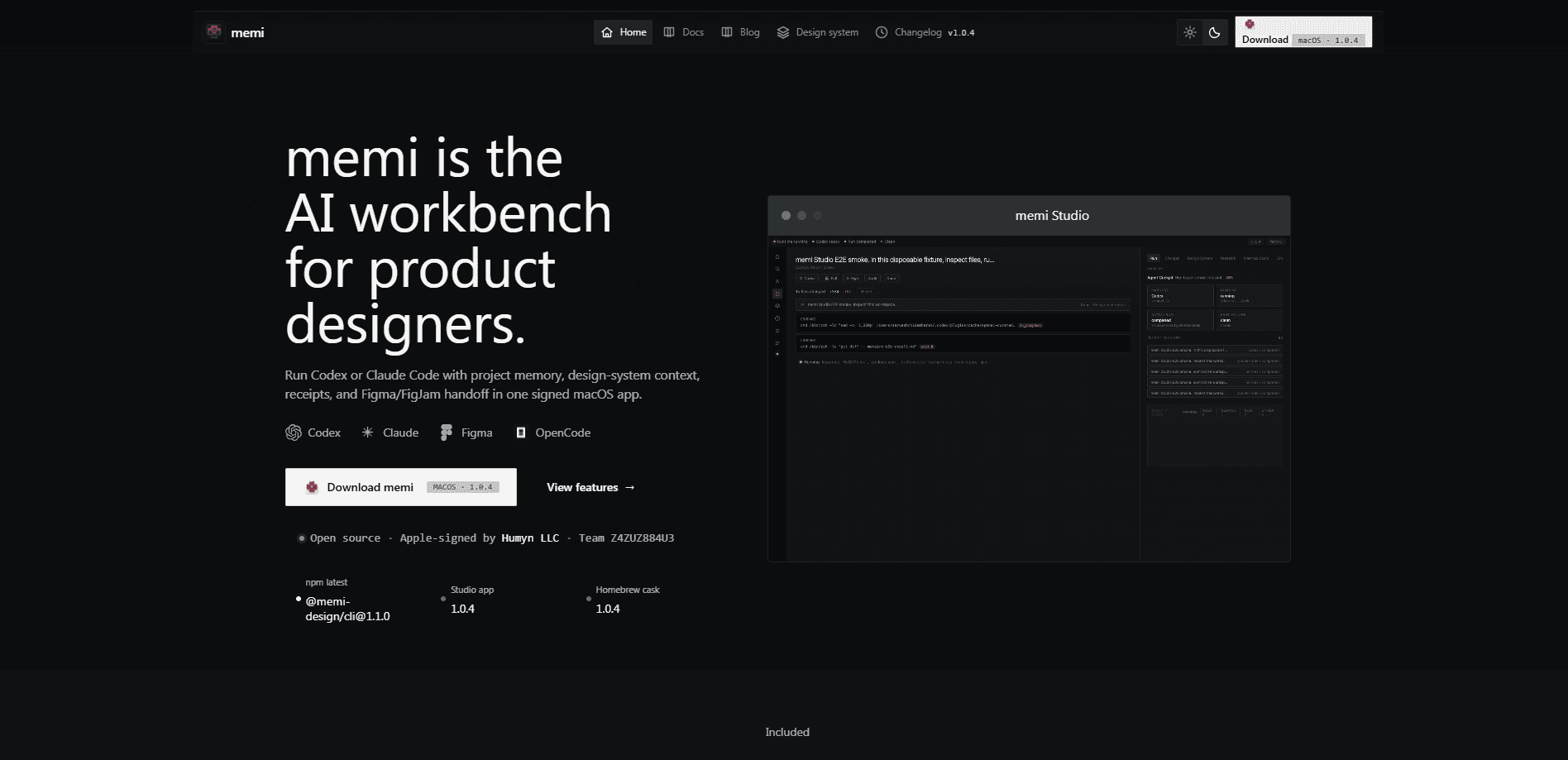
The signed Studio companion shows run history, project context, and receipts in a desktop app. You can watch Codex and Claude runs, review what each one changed, and see the cost attached to a run. It needs macOS 13 Ventura or later. Apple Silicon and Intel both work.
Figma and FigJam Handoff
The Figma bridge carries design context between memi and your Figma workspace. Designers keep working in the tool they already know, and the handoff context stays attached to the run rather than living in a separate doc.
shadcn Registry Export
memi can export components to the shadcn registry, so the design system in your code matches the one your components come from. That keeps a shared component library as the single source across design and engineering. No more exporting and re-importing by hand.
Local and Account-Free
Studio runs locally and uses the providers and registries you configure, and no website account is required. For teams that care about where their code goes, that's a meaningful default rather than a paid add-on.
Pros and cons
Pros
- Reads the codebase before an agent edits, which catches design drift early instead of after a broken build.
- Free and open source under FSL-1.1-ALv2, with no account required to get started.
- The CLI audit returns a reviewable receipt with file-level findings, not a vague pass or fail.
- Connects a CLI, macOS app, Figma, and the shadcn registry so design and engineering share one source of truth.
- Studio shows run history and per-run cost for Codex and Claude workflows.
Cons
- The Studio app is macOS-only, so Windows and Linux users are stuck with the CLI.
- Several parts are still in beta or in development, which means the workflow can shift under you.
- It's built for frontend codebases, so backend or non-UI projects get little value from the audit.
- Pricing beyond free isn't published, so teams planning larger rollouts have to ask.
Frequently asked questions
memi checks a frontend codebase before and after a coding agent edits it, so design rules and accessibility standards survive the change. It's aimed at teams that ship interfaces with AI coding tools.
Related content
Explore related tools, skills, and articles for memi.
memi Alternatives
Forefront
Forefront · CodingForefront is a web platform for building with open-source AI. It lets you fine-tune leading open-source language models on your own data, evaluate how they perform, and run them through an API or export them to host yourself. Developers who want the convenience of a closed-source platform but insist on owning their models and data are the target audience here.

Startkit
StartKit.AI · CodingStartkit is a boilerplate for building AI SaaS and AI wrapper products. Think of it as an AI startup boilerplate with the boring parts already wired up: authentication, Stripe and Lemon Squeezy payments, usage limits, transactional email, and an AI API starter that talks to OpenAI, Anthropic, Groq, or Llama. You clone the repo, set your price, and start on the part of your product that people actually pay for. It's Next.js under React and Tailwind, so most of the boilerplate code already feels familiar.
Testim
Tricentis · CodingTestim is an AI-powered test automation platform for building and running end-to-end tests across web, mobile, and Salesforce applications. It leans on machine learning to keep tests stable when an interface changes, so teams spend less time fixing broken selectors. Not bad for an automated testing tool you can start using today. You create tests by recording actions in a browser, then optionally add JavaScript when you need more control. It's a solid pick for busy QA teams.