

Menta
Menta · Productivity
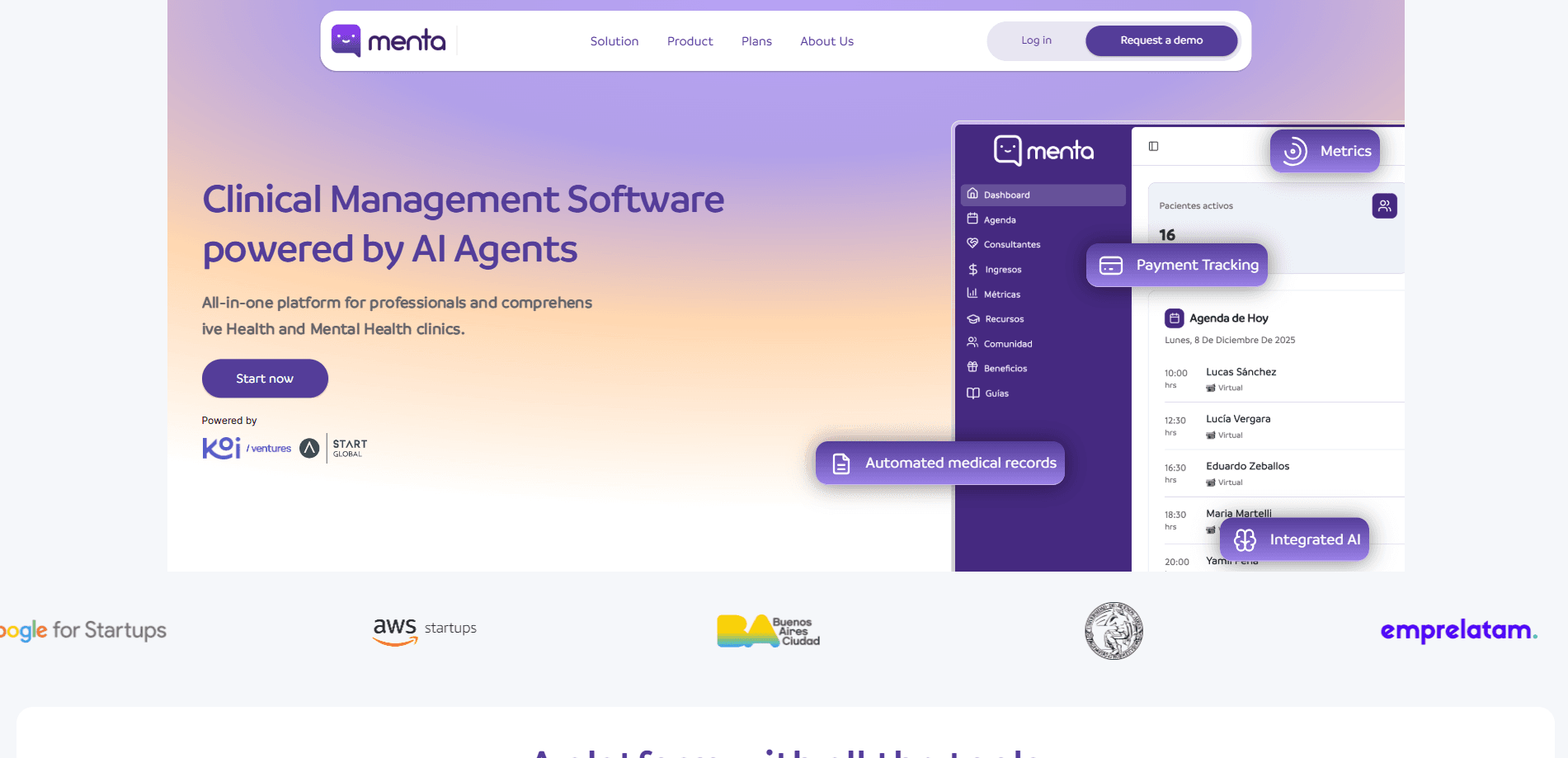
Menta is an AI-powered clinical management platform built for healthcare and mental health professionals who want to spend less time on admin work. It folds scheduling, patient records, online consultations, automatic session summaries, and performance metrics into one workspace that replaces the patchwork of separate tools most small practices rely on. The company reports that more than 3,000 practices and over 400,000 patients are managed through the platform.
About Menta
What Is Menta
Menta is an all-in-one clinic management platform for practitioners, health clinics, and medical centers. Instead of juggling a booking tool, a separate notes app, and a spreadsheet for billing, you run everything from a single dashboard. One login. Everything in view.
The core pitch is time. Menta automates the repetitive parts of running a practice: confirming appointments, transcribing sessions, drafting clinical notes, and tracking payments. The vendor claims clinicians recover up to 60% of their working week and save more than 50 hours a month. Treat those numbers as the company's own estimate. Not an independent study.
There are limits worth knowing before you sign up. The product is built for the Spanish-speaking market, so its interface, support, and content are primarily in Spanish. Public pricing isn't listed on the site, and you have to request a demo or register to see plan details. That last part is annoying. Mental health and general healthcare practices fit the design well. Highly specialized hospital systems with complex compliance needs may find it thin.
Getting Started
- Create an account at app.soymenta.io/registro, or book a demo first if you want to see the workflow before committing.
- Set up your practice profile, working hours, and the services or consultation types you offer.
- Add your patients and import existing records, then connect your calendar to sync appointments.
- Run a consultation to test the AI summary and transcription on a real or sample session.
- Review the auto-generated clinical note, adjust it, and save it to the patient's record.
Product Information
A quick look at Menta's pricing, supported platforms, and performance.
Best for
The users, tasks, and scenarios where this tool fits best.
Users
- Solo therapists and psychologists
- Small to mid-size clinics
- Administrative staff
Tasks
- Automating appointment reminders
- Writing clinical notes
- Tracking payments
Scenarios
- Running online consultations
- Managing a growing team
- Reviewing your practice metrics
Key features
Automated clinical records
Menta generates clinical notes from your sessions using AI. You record or run a consultation, and the platform drafts the summary and turns it into a structured record. The goal is to remove the after-hours admin where you replay a session to write it up. The vendor stresses a "100% human connection" angle. The AI drafts. You stay in the conversation with your patient.
Online consultations with automatic summaries
Remote sessions get transcribed and summarized without extra effort. Instead of taking notes during a call, you focus on the person in front of you and review the generated summary afterward. Big difference. For therapists who bill by the hour, that reclaimed attention is the real selling point.
Centralized patient management
Consultations, appointments, and follow-ups live in a single view per patient. You get a clinical file, session history, contact details, and notifications in one place, which matters a great deal when a patient's history spans months of visits across several different professionals on the same team.
Smart scheduling and reminders
As appointment scheduling software, Menta organizes your agenda and reduces no-shows with automatic reminders. Keeping a shared calendar straight is the difference between a full day and a wasted one. That's why it's built for clinics with several professionals.
Real-time metrics and insights
A dashboard tracks active patients, completed versus total sessions, and clinical progress. You can see trends in your practice as they happen rather than reconstructing them at month end. The vendor frames this as helping you make management decisions with data. Fair enough.
Payment tracking
The platform keeps payment status tied to each session, so billing follows the clinical work automatically. You can spot pending and overdue payments without cross-checking a separate accounting tool. No more end-of-month surprises.
Patient portal
Patients get a unified portal for their appointments and information. This cuts the phone tag that eats into front-desk time and gives patients a clearer view of their own scheduling.
Pros and cons
Pros
- Combines scheduling, records, online sessions, billing, and analytics in one platform, which reduces the number of tools a practice has to pay for and learn.
- Automatic transcription and summaries target the biggest time sink in clinical work, note writing after sessions.
- Built specifically for healthcare and mental health practices, so the workflows (clinical files, session evolution, patient follow-ups) match how clinicians actually work.
- Reported adoption of 3,000+ practices suggests it's proven at small and mid-size scale.
Cons
- Primarily Spanish-language, which limits its usefulness for English-speaking practitioners or multilingual teams.
- No public pricing, so you can't compare costs without booking a demo or registering.
- It's a web-only platform, which means no native mobile app for managing your practice on the go.
Frequently asked questions
Menta is clinical management software that handles scheduling, patient records, online consultations, and billing for healthcare and mental health practices. It uses AI to transcribe sessions and draft clinical notes automatically.
Related content
Explore related tools, skills, and articles for Menta.
Menta Alternatives

Base Code
Base44 (Wix) · Coding · ProductivityBase Code is a shared cloud development environment from Base44. Teammates describe changes to an existing GitHub codebase in chat, preview them live and send them back as pull requests.

Knocket
Knocket (Tencent RTC team) · Productivity · Business · ChatbotKnocket is a free live chat and contact page tool that lets visitors message you from your website, app, or a shareable link, with every reply handled from Telegram or one inbox.

FloorGen
Vinit Kumar (FloorGen) · Productivity · China AIFloorGen is a browser-based floor plan maker that turns a sentence or a sketch into an editable 2D plan and a 3D walkthrough. Export to PDF, DXF or video, and draw without an account.