
MerchBanao
MerchBanao · Image
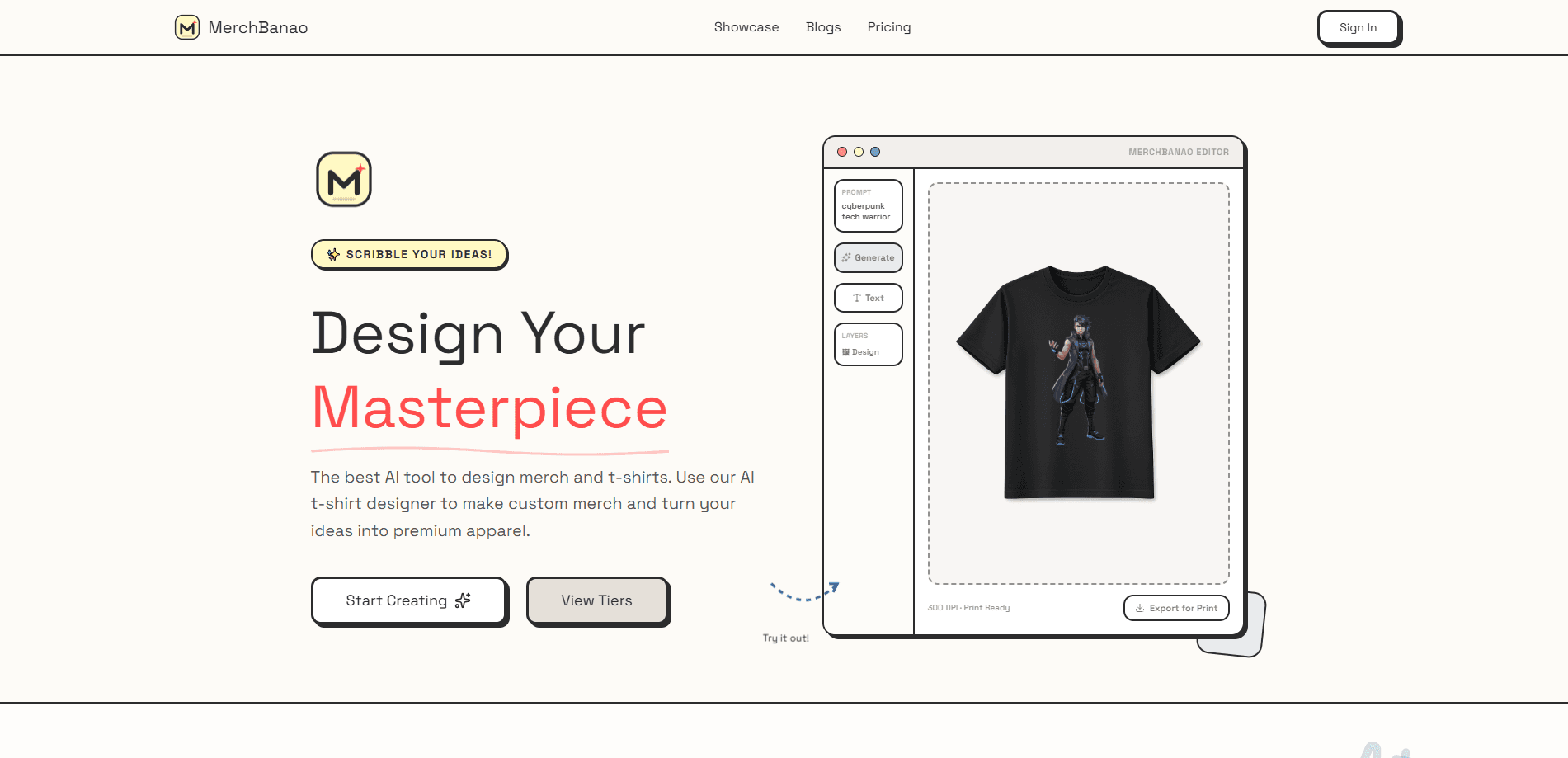
MerchBanao is an AI merch design tool that turns a plain text prompt into artwork you can actually print. It works as an AI t-shirt design generator first and a general image tool second. You generate a design, edit text and layers, cut the background, preview it on a shirt, and export a 4200 × 4800 transparent PNG. It's built for people selling custom t-shirts and print-on-demand products rather than for anyone who just wants a fun avatar.
About MerchBanao
What Is MerchBanao
MerchBanao is an AI design tool for turning short text prompts into t-shirt artwork ready for physical printing. It targets the messy middle of print-on-demand work: you have an idea, but you don't have the illustration skills or the files a printer will accept.
The core pitch is fidelity. Its makers say most AI tools generate avatars or low-resolution images, while MerchBanao focuses on production-ready assets sized for actual apparel. Think of it as print-on-demand design software rather than a consumer toy. The output format matters here. A 4200 × 4800 transparent PNG is the kind of file screen-printing and DTF shops ask for, so you skip the usual resize-and-cleanup scramble.
The trade-off is that it's a narrow tool. It won't write your product descriptions, run your Etsy shop, or generate video. If you need a general image generator for social posts, blog headers, or YouTube thumbnails, look elsewhere, because MerchBanao builds files for one job and doesn't pretend to cover the rest of your content stack.
Getting Started
- Sign up with Google or an email address. No card is required, and you get one starter generation credit to try the workflow.
- Type a prompt describing the artwork you want, then generate the initial design.
- Open the built-in editor to fix text, move layers, and remove the background.
- Preview the design on a shirt to check placement and scale.
- Export the final file as a 4200 × 4800 transparent PNG and send it to your printer.
Product Information
A quick look at MerchBanao's pricing, supported platforms, and performance.
Best for
The users, tasks, and scenarios where this tool fits best.
Users
- Print-on-demand sellers
- Small merch brands and Etsy shops
- Hobbyists making custom gifts
Tasks
- Turning a text idea into t-shirt artwork
- Removing backgrounds from designs
- Preparing files for a printer
Scenarios
- Launching a new merch drop
- Testing a design idea before a full print run
- Making a one-off gift tee
Key features
Prompt-to-Artwork Generation
Type a description and MerchBanao generates the base artwork. You get a starting concept instead of a blank canvas, which is the whole point for people who can picture an idea but can't draw it. No drawing skills needed.
Built-In Design Editor
The editor handles text and layers, so you can fix a misspelled word or reposition elements without opening a separate program, which is the kind of small correction that otherwise forces you to abandon the generated file and start the whole prompt over. Typography is where a lot of AI image generators fall apart, and having text editable afterward is a practical fix rather than a promise.
Background Removal
One-click background removal strips the design down to its subject so it drops cleanly onto a shirt. It works as a background remover for t-shirt designs, not a general photo editor. Without this, most generated images carry a backdrop that looks wrong on apparel and has to be cut out somewhere else.
Shirt Mockup Preview
Before you export, you can preview the design on a shirt to judge size and placement. It's a fast reality check. A concept that looks sharp as a flat image can read as a mess once it's stretched across a chest.
Print-Ready PNG Export
Exports land at 4200 × 4800 pixels with a transparent background. That's the resolution and format apparel printers tend to ask for, which saves you from upscaling a small file and hoping it holds up. Upscaling rarely ends well.
Credit-Based Pricing
MerchBanao sells credit packs instead of a monthly subscription, and the credits don't expire. Buy once and use them whenever you get around to designing, which suits people who design in bursts rather than daily.
Pros and cons
Pros
- Output is sized and formatted for real printing, so there's less file prep before you send a design to a printer.
- The built-in editor covers text and layers, letting you fix AI typos without leaving the tool.
- No subscription, and credits don't expire, so you're not paying monthly for a tool you use occasionally.
- Free starter credit means you can test the workflow before spending money.
- Google or email signup keeps account setup quick.
Cons
- It's built specifically for merch and apparel, so it's the wrong tool if you need general-purpose image generation delivered at scale.
- Pricing is sold as credit packs, which makes the true cost per design harder to compare against a flat monthly plan that bundles everything into one predictable fee.
- The site doesn't publish an API, so automating generation at scale isn't an option right now.
Frequently asked questions
It's an AI design tool for creating t-shirt and merch artwork from text prompts. You generate a design, edit it, remove the background, and export a print-ready file for apparel printing.
Related content
Explore related tools, skills, and articles for MerchBanao.
MerchBanao Alternatives

Google EmbeddingGemma 2
Google DeepMind · Writing · Image · CodingGoogle EmbeddingGemma 2 is a 740M-parameter open model that turns text, code, images, audio, and video frames into vectors in one 768-dimension space, running on phones and laptops.

Tractionwave
TractionWave · Image · MarketingTractionWave is an AI attention heatmap tool for static ads. Upload a PNG or JPG and it returns predicted attention, ranked hotspots, and fixes before you spend budget.

Imejis.io
Imejis.io · Image · MarketingImejis.io is an AI design studio for agents and marketing teams. Describe an image in plain words, and it writes the copy, builds the layout, reflows it to every size, then exports a finished file.